



How to Sell Bundles Through Subscriptions, Wholesale, and Third-Party Channels
If you're selling bundles across multiple channels, you're dealing with a gap in how Shopify handles off-platform orders.

Tina Donati
Dec 09, 2025 · 12 min
This article is a step-by-step guide for merchants who want to boost average order value and improve their online store merchandising strategy.

Tina Donati
Dec 09, 2025 · 12 min
Tina Donati is the Head of Marketing at Simple Bundles and has spent the past 7+ years helping Shopify brands streamline their tech stack and unlock growth through smarter product bundling, better UX, and cleaner ops.
Product bundling has become one of the highest-leverage merchandising strategies for Shopify brands, and for good reason. Bundles increase AOV, raise units per transaction, enable cross-sell discovery, and help merchants move inventory more efficiently.
But behind every clean, compelling bundle on the storefront is a layer of operational complexity...
Inventory syncing, multi-location stock availability, picking and packing accuracy, and discount logic that must all work seamlessly.
If you want to learn how to create bundles on Shopify — using both Shopify’s native Bundles app and third-party solutions — this article walks you through everything you need to know. It also serves as a step-by-step guide for merchants who want to boost average order value and improve their online store merchandising strategy.
Let’s start with the basics.
A Shopify bundle is a group of products sold together as a single offer — a curated set, a starter kit, a discounted pack, or a “choose your own” assortment.
To customers, a bundle product feels like a unified item with a clear value story — “Get the complete skincare routine” or “Choose any 3 coffees for $45.” Bundles can also appear as a single product template on the product page, depending on your setup.
On the back end, however, each component product must still be tracked separately to ensure accurate picking, packing, and replenishment. This is especially important when bundles include individual items, product variants, or complementary products.
Third-party apps can help with this, while extending bundling into dynamic experiences like mix-and-match bundles, build-a-box kits, BOGO bundles, volume discounts, quantity breaks, and post-purchase upsells.
Most Shopify brands introduce bundles to increase AOV, but the downstream benefits go far beyond that. Bundles improve:
But as revenue scales, so does the complexity behind maintaining accurate fulfillment. That’s why choosing the right bundling structure — and the right tools — is essential.
Before you create your first bundle, it’s helpful to understand the major types and how merchants use them strategically.
Shopify merchants typically choose between two foundational bundle formats:
Each component retains its own SKU and stock level. These are best for:
Because the components remain separate, Shopify can automatically deduct inventory per item. This structure also ensures clean inventory tracking and supports storefront flexibility, especially when selling across multiple sales channels.
One unified SKU represents the bundle — common for multipacks or identical items. These are best for:
Most merchants eventually use both, depending on their merchandising goals and how they want to present bundle offers and bundle prices.
While the concept is simple — package products together to increase AOV — the execution dramatically impacts conversion rate and profitability.
Below are the most effective bundle types used by Shopify brands today, along with explanations of why they work, which industries they fit, and what merchants should consider when creating them.
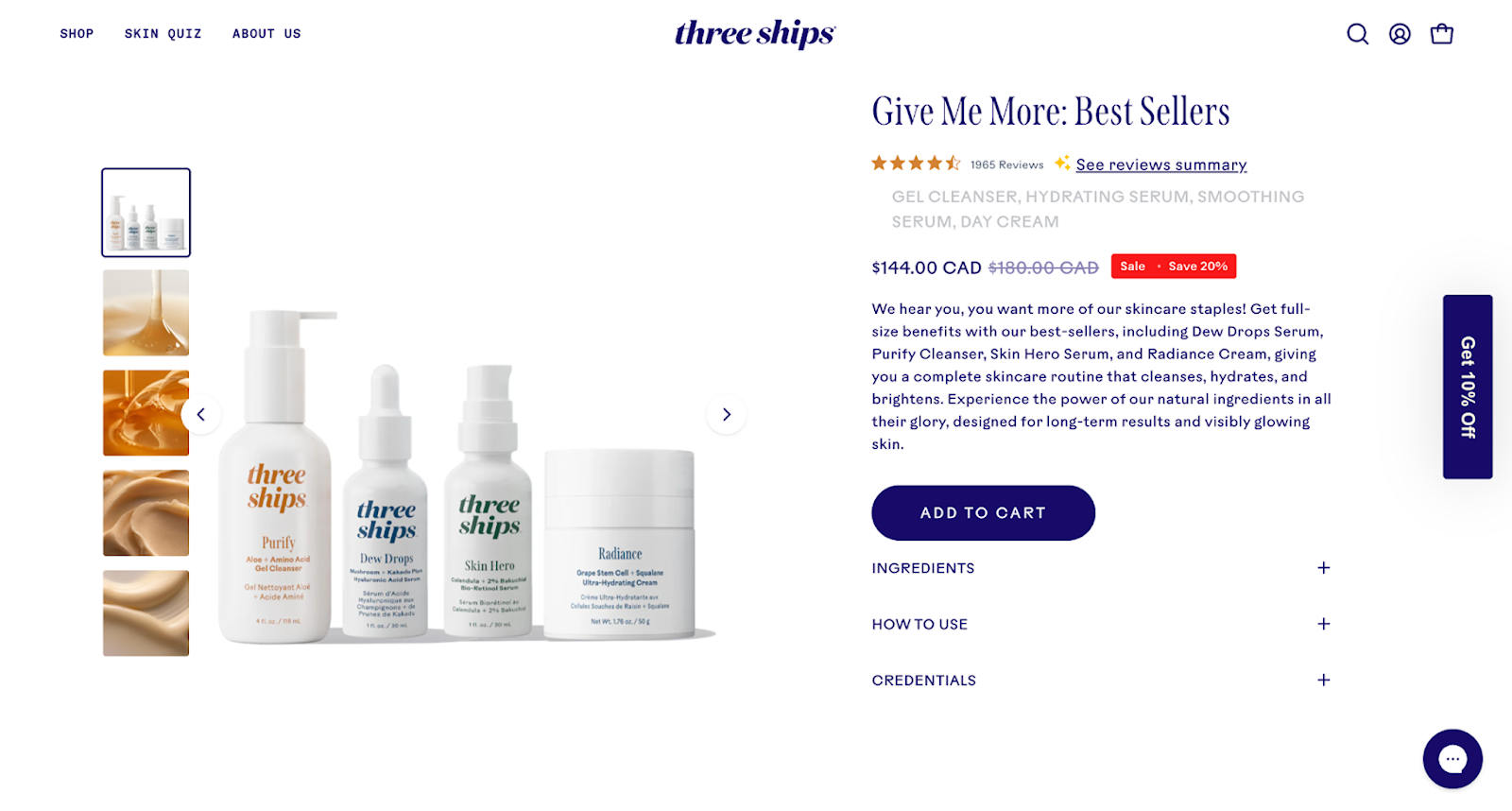
Starter kits are among the highest-converting bundle formats because they reduce friction for new shoppers. Instead of deciding between multiple SKUs, shoppers choose a single, curated package designed to introduce them to your brand.
Best for:
Why they convert well:
A skincare brand might bundle a cleanser, toner, and moisturizer into a “Complete Daily Routine Kit” priced lower than purchasing each item individually. This directs customers toward the ideal regimen rather than one-off products.
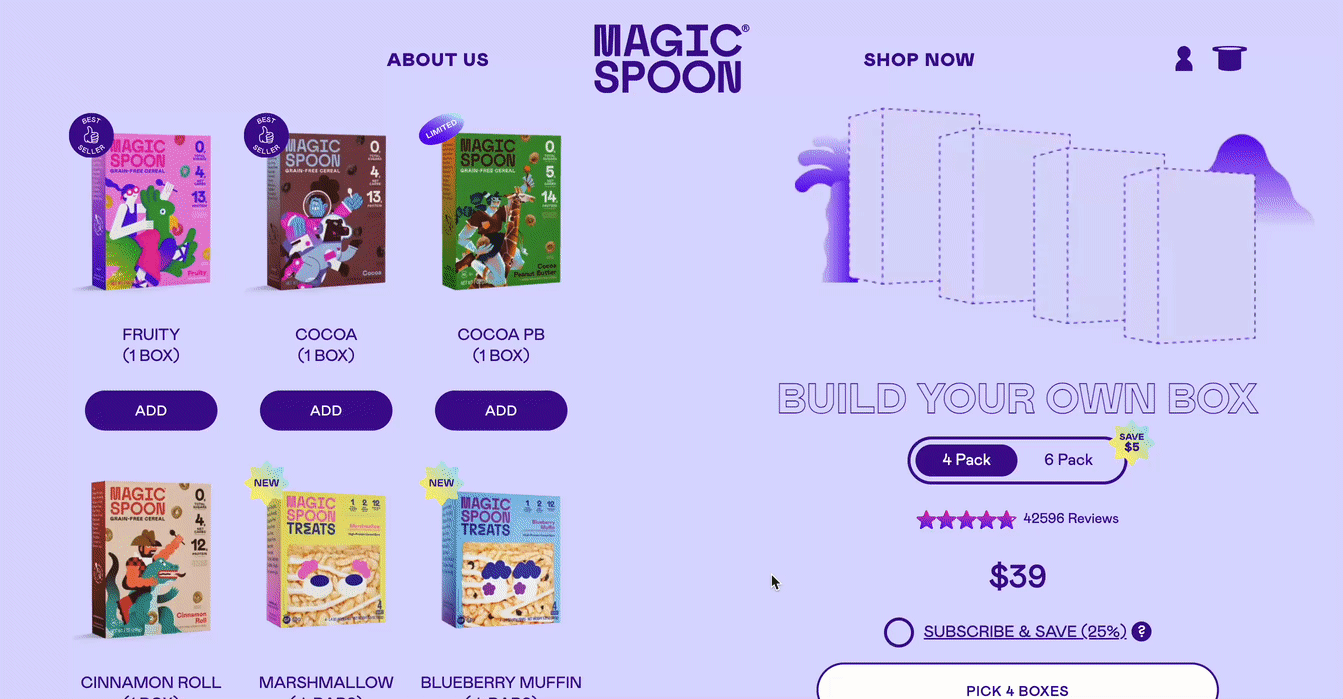
Build-a-box is one of the most flexible bundle options because it supports curated categories, unlimited combinations, and customized bundles. Blending choice with value, customers self-select which products go into their bundle — typically within certain rules (e.g., choose any 6 snacks for $30).
Best for:
Why they convert well:
A coffee brand offers a “Pick Any 3 Roasts” bundle with a base discount, then adds extra incentives to choose a 4th or 5th bag. The customer feels in control, but the merchant still maximizes AOV and moves inventory efficiently.

Bundles pair extremely well with subscriptions because they encourage recurring orders of multiple items at once.
Best for:
Why they convert well:
A supplement brand sells a “Monthly Wellness Stack” containing 3 best-sellers at a 15% subscription discount. Instead of customers subscribing to a single product, they commit to an entire stack.
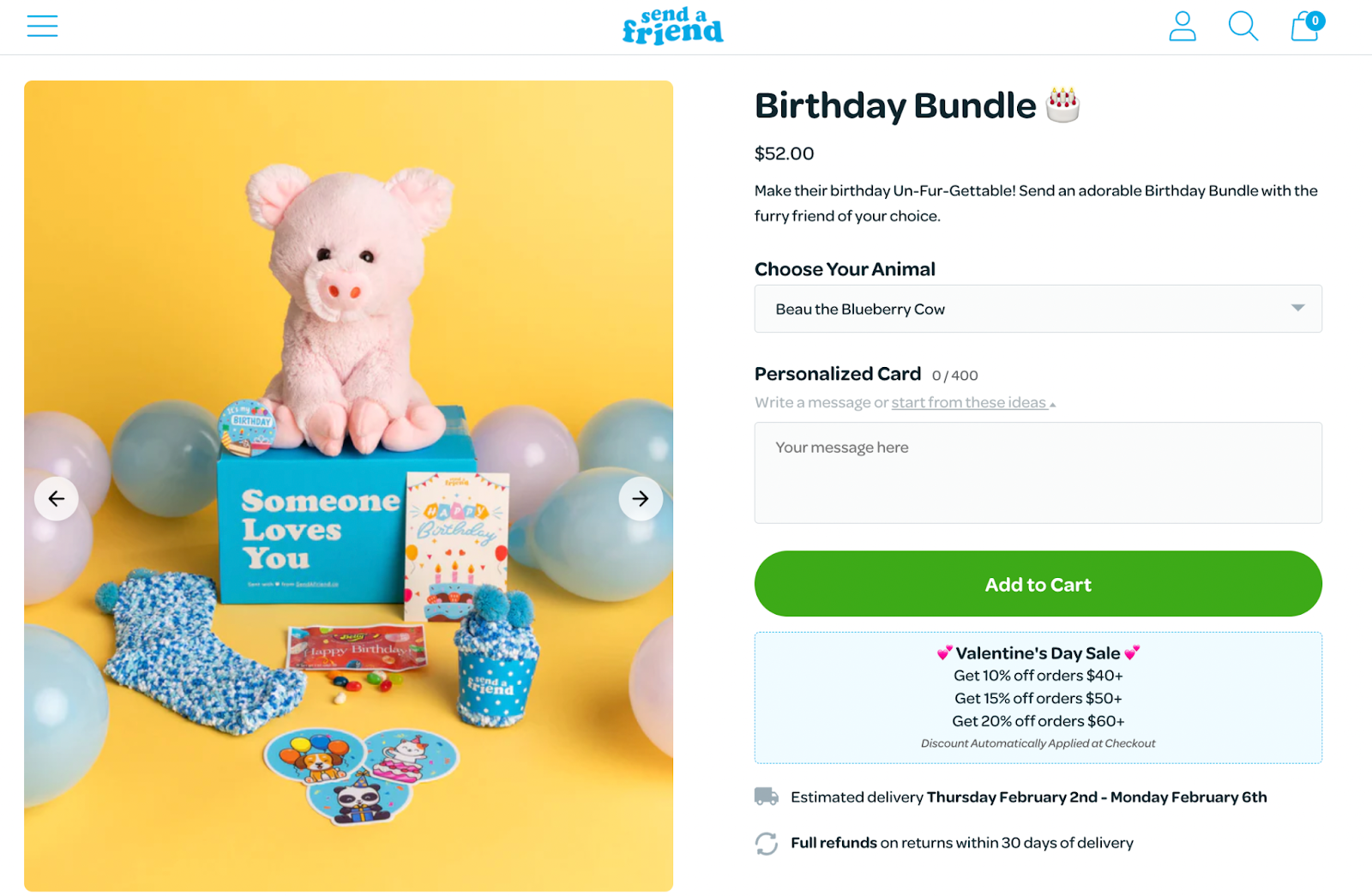
Gift sets are essential for seasonal peaks like Christmas, Mother’s Day, Valentine’s Day, and birthdays.
Best for:
Why they convert well:
A candle brand sells a holiday trio with festive packaging and limited-edition scents. Even at a higher price point, customers see it as a premium, ready-to-gift item.
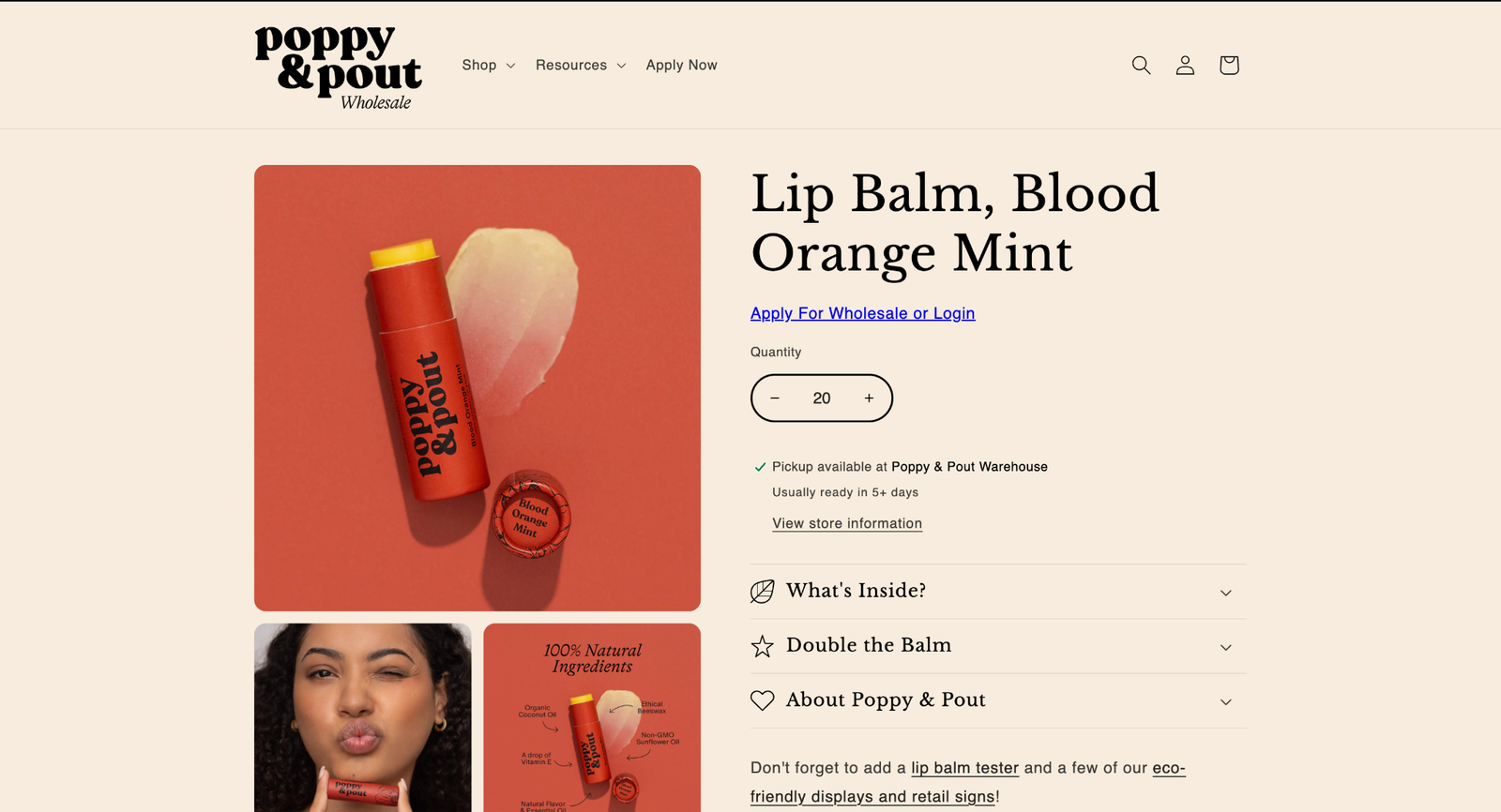
These bundles meet the needs of business purchasers or high-volume customers, offering bulk quantities at a better price.
Best for:
Why they convert well:
A beverage brand sells “Case of 24 Cans” bundles as single-SKU packs, simplifying warehouse picking and repeat wholesale purchases.
Sampler packs help customers explore individual products (flavors, scents, colors) before committing to full-size versions.
Best for:
Why they convert well:
A protein bar brand offers a sampler containing all 10 flavors. It becomes one of their top new-customer acquisition products.
Shopify now offers merchants two primary options when creating bundles:
Many brands start with the native app, but as their catalog grows, they typically upgrade to an app for more flexibility and cleaner backend workflows.
Shopify’s built-in Bundles app supports:
This makes it ideal for merchants who want a lightweight, no-code solution.
But once you start experimenting with more advanced structures, several limitations become clear:
This is where third-party apps unlock more advanced bundling experiences.
Not all bundling apps are created equal. Here are the top options and where they fit best.
Best for: Operational accuracy, advanced logic, POS, 3PL workflows
Rating: ⭐ 4.9 (570+ reviews)
Pricing: Free plan; Paid plans from $24/mo
Simple Bundles stands out because it's not just a frontend widget — it’s built around clean operational architecture: accurate SKU mapping, reliable inventory syncing, and fulfillment-friendly order breakdowns.
This makes it highly scalable for growth-stage brands, multi-location setups, and teams using ERPs or 3PLs.
Key features
Things to know
Best for: AI-driven recommendations and dynamic AOV optimization
Rating: ⭐ 4.9
Pricing: Free; Paid from $19/mo
AOV.ai uses behavioral data to automatically generate bundle suggestions, similar to Amazon’s recommendation engine.
Key features
Things to know
Best for: Tiered logic and discount-heavy bundles
Rating: ⭐ 5.0
Pricing: Free; Paid from $7.99/mo
Zoorix is excellent if you want strong discount structures without a heavy developer lift.
Key features
Things to know
Best for: Beautiful, visual merchandising
Rating: ⭐ 5.0
Pricing: Free; $19.99–$49.99/mo
Koala specializes in highly polished bundling displays.
Key features
Things to know
Best for: Beginner-friendly and flexible setups
Rating: ⭐ 4.8
Pricing: Free; $13.99–$29.99/mo
Great for merchants who want straightforward bundling tools with wide coverage.
Here’s the simplest decision tree:
If your operations are growing or you need advanced UX, an app is almost always necessary. For 80% of growth-stage merchants, a third-party app — especially one with clean backend logic — is the more scalable choice.
Below is a full checklist for setting up bundles using both the native app and third-party apps.
1. Create a bundle product
2. Configure pricing and availability
3. Confirm inventory behavior
4. Test PDP → cart → checkout
Check for:
5. Add merchandising
6. Monitor analytics
Track:
If you need custom logic, add a bundling app and rebuild the bundle there.
1. Install and connect the app
Configure:
2. Build your BOM (bill of materials)
3. Configure your storefront widgets
Depending on the app:
4. Validate checkout behavior
Review:
5. Test fulfillment
Especially with 3PLs:
6. QA theme and app conflicts
Check:
7. Review analytics
Track:
Creating bundles is one thing, but successfully merchandising them is what drives meaningful AOV lift. Here’s how high-performing Shopify brands promote bundles across the customer journey.
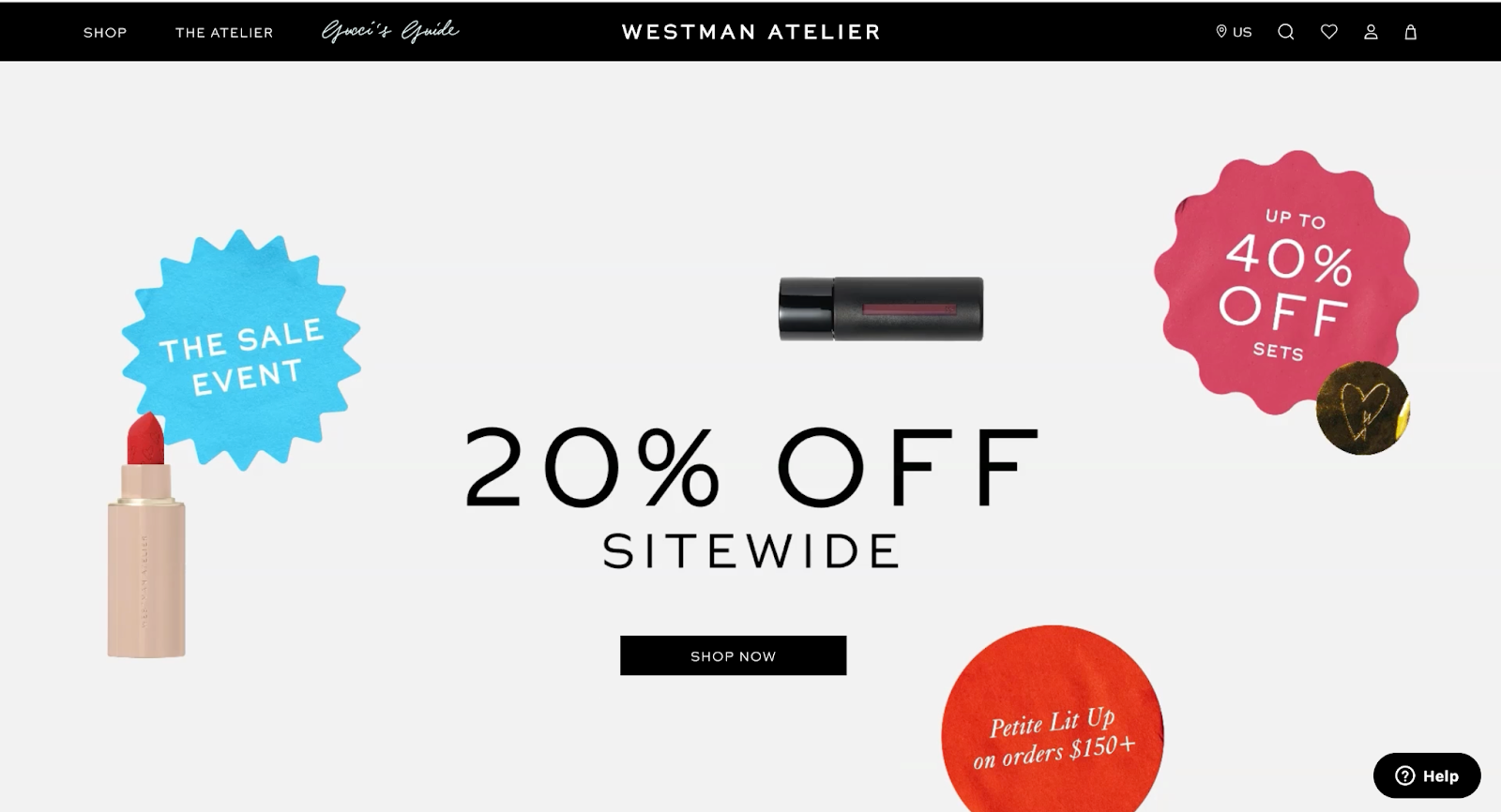
Your homepage influences whether customers explore bundles at all.
Best practices:
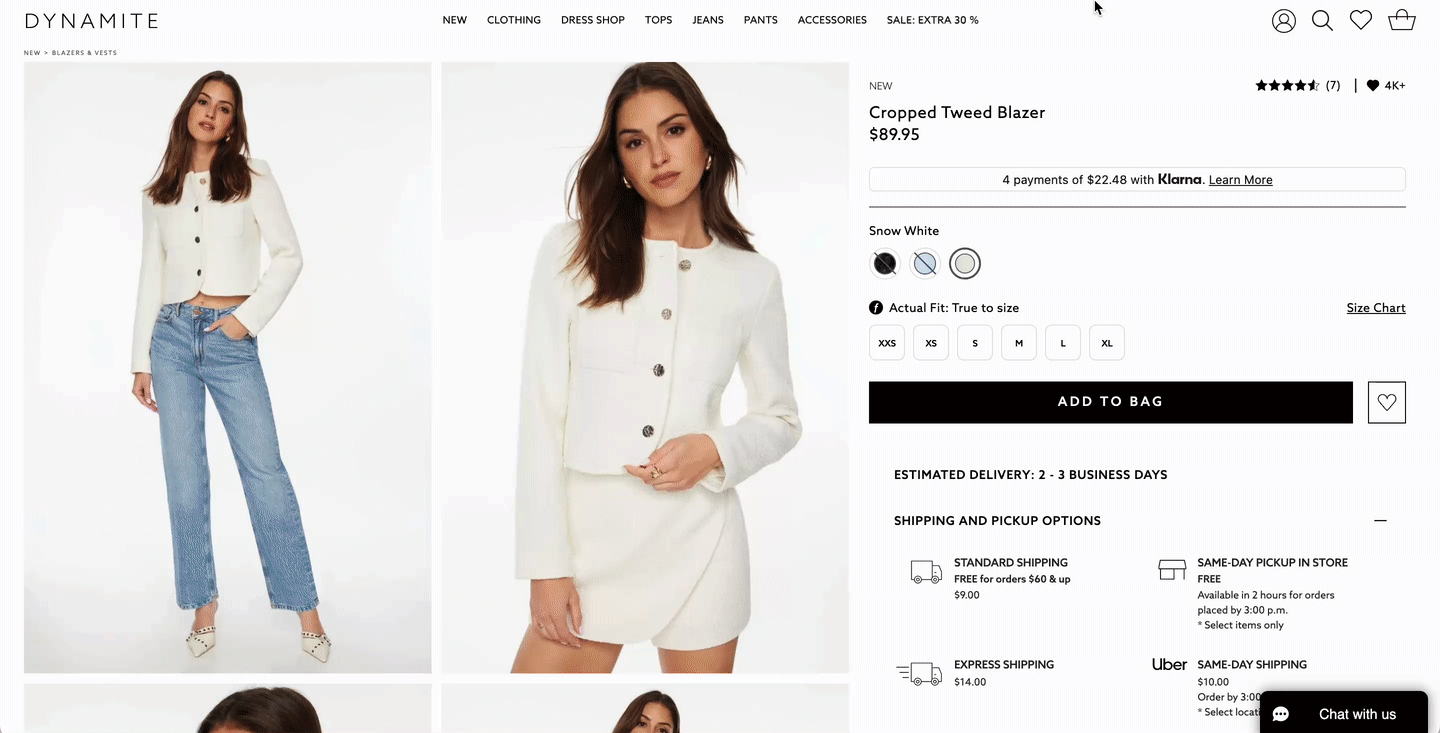
If customers land on a single product page, bundle upsells can dramatically improve AOV.
Methods:
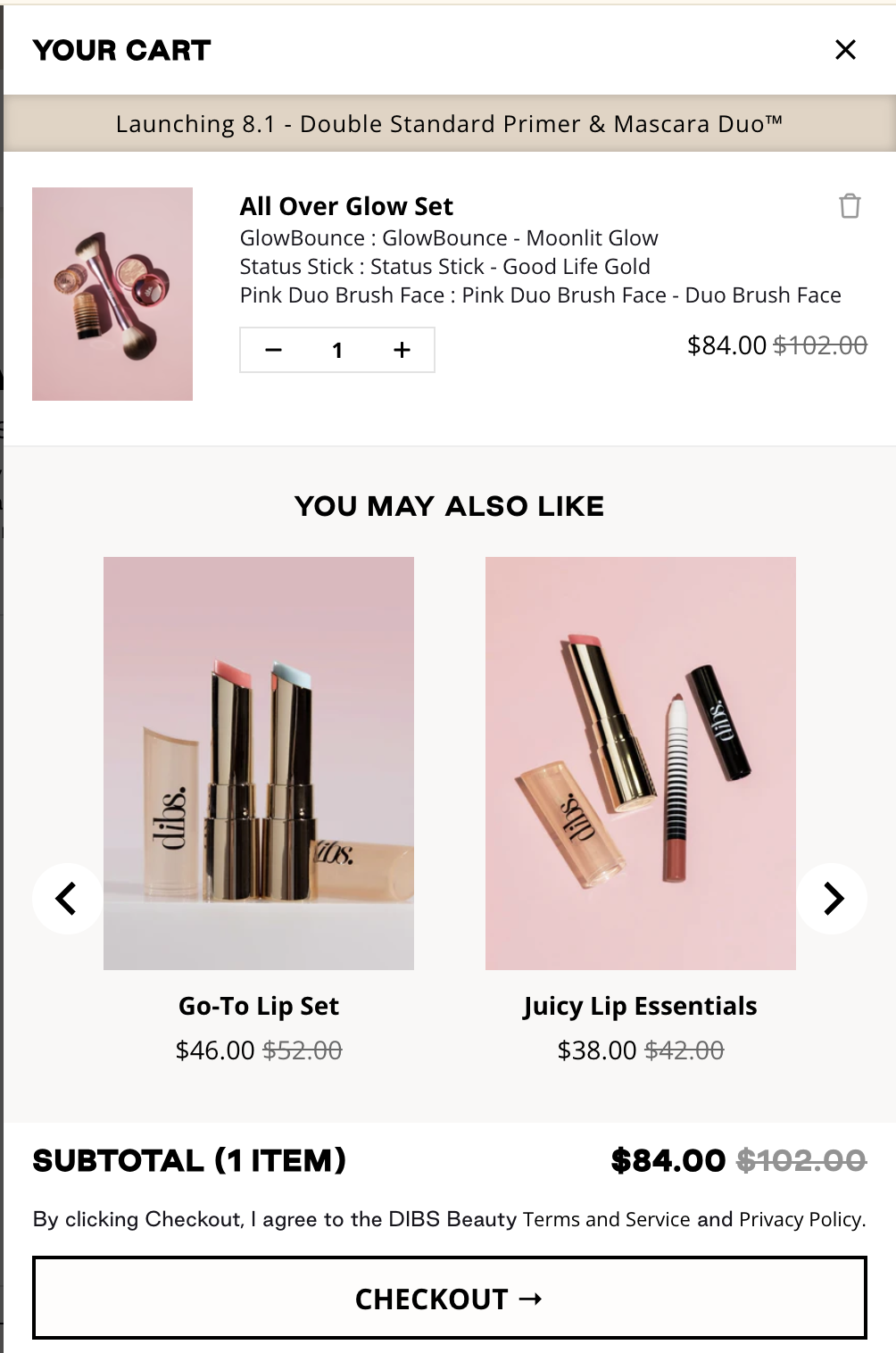
Customers are most primed to add more items at this moment.
Ideas:

Bundles work especially well in automated flows because they simplify choices.
Use bundles in:
Ad → Bundle → Higher AOV & ROAS. That’s the move. And it makes so much sense.
— Simple Bundles (@SimpleBundles) February 18, 2025
Just ask Ilia Beauty 💄
Why this example nails it:
- Sells results, not products: The ad clearly says, "makeup set for sunkissed dimension and a soft glow."
- Clear value, no math required: $171… pic.twitter.com/2JsC10yeCY
Bundles give you an edge in Meta and TikTok campaigns because they carry built-in value.
Best practices:

Bundles can increase in-store units per transaction, too.
Ideas:
Below are the most common mistakes Shopify merchants make, plus clear solutions to avoid them.
This leads to inaccurate inventory counts, fulfillment errors, and overselling.
Avoid it by:
Inventory mismatches compound over time and can create thousands of dollars in operational headaches.
Multi-location stores often forget that a bundle becomes unavailable when any component is out of stock — sometimes in a single location.
Avoid it by:
One misconfigured location can make bundles appear “sold out” despite abundant inventory elsewhere.
Some brands discount bundles so aggressively they erode margins.
Avoid it by:
Buyers often focus on convenience and discovery — not just price — so you can capture more margin than you think.
A confusing UI kills conversion, especially on mobile.
Avoid it by:
Build-a-box bundles rely heavily on customer engagement — any friction reduces completion rates.
If fulfillment teams can’t easily pick bundle components, accuracy drops fast.
Avoid it by:
Operational reliability enables bundles to scale. Without it, errors increase with every order.
Creating bundles on Shopify is easy. Creating bundles that scale operationally, support dynamic customer experiences, and maintain accurate inventory is harder.
If you need:
As bundling strategies become more central to AOV and retention, the merchants who win are those who combine great merchandising with operational reliability.
If you're selling bundles across multiple channels, you're dealing with a gap in how Shopify handles off-platform orders.
Here's the thing about multi-location inventory in Shopify: the platform tracks stock at each location independently.
Successful bundling offers are rooted in understanding what your customers truly need and value.

