









Automated Product Bundling: Turn Order History Into High-Converting Bundles (Without Doing the Math)
Every completed checkout is a data point showing what your customers actually want to buy together.
Basil Khan
Mar 26, 2026 · 6 min
This strategy takes five minutes and requires no code.

Basil Khan
Mar 26, 2026 · 6 min
Basil is the Co-Founder and CTO of Simple Bundles, where he leads product strategy and development. With deep experience building scalable systems for merchants, he specializes in the technical and operational challenges for back-office operations.
"Wrong moisturizer. Wanted fragrance-free."
That's the entire support ticket. Seven words, and you already know exactly what happened. Someone on your warehouse team grabbed the original formula instead of the fragrance-free version when packing a "Build Your Own Skincare Set." Now there's a frustrated customer, a return label to generate, and a replacement order that needs to ship today.
You scroll through recent tickets. There's another one from yesterday. A coffee subscription bundle went out with the wrong grind size, which is an issue often tied to subscriptions workflows and mismatched product variants. And last week, a "Pick Your 3" jewelry order shipped with two of the same earring style instead of three different ones.
The complexity you solved for the customer doesn't disappear. It just moves to your warehouse. And if your packing process can't handle that complexity, you'll keep making the same mistakes on repeat.
This is especially true when you're managing mix-and-match bundles, customized bundles, or even multipacks across multiple sales channels like your online store, Shopify POS, and other Shopify stores.
When your packing slip just says "Bundle x 1" but you're staring at six nearly identical bottles tied to different SKUs and variants, mistakes are inevitable.
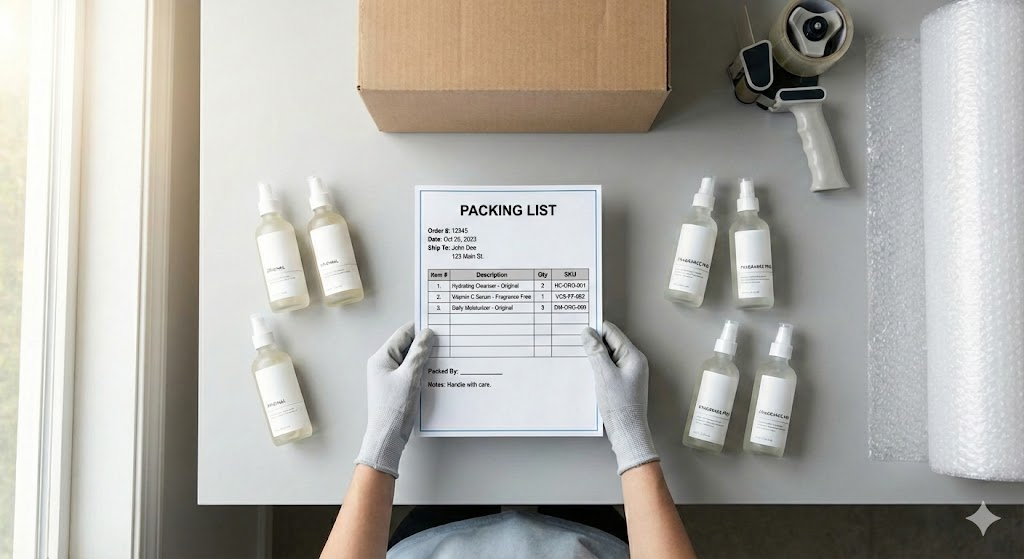
Most merchants think about bundle economics in terms of average order value (AOV) and conversion rates. Those matter. But there's a cost that doesn't show up in your bundle analytics: fulfillment errors.
When a warehouse packs a bundle wrong, here's what actually happens:
These issues often stem from poor inventory tracking, lack of accurate inventory, or missing visibility into bundle components.
A DTC beverage brand selling variety packs might have 8 different flavors in rotation. A jewelry brand offering "Pick Your 3" earrings might have 20 options. If you're not syncing inventory across multiple locations or your fulfillment service, the risk of overselling increases.
And these aren't one-time mistakes. Without proper inventory sync and optimization, they become patterns.
Standard Shopify packing slips weren't designed with bundles in mind. They show line items as they appear in the order, which works fine for simple products. But bundles, especially bundle products, parent bundles, and bundle types, introduce complexity that Shopify doesn't natively handle well.
This is a limitation of Shopify admin, where bundle logic often exists only at checkout or through a third-party app like a Shopify bundles app or bundles app.
What the packing slip shows:
Build Your Own Coffee Bundle (3-Pack) x 1
What they need to know:
Ethiopian Light Roast x 1Colombian Medium Roast x 1Sumatra Dark Roast x 1Grind: Whole Bean
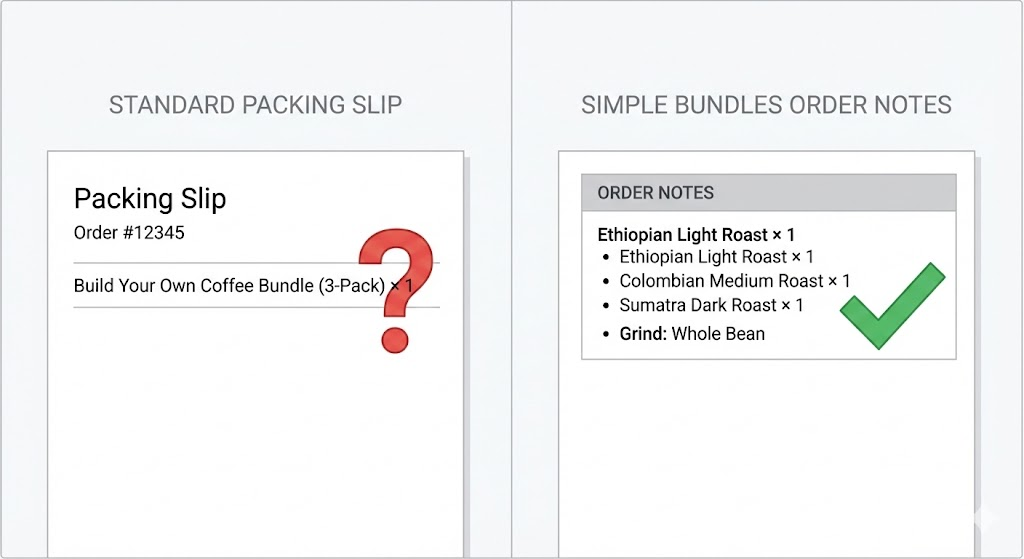
The packing slip shows the bundle as a single line item, but your team needs access to the underlying individual products and individual SKUs.
This gets even more complex when you're using infinite options, metafields, or advanced Shopify product bundles setups that rely on dynamic selections from the product page or storefront.
Simple Bundles includes a Shopify Flow workflow that writes bundle contents directly into your order notes. Every time an order comes in, the workflow automatically adds a "Bundle Breakdown" section that lists exactly what needs to be packed.
The output looks like this:
Bundle Breakdown
Build Your Own Coffee Bundle (3-Pack) x 1Ethiopian Light Roast x 1Colombian Medium Roast x 1Sumatra Dark Roast x 1
Custom attributes:Grind: Whole BeanGift wrap: Yes
Now your warehouse team has everything they need in one place. No digging. No guessing. No referencing external documents.
The workflow preserves any existing order notes, so you won't lose customer messages or special instructions. It just adds the bundle information on top.
This works on all Shopify plans and requires zero custom development. Here's how to enable it:
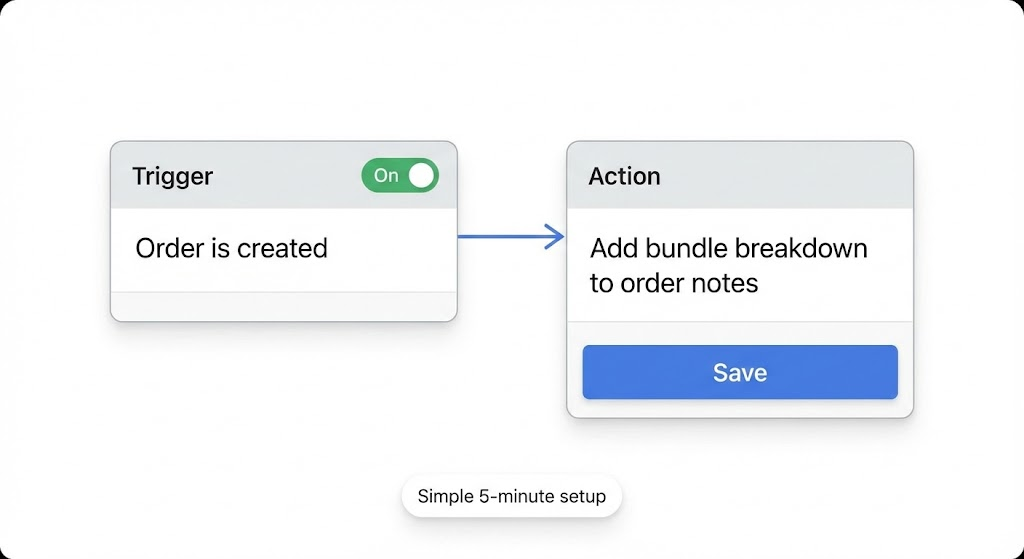
That's it. Every new order with a bundle will now include a detailed breakdown in the order notes.
If you want to test it before going live, create a test order with one of your bundles and check the order notes. You should see the Bundle Breakdown section appear automatically.
The order notes field isn't just visible in Shopify. It syncs to most third-party fulfillment tools automatically.
ShipStation pulls order notes into the shipment details, so your team sees the bundle breakdown right in their picking interface.
3PLs that connect via API or CSV export will receive the order notes as part of the order data. This means your external fulfillment partner gets the same clarity your in-house team would.
Packing slip apps that pull from order notes can display the bundle breakdown directly on printed slips, if you want to replace the default Shopify packing slips entirely.
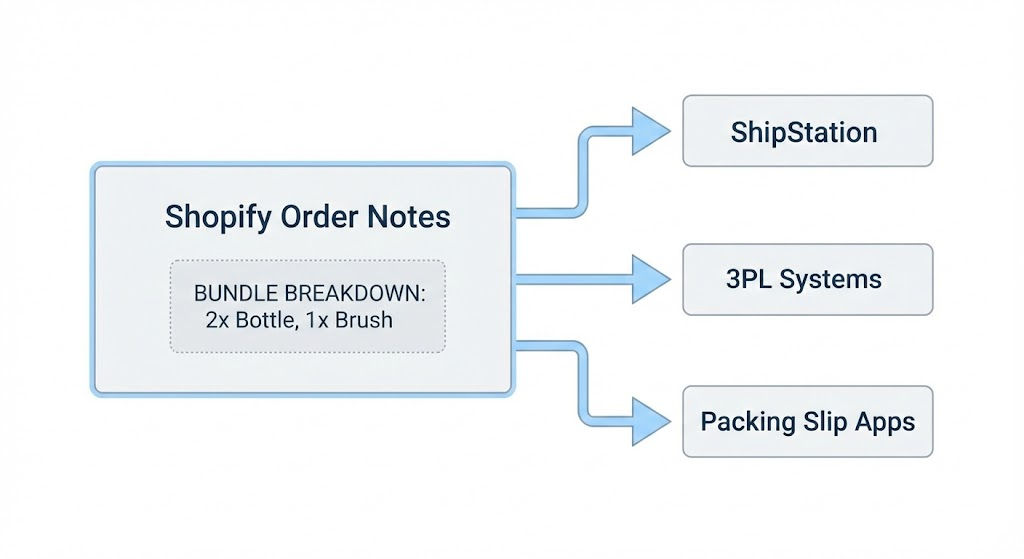
The key advantage here is that you're writing information to a standard Shopify field. You're not creating a parallel system that requires additional integrations. Anything that already reads order notes will automatically get the bundle data.
There's a second workflow worth knowing about: "Process Bundle Order." This one actually breaks down the bundle into individual line items in the order itself, rather than just adding notes.
You'd use this when:
This workflow can run on any trigger you choose. Order created, order fulfilled, or even a manual button click. It's useful when you need the actual order structure to reflect the bundle contents, not just the notes.
Most merchants start with the order notes workflow because it's lighter touch. It doesn't modify the order itself, just adds visibility. But if your operations require line-item-level breakdown, the processing workflow is there.
After you enable automatic bundle breakdowns, watch for changes in these areas:
Packing time per order. Your team should spend less time clicking into order details or referencing external documents. If you track packing speed, you'll likely see bundles get faster.
Fulfillment error rate. This is the big one. Track how many orders get shipped with the wrong bundle components, wrong variants, or missing items. Even a 1% reduction in errors saves real money when you scale.
Customer support tickets. Fewer "where's my item" and "I got the wrong thing" messages means your support team can focus on higher-value conversations.
Returns related to packing errors. Not all returns are fulfillment errors, but some are. If you can isolate "wrong item shipped" as a return reason, track whether that number drops.
You won't see instant transformation, but over a month or two, the pattern becomes clear. Small operational improvements compound.
If you're running bundles and your warehouse team is working from standard Shopify packing slips, you're probably leaving errors on the table. The fix takes five minutes and requires no code.
Start by enabling the "Add bundle breakdown to order notes" workflow. Watch a few orders come through and confirm the breakdown appears correctly. Then check in with your fulfillment team after a week or two. Ask them if it's helped.
If you need more than notes and want full line-item breakdowns, explore the order processing workflow next. But for most merchants, the notes workflow is the high-impact, low-effort move.
Every completed checkout is a data point showing what your customers actually want to buy together.
Learn how to sell Shopify bundles on TikTok Shop with Simple Bundles. Complete 2026 guide.
If you're selling bundles across multiple channels, you're dealing with a gap in how Shopify handles off-platform orders.

