




How Brands Are Using Bundles For Valentine’s Day Procrastinators
Below are a few of our favorite Valentine’s Day bundle examples we’ve already seen from brands using Simple Bundles.
Basil Khan
Feb 11, 2026 · 5 min
When the parent bundle disappears, the attributes go with it. Here's how to avoid that.

Basil Khan
Feb 11, 2026 · 5 min
Basil is the Co-Founder and CTO of Simple Bundles, where he leads product strategy and development. With deep experience building scalable systems for merchants, he specializes in the technical and operational challenges for back-office operations.
Your customer just ordered a gift bundle. They typed out a heartfelt message during checkout, chose "wrap in blue paper," and added a note asking you to ship it directly to their mom for her birthday.
Two days later, your fulfillment team ships the order. Plain brown box. No gift message. No blue paper. Because they never saw any of that information.
The customer emails you, frustrated. You dig into the order looking for those custom attributes. But here's the thing: they're gone. Not buried somewhere. Actually gone.
... So here's how to avoid the above scenario.
When customers fill out bundle customization fields, like gift messages, color preferences, or special instructions, that data gets stored as cart attributes attached to the parent bundle product. At checkout, everything looks fine. The customer sees their bundle, their customizations are attached, and they complete the purchase.
But then Shopify's native bundles API kicks in.
When you use Shopify's native bundles (via cart transformer or other native bundle APIs), the parent bundle gets removed from the order and broken down into its individual child items. This is how bundle inventory works correctly. Each component SKU needs to be tracked separately for fulfillment and inventory accuracy.
The problem? Those custom attributes were attached to the parent bundle. When the parent disappears, the attributes go with it.
Your fulfillment team opens the order and sees the individual products. They don't see the gift message. They don't see the special instructions. That data existed at checkout, but it's no longer part of the order they're working from.
This gap affects any bundle where customers provide input during purchase. The most common casualties:
Gift messages. The customer writes "Happy Anniversary! Love, Sarah and the kids" but the recipient gets a package with no personal touch. Now you're fielding an apologetic email and probably reshipping.
Customization choices. A jewelry brand lets customers choose engraving text for bundled items. The engraving options are captured at checkout but never make it to the production team.
Special handling requests. "Please ship all items together" or "Leave at back door" gets noted during checkout, then vanishes when the bundle breaks down.
Subscription preferences. A coffee subscription box lets customers note their grind preference for each bundle. But the roasting team never gets that detail.
The pattern is the same every time. Customers provide information. Shopify captures it on the parent bundle. The parent bundle gets removed during order processing. The information disappears.
One missed gift message in July is a customer service headache. Fifty missed gift messages during the December holiday rush is a brand reputation problem.
Gift bundles spike during holidays, Mother's Day, Valentine's Day, and graduation season. These are exactly the times when customers care most about the details they provided. And exactly the times when your fulfillment team is moving fastest, with the least bandwidth to investigate why customization data is missing.
The math gets ugly quickly. If 10% of your gift bundle orders have custom attributes and 100% of those get lost when the bundle breaks down, you're creating problems at scale during your highest-revenue weeks.
Shopify Flow can capture bundle custom attributes and copy them into order notes before they disappear. Every time an order is created, the workflow grabs the cart attributes from parent bundles and writes them to a permanent location your fulfillment team can actually see.
Here's what the automation does:
The result is order notes that contain the customization data that would otherwise be lost when the parent bundle gets removed.
Simple Bundles provides a pre-built Flow workflow for this. You don't need to build anything from scratch.
1. Access Shopify Flow
In your Shopify admin, go to Apps and select Flow. If you haven't used Flow before, you may need to install it first. It's free for all Shopify plans.
2. Import the workflow
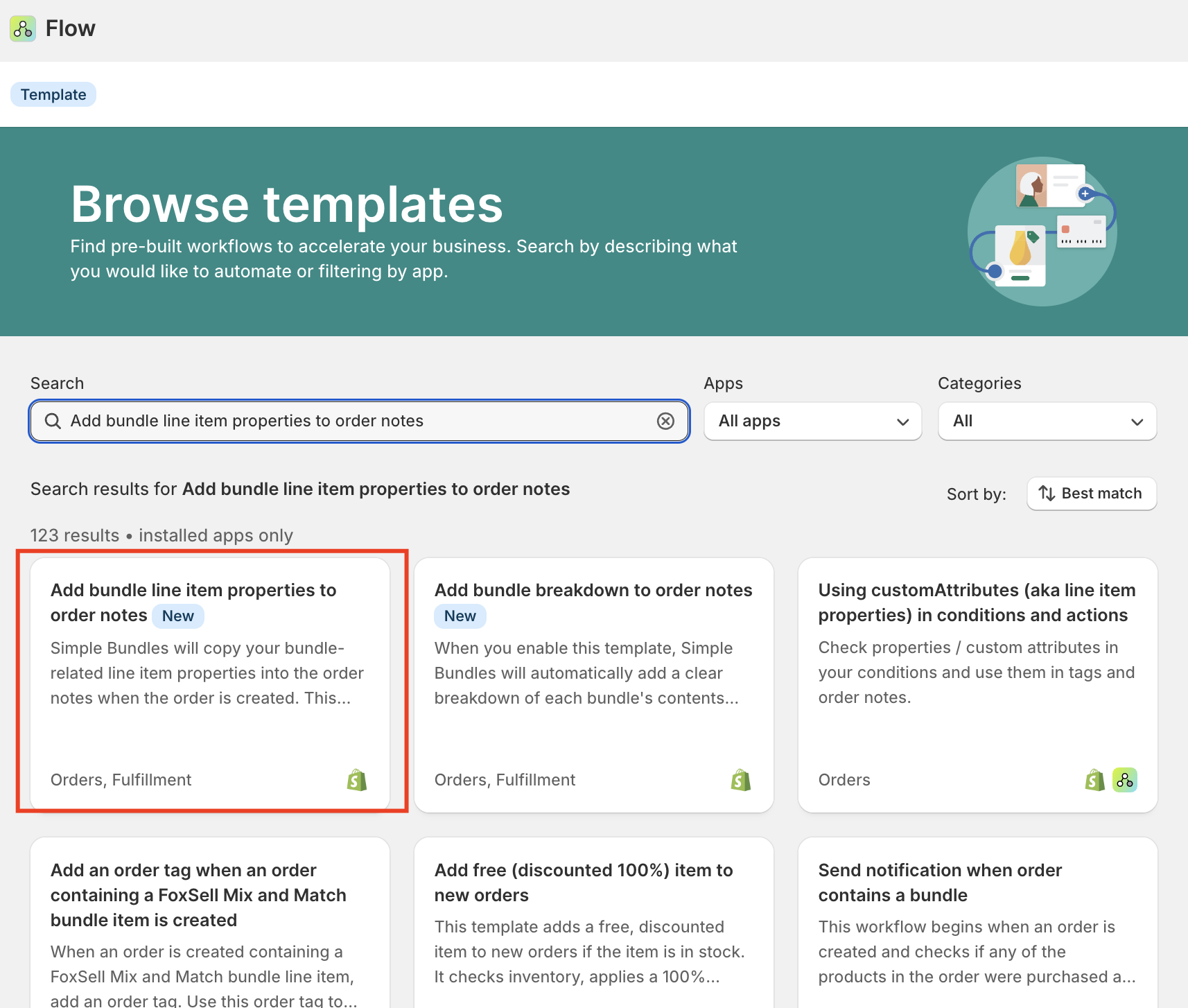
Click the Import button on your Flow dashboard. Download the workflow file from the Simple Bundles help article. Choose "Download Zip" to get the file, then upload it to Flow.
3. Review the configuration
Open the imported workflow to see how it's structured. The workflow triggers on order creation and uses a Liquid template to format the note updates. You shouldn't need to change anything, but it's worth understanding what it does.
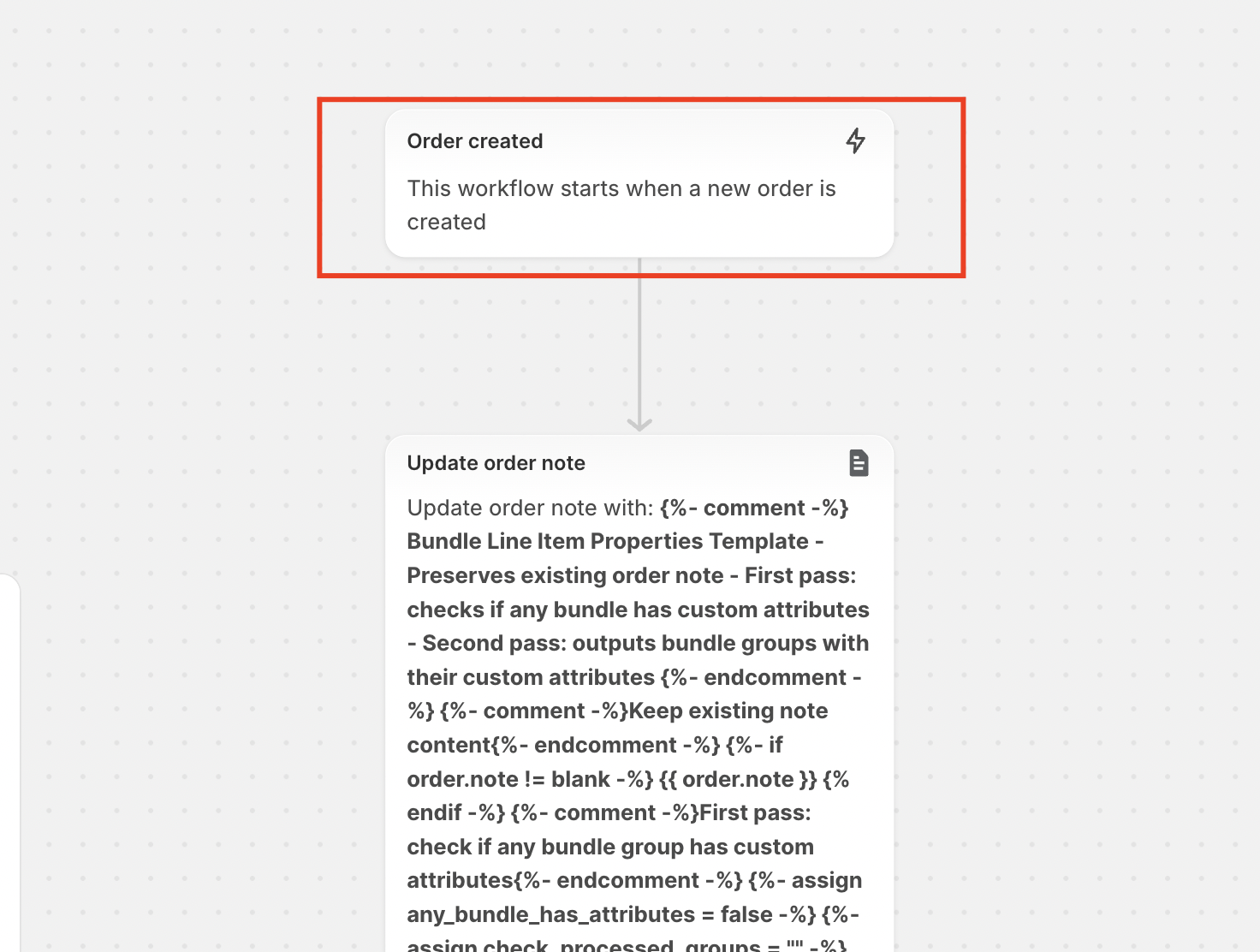
4. Enable the workflow
Toggle the workflow status to Enabled. From this point forward, every new order with bundles will automatically have custom attributes captured in the order notes before they disappear.
That's it. A five-minute setup that preserves data your fulfillment team needs.
After the workflow runs, your order notes will display in a structured format:
So if a customer ordered a "Deluxe Gift Set" bundle and included a gift message, your order notes might show:
Please deliver by Friday if possible.
Bundle Breakdown
Deluxe Gift Set (Qty: 1)
- Gift Message: Happy Birthday Mom! Love always, Jessica
- Gift Wrap: Blue paper with silver ribbon
Your original note ("Please deliver by Friday") stays intact. The bundle details get added below. Clean and scannable for whoever is picking and packing.
This workflow solves the immediate problem of capturing bundle attributes before they're lost. But it's worth knowing that this is just one piece of the fulfillment puzzle.
Some brands extend this further by:
The order notes workflow is a strong foundation. Once that information is preserved in a standard location, you can build on it based on your specific operational setup.
The worst time to implement operational fixes is when you're already drowning in orders. The second worst time is after a customer complaint reveals data that should have been there but wasn't.
If you're selling gift bundles or customizable products, set up this workflow now. Test it with a few orders. Confirm your fulfillment team can see the information they need. Then forget about it until it quietly preserves data you would have lost.
Below are a few of our favorite Valentine’s Day bundle examples we’ve already seen from brands using Simple Bundles.
Can you sell bundles on Shopify POS? Yes. Compare Shopify Bundles vs Simple Bundles for POS, features, limitations, and step-by-step setup for omnichannel retail.
A customer should be able to build the same bundle whether they're on your website or standing in your store.

