








How to increase AOV without discount addiction on Shopify
Learn how Shopify brands increase AOV without relying on constant discounts using bundles, upsells, free shipping thresholds, and smarter merchandising.

Tina Donati
May 19, 2026 · 19 min
In this guide, we’ll share 15 product bundling tips, real ecommerce examples, and Shopify-specific strategies to help you create bundles customers actually want to buy.

Tina Donati
May 19, 2026 · 19 min
Tina Donati is the Head of Marketing at Simple Bundles and has spent the past 7+ years helping Shopify brands streamline their tech stack and unlock growth through smarter product bundling, better UX, and cleaner ops.
Product bundling is one of the most effective ways for ecommerce brands to increase average order value (AOV), improve conversions, and create a better customer shopping experience — but not all product bundling tips actually lead to higher sales.
The highest-converting bundles are strategically priced, personalized for specific customer segments, optimized for mobile shopping, and supported by the right inventory and fulfillment systems behind the scenes.
Whether you sell skincare, apparel, supplements, electronics, or subscription products, the right bundle strategy can help you:
In this guide, we’ll share 15 product bundling tips, real ecommerce examples, and Shopify-specific strategies to help you create bundles customers actually want to buy.
Product bundling is a pricing and merchandising strategy where multiple products are packaged together and sold as a single offer.
Bundles are often sold at a discounted price compared to purchasing each item separately, making them more attractive to customers while increasing average order value for merchants.
Brands can bundle:
Bundles can also be sold as:
When done well, product bundling simplifies decision-making for customers while helping ecommerce brands increase revenue and move inventory more efficiently.
Product bundling and product kitting are similar, but they serve slightly different purposes.
Product bundling focuses on increasing sales by grouping products together into a single offer — often with a discount attached.
Product kitting focuses more on convenience by packaging related products together for a specific use case or experience.
For example:
Many ecommerce brands use both strategies interchangeably to:
Our goal is to help you increase margins and maximize profitability. We promise, there’s at least one new tip in this list that you haven’t thought about before!
Here’s what you should consider if you want to bring your bundles’ value to the forefront.
Instead of manually deciding which products should be bundled together, brands are increasingly using AI-powered bundle recommendations to identify high-converting product combinations automatically.
For Shopify merchants, Simple Bundles’ Bundle Magic helps automate this process by generating intelligent bundle suggestions based on:
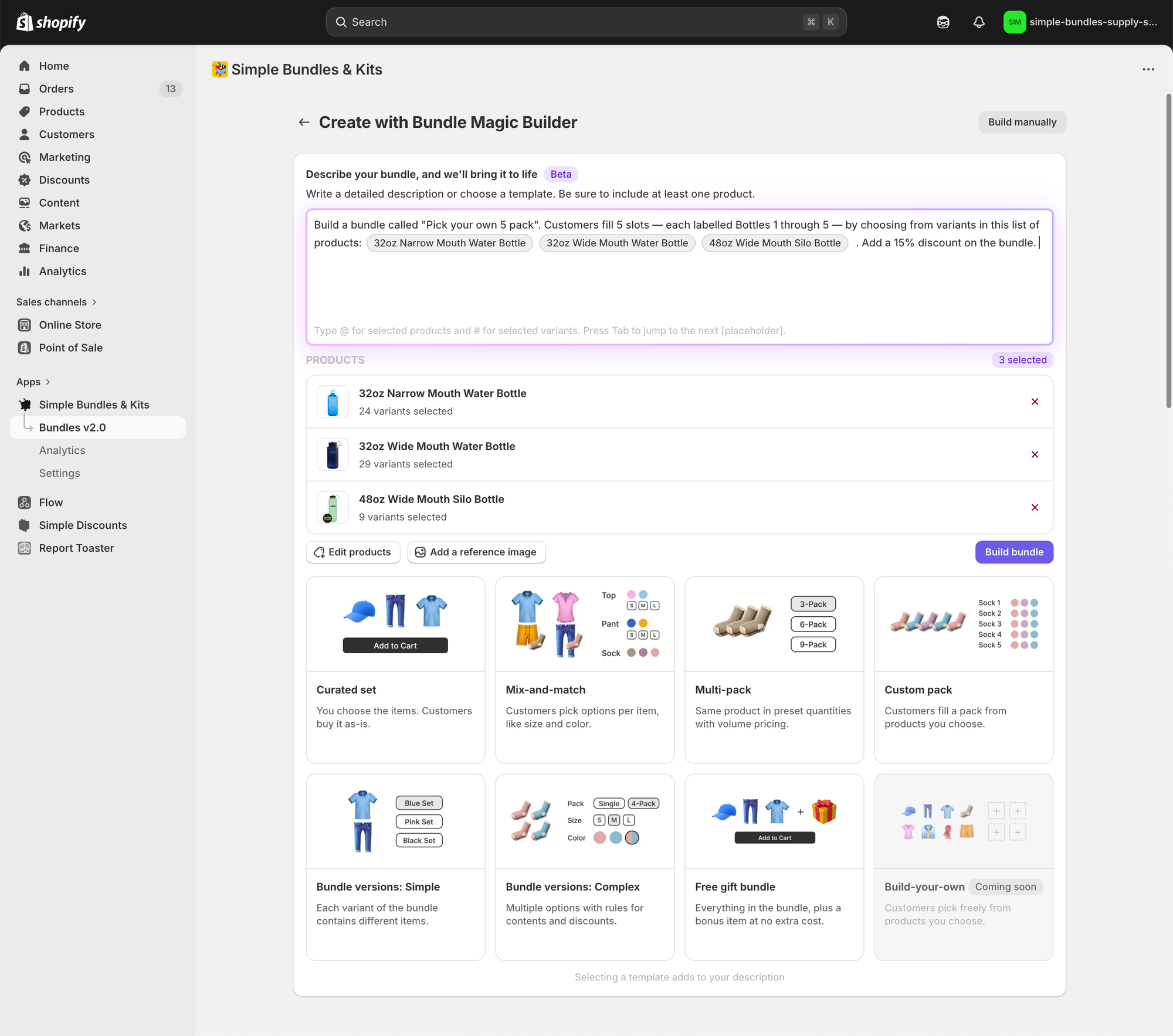
Bundle Magic can automatically generate:
This helps merchants launch bundles faster while uncovering cross-sell opportunities they may have otherwise missed.
As more customer purchase data becomes available, AI-generated bundle recommendations become smarter and more accurate over time.
The first step is understanding what customers want and expect from product bundles. Pain points trigger customers, so your bundle should solve their problems. That’s why skincare brands bundle products that target skin types (oily, sensitive, acne-prone).
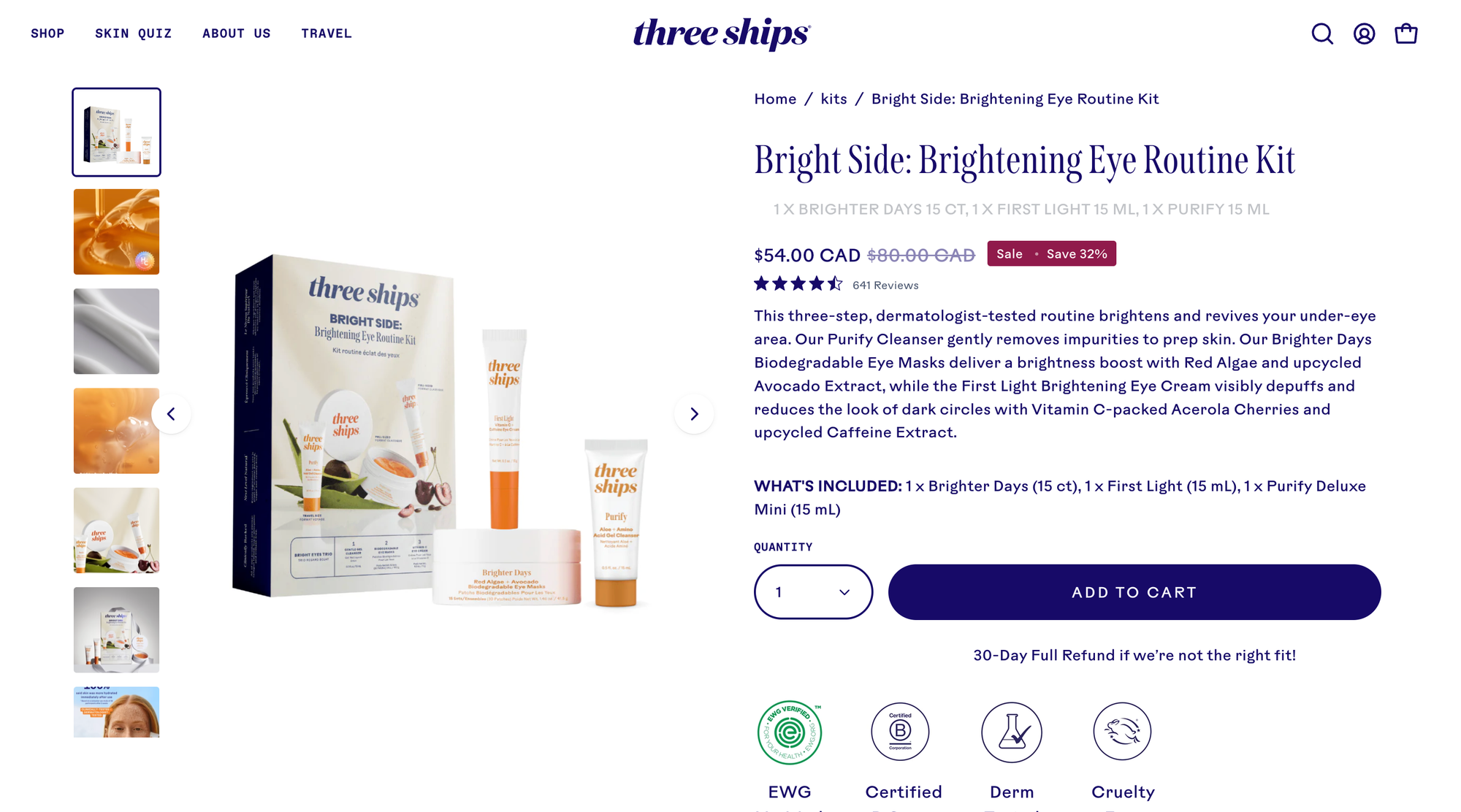
Think about what your customers need and how a group of your products could help them achieve a solution.
Instead of guessing which products belong together, use your store’s order history to identify products customers naturally purchase together.
Pay attention to:
Bundles built around real customer behavior tend to convert better because they align with existing shopping habits.
Different customer segments have different needs, so it’s important to tailor bundles for each segment.
For example, a hair care brand might sell products for people with curly hair, straight hair, thin hair, or even dyed hair. Each hair type has its own products, and what works for someone with straight hair likely isn’t the same product that someone with curly hair should order.
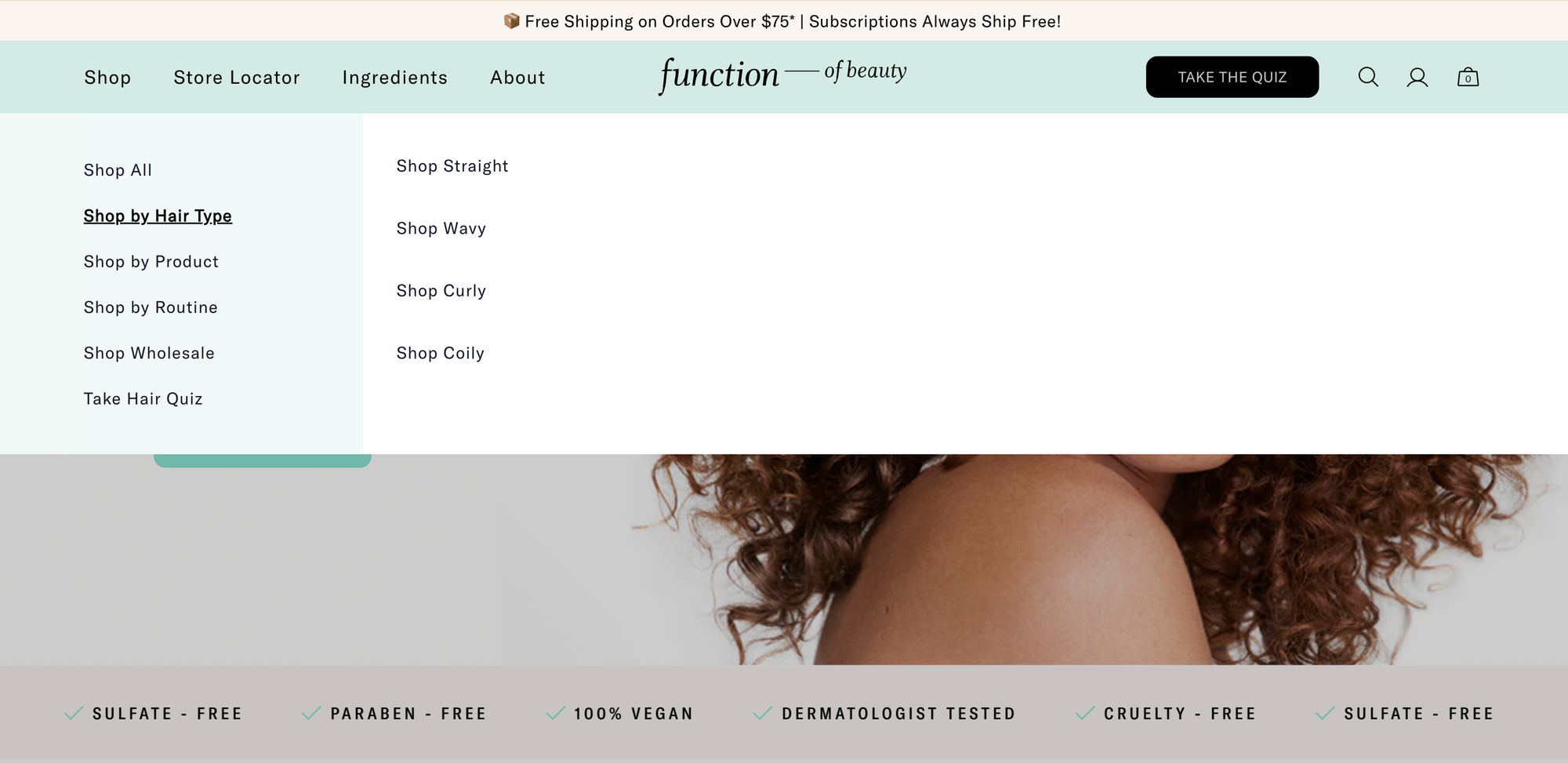
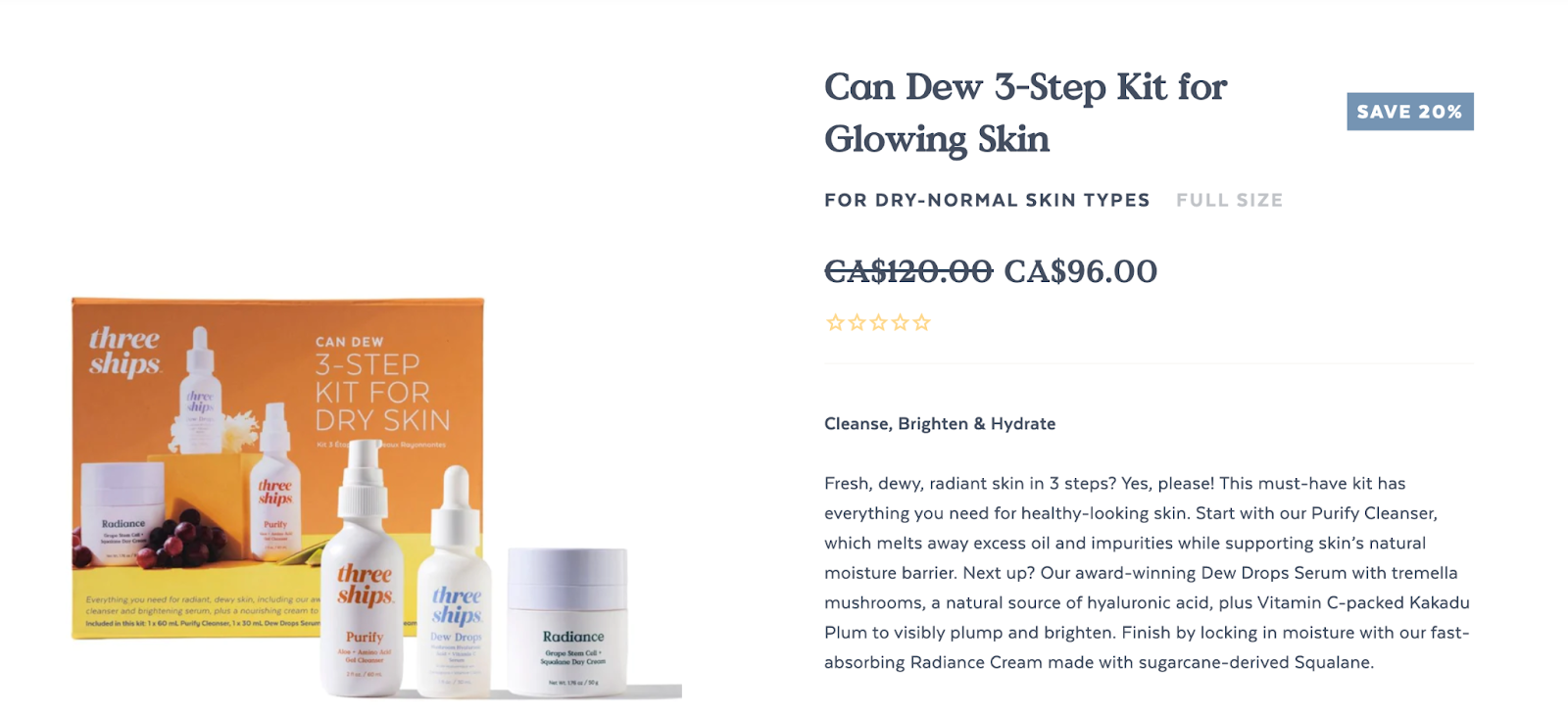
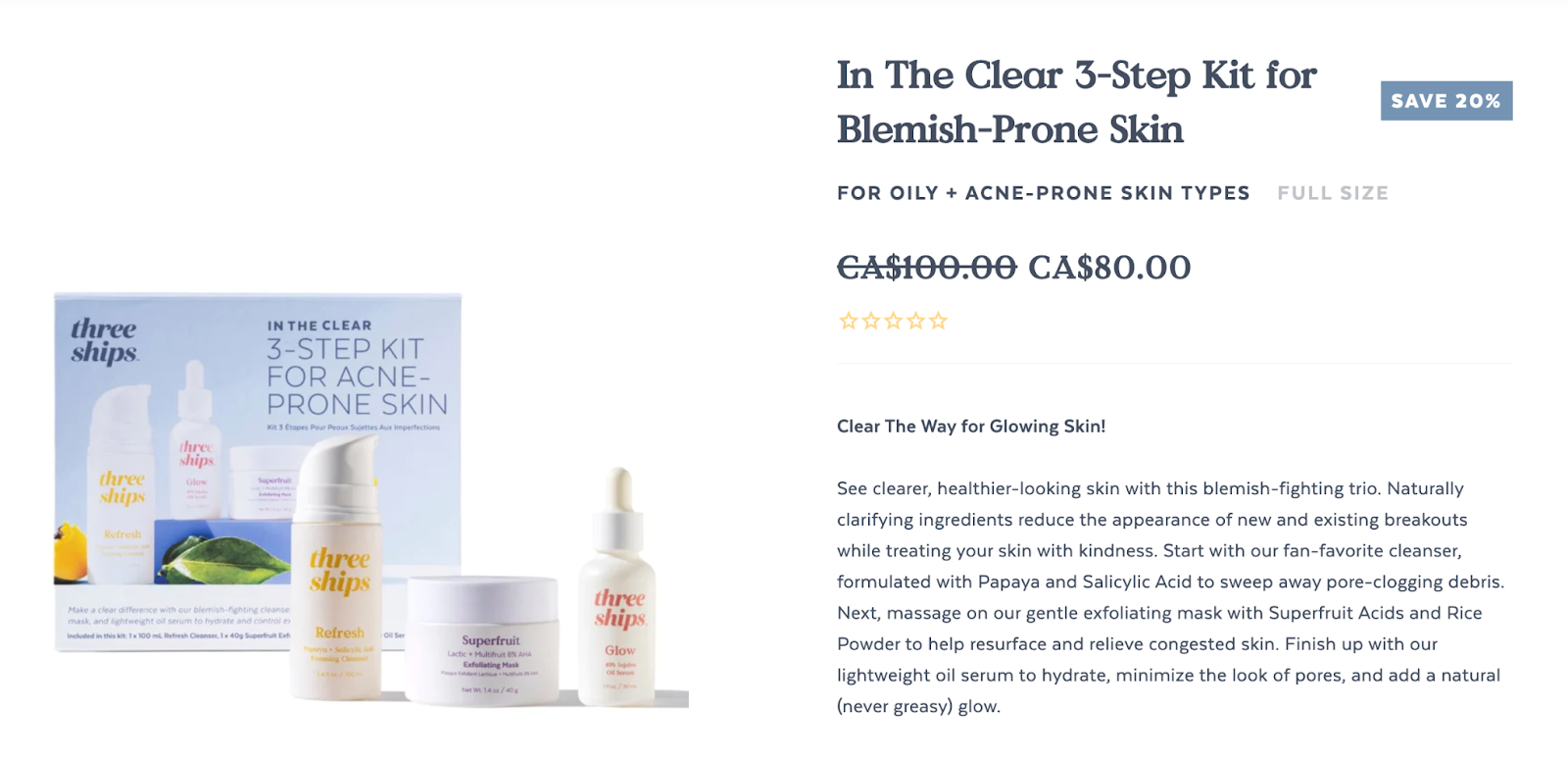
Your bundles should make it easy for each customer segment to discover products that are relevant to them. Three Ships does this well with its three-step kits. One is for dry skin, and the other is for acne-prone skin.
The dry skin bundle:
The acne-prone skin bundle:
The purpose of creating product bundles is to give customers an easier shopping experience. Still, if customers can’t find those bundles easily on your website, they won’t see their value.
Creating landing pages for product bundles is important because it offers a more focused customer experience, making it easier for customers to understand the bundle's value and how it can benefit them.
For SEO purposes, each bundle landing page should include:
Avoid creating thin or duplicate bundle pages with little original content.
As a bonus, you can upsell your bundles on pages with products already included in the bundle. Strategic placement of your product bundles can help encourage “quick-decision purchases.”
Most ecommerce traffic now comes from mobile devices, but many bundle pages still create a poor mobile shopping experience.
Avoid:
Instead:
If customers can’t quickly understand the value of your bundle on mobile, conversions will suffer.
Customers should immediately understand why purchasing the bundle is better than buying products individually.
Display:
“Bundle collection page featuring discounted luggage and travel accessory bundles with promotional savings labels and multiple product options.”
The clearer the value proposition, the easier the buying decision becomes.
Every brand tracks bundle SKUs differently: some may look at the entire bundle as a single SKU, while others may separate the products and use multi-SKU.
Think about the best option for you to streamline your operations—and what will be the most convenient to the customers purchasing the bundle.
There’s a strategy behind which option you choose, so before you decide, consider the following:
We recommend tracking each product in the bundle individually to manage your inventory properly. Why?
Individual SKUs help you gain better control and visibility over your products, optimize your operations, increase sales, and provide a better customer experience—especially if you’re working with various fulfillment partners with software that sends and receives data differently.
If you have multiple store locations or drop shipping partners, tracking individual SKUs tends to be easier and more manageable for your store operations.
Also, knowing the individual SKUs for bundled products allows merchants to break out the individual items from a bundle after a customer purchases them, making ordering and packing them easier. This streamlines the fulfillment process and ensures orders are fulfilled quickly and accurately.
We know tracking each product individually can be difficult to do manually. These experiences cause friction for your operations team, which is exactly why we created Simple Bundles in the first place.
Not only can Simple Bundles help break out individual line items in your bundle SKU, but it also automatically marks your bundle SKU as fulfilled in Shopify, so it doesn’t get sent to your fulfillment center. Instead, the rest of the bundle’s contents remain unfulfilled until you and your team pick, pack, and mark these individual SKUs as fulfilled.
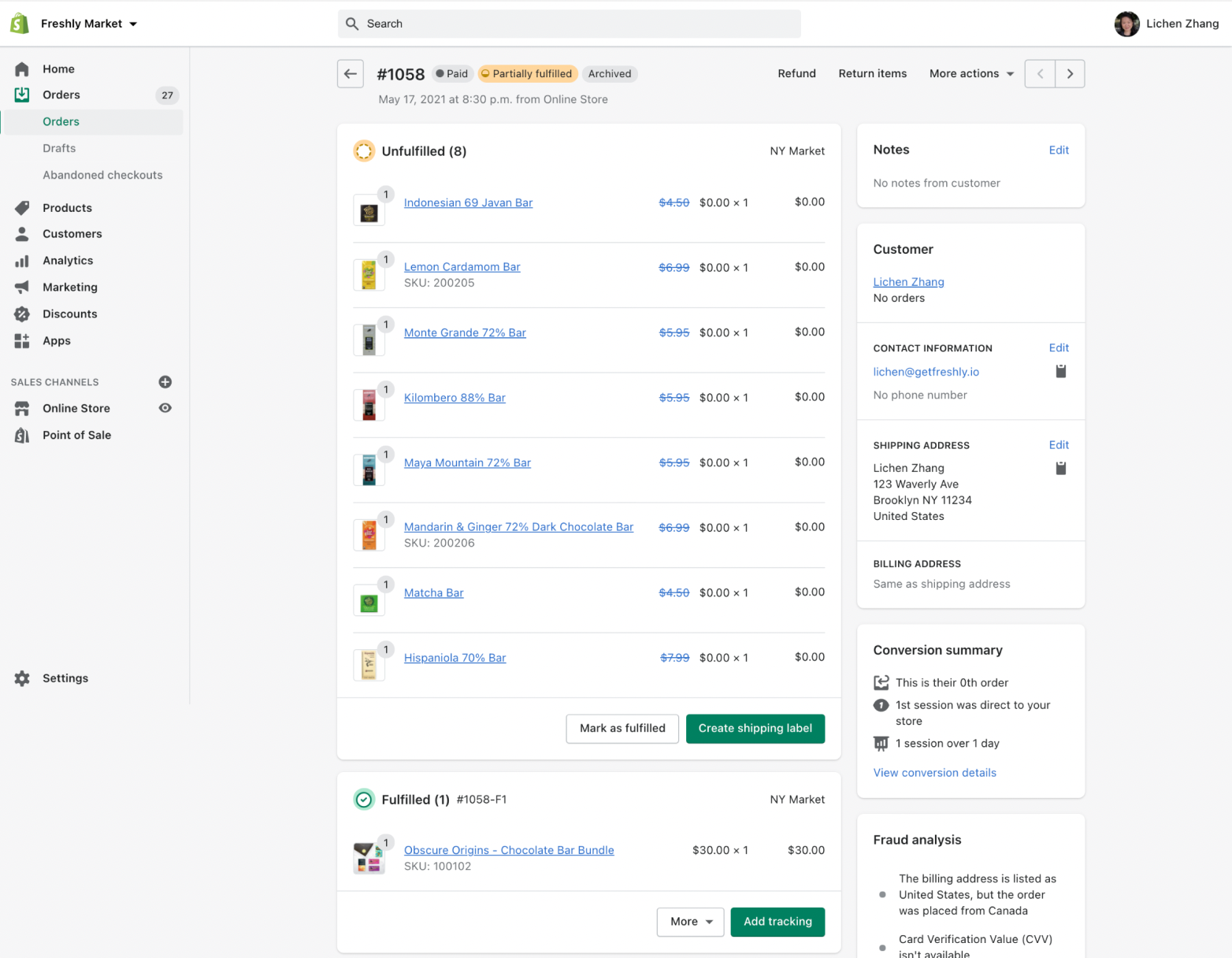
Technology and automation can streamline the fulfillment process for product bundles and improve productivity.
If a merchant has inventory in multiple locations, it’s also important to create automation that suits how the warehouse wants the inventory for the individual bundle SKUs to be handled.
For example, should bundle inventory be determined based on the stock in a single location, so it’s shipped together? Or can the bundle contents be in any location, and a bundle order can be shipped from multiple locations?
If your bundling app isn’t automatically integrated with your logistics tech stack, several automation tools are available (Shopify Flow, Zapier, and Alloy, to name a few). These tools will help you automatically send order data from your bundles to the warehouse to get orders picked and packed efficiently. This saves you from sorting through the orders and sending the data manually.
Customers don’t always immediately see the benefit of a bundle, so paint a clear picture for them by
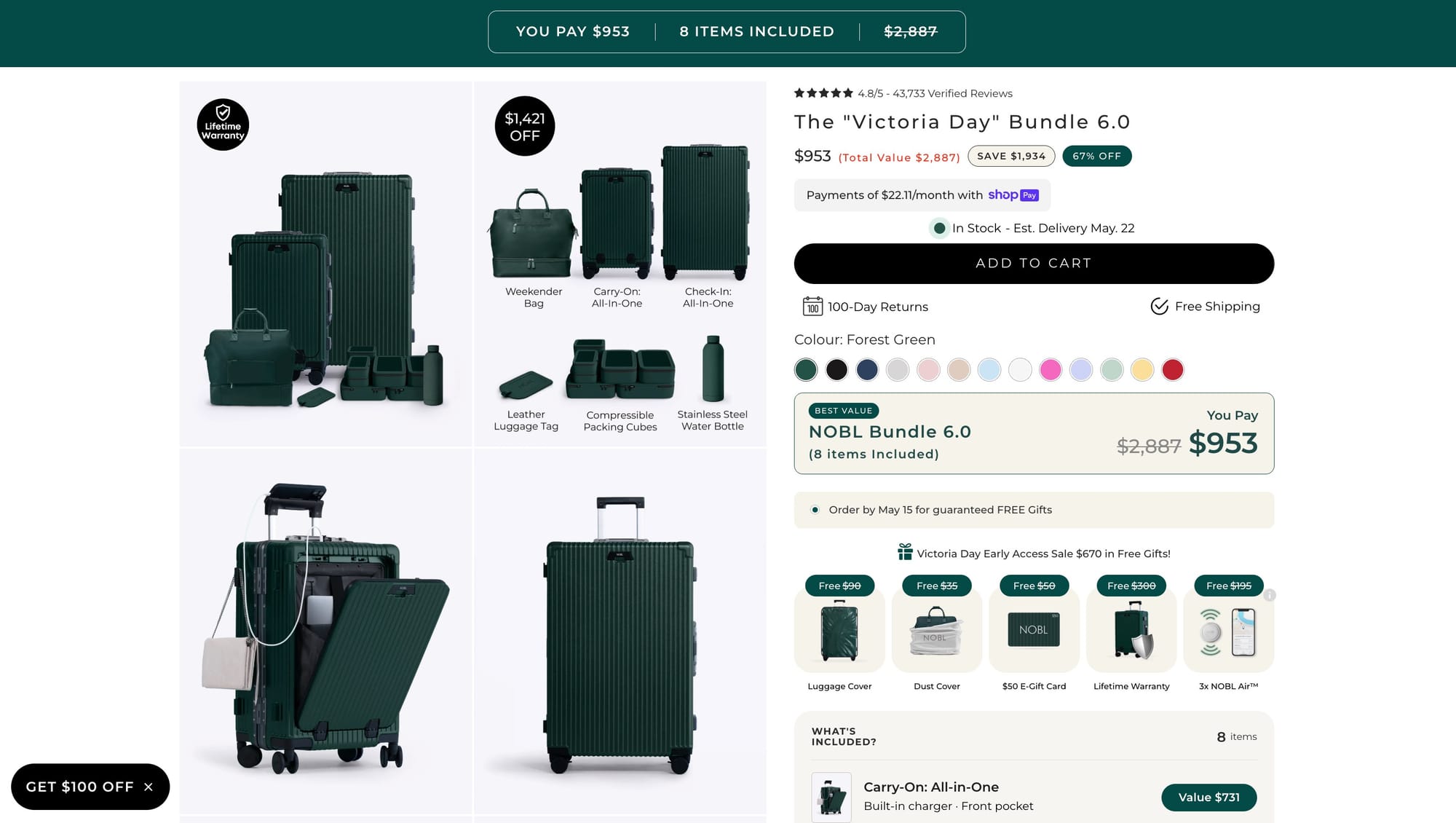
Generally, ask yourself what makes the bundle more enticing than buying each product separately, and highlight the answer on the product page.
Even the best product bundle won’t convert if customers don’t trust it.
That’s why reviews, star ratings, customer photos, and user-generated content are essential for increasing bundle conversion rates.
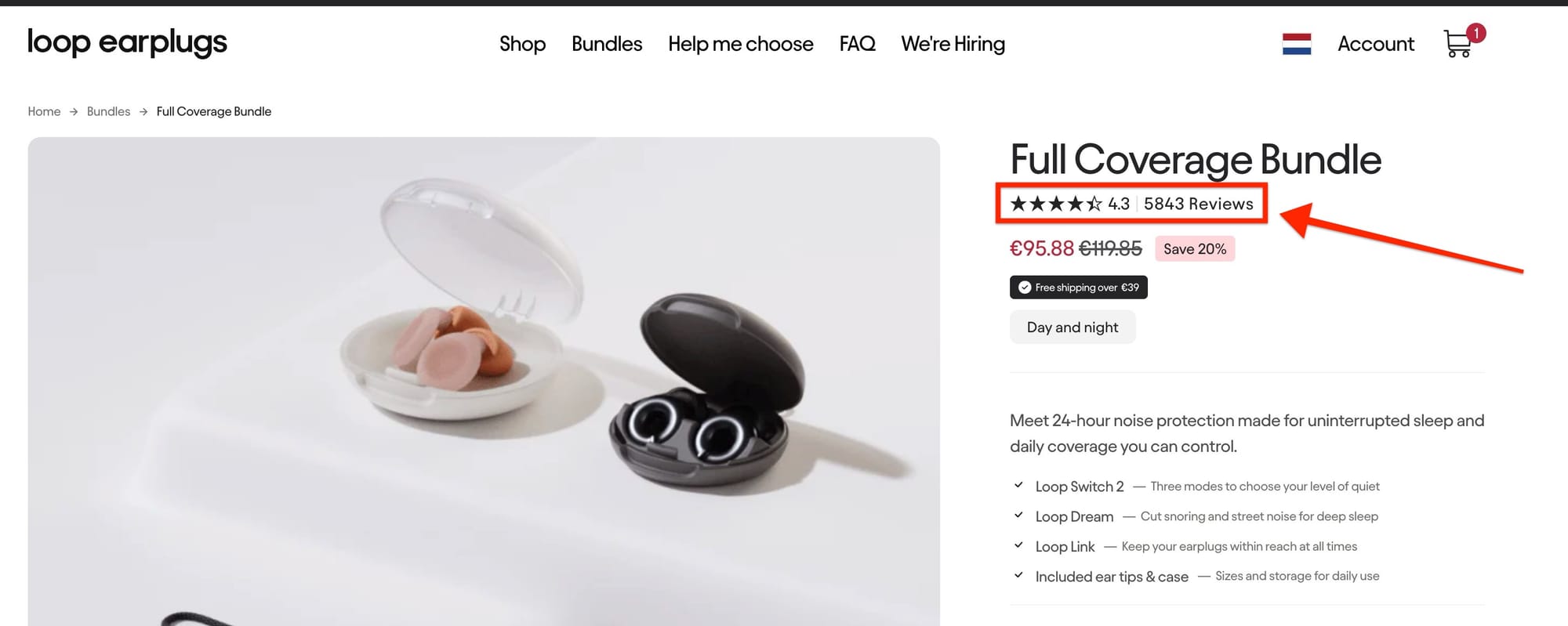
One challenge many Shopify brands run into is collecting reviews specifically for bundle products.
Simple Bundles solves this through its integration with Judge.me Reviews, allowing merchants to automatically collect and display reviews directly on bundle product pages.
With the integration enabled:
Social proof helps:
Limited-time offers create urgency and encourage faster purchasing decisions.
Seasonal bundles work especially well during:
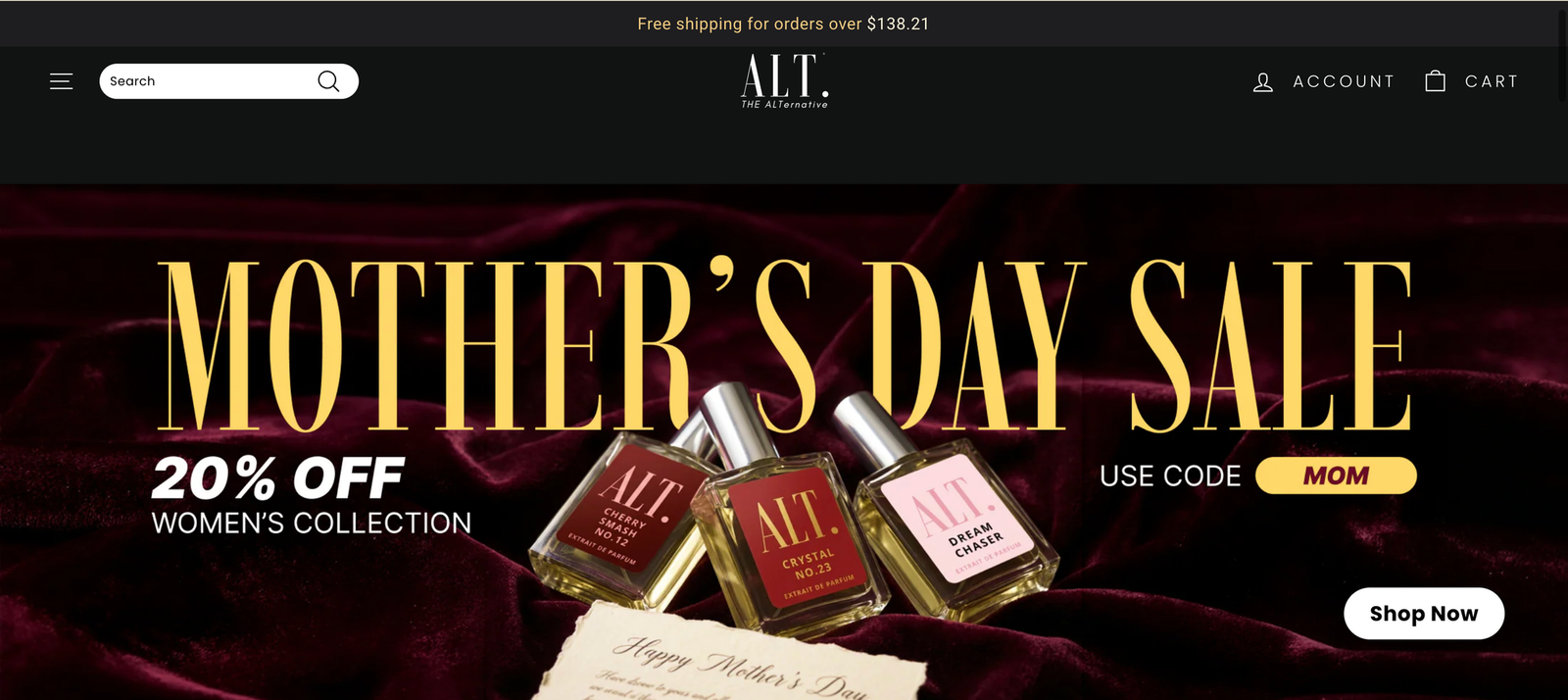
Exclusive or seasonal bundles also help brands create excitement around existing products without launching entirely new SKUs.
The best-performing bundle price is rarely discovered immediately.
Test:
Even small pricing adjustments can significantly impact conversion rate, profitability, and average order value.
Subscription bundles are becoming one of the most effective ways for ecommerce brands to increase customer lifetime value while creating more predictable recurring revenue.
Instead of selling products as one-time purchases only, brands can offer curated bundles on a subscription basis with:
For example, a skincare brand could offer:
Subscription bundles improve retention because customers receive a complete set of products consistently instead of needing to reorder individual items manually.
You should continuously perform tests to measure the effectiveness of each bundle and make adjustments accordingly, but there’s more data to consider than bundle conversions alone.
There are various data points to help you determine the effectiveness of your bundles. Here’s the data we recommend reviewing:
If you’re using Shopify to power your ecommerce store, you’ll also be able to see which bundles are your best-selling over a period of time, your total bundle sales, and average order value.
There are three main bundle categories:
More specifically, there are about nine ways you can bundle products. Let’s review bundle examples of each type.
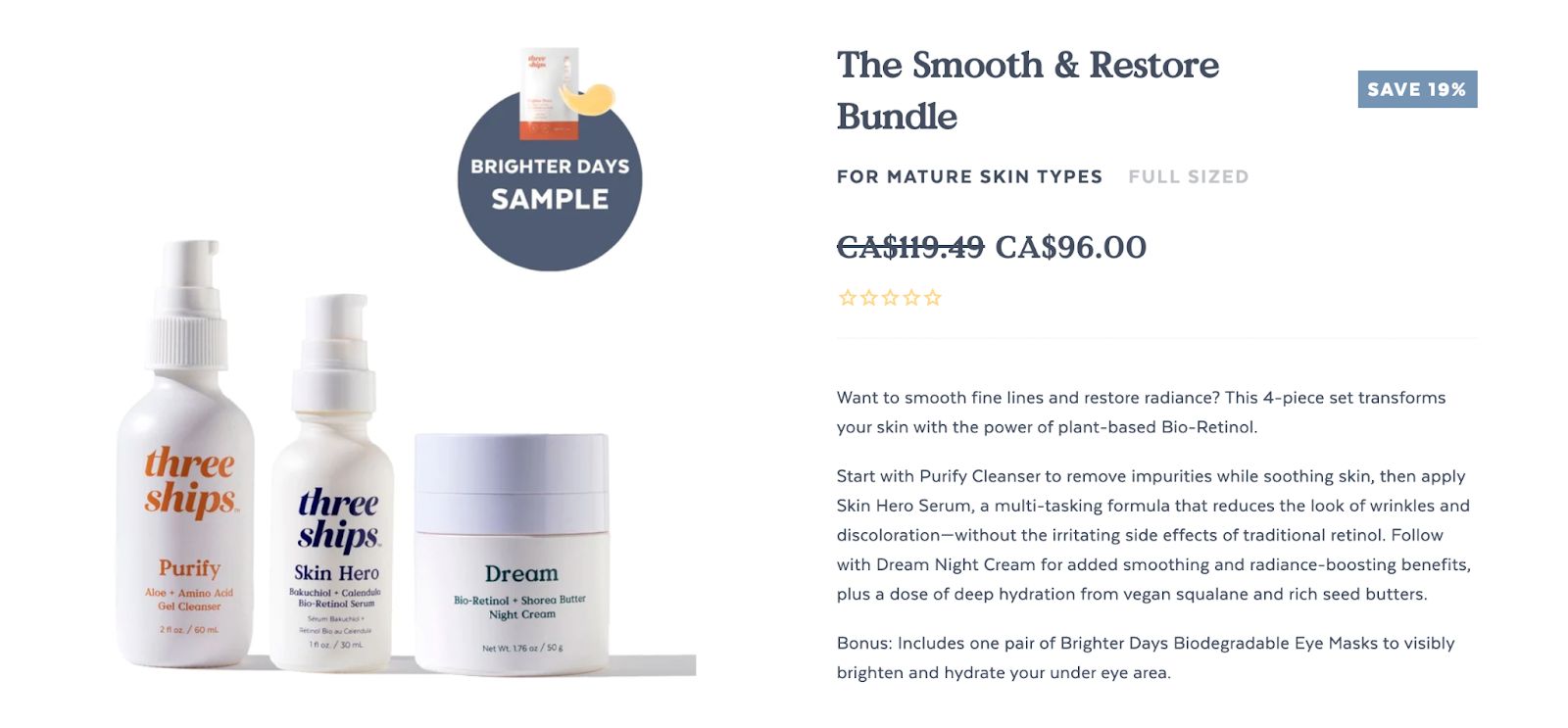
Cross-sell bundling is when products from different product lines are bundled together. This bundle encourages customers to try various products—often ones they might not have considered before.
Check out Three Ships’ Smooth and Restore bundle, as an example. This bundle is built for mature skin types and includes a full skincare routine (cleanser, serum, and moisturizer) to smooth fine lines and add radiance.
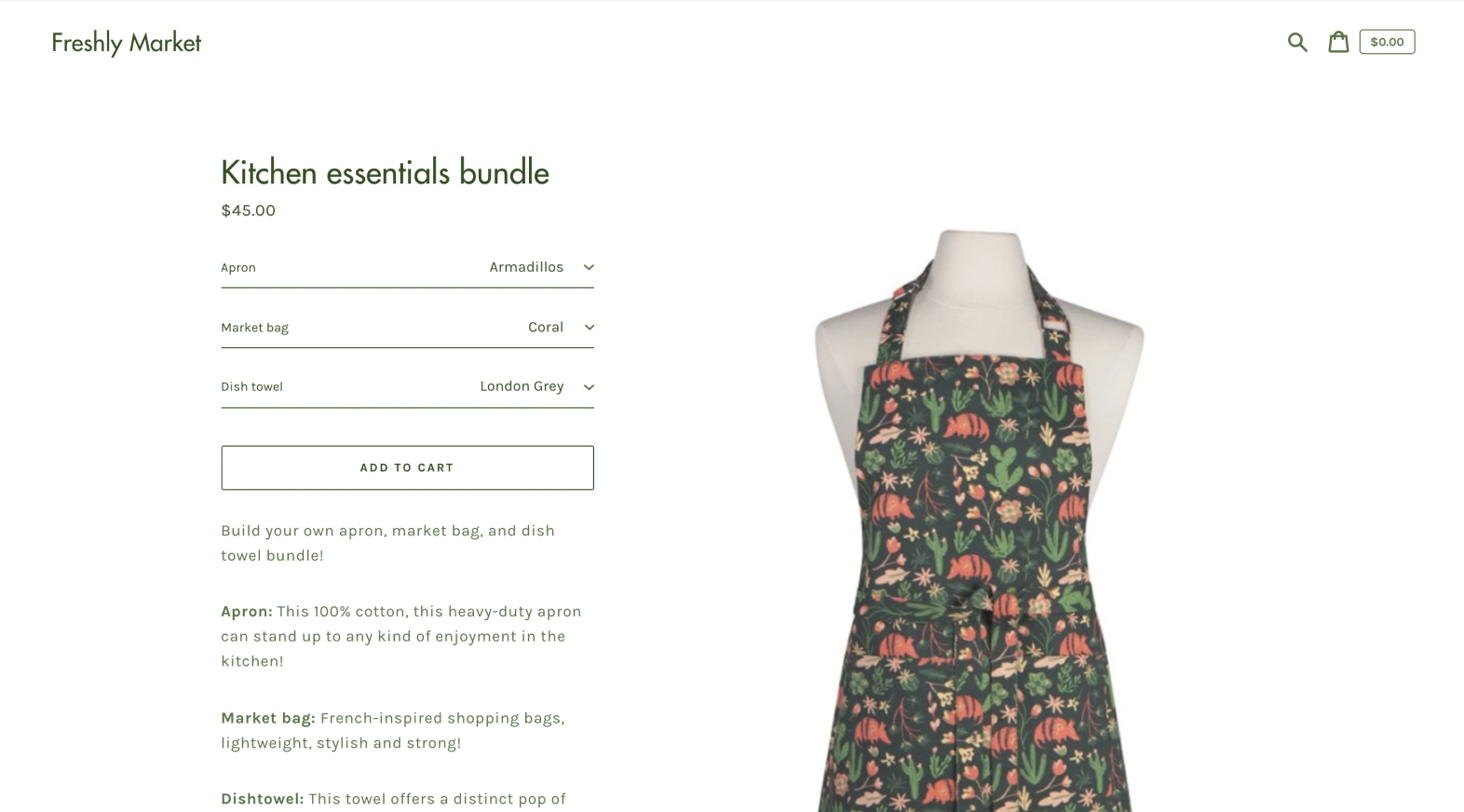
Mix-and-match bundles are ideal for companies that offer a wide selection of products. Here, customers can customize their bundle by choosing different variations and sizes.
For example, this brand bundles “kitchen essentials,” which include an apron, market bag, and dish towel. Each item offers color variations. Instead of creating a bundle for every variation (that would be a lot of work), customers can use a drop-down menu to select which color and pattern they want for every item.
A mix-and-match bundle gives customers complete control over their purchase, making the offer more enticing.
Multi-packs (also known as pre-packs or size packs) provide multiple copies of the same product at a discounted price. A multi-pack could give customers the option to purchase a 3-pack, 6-pack, or 10-pack of socks, which MeUndies offers. The goal is to give customers more options and encourage bulk purchases.
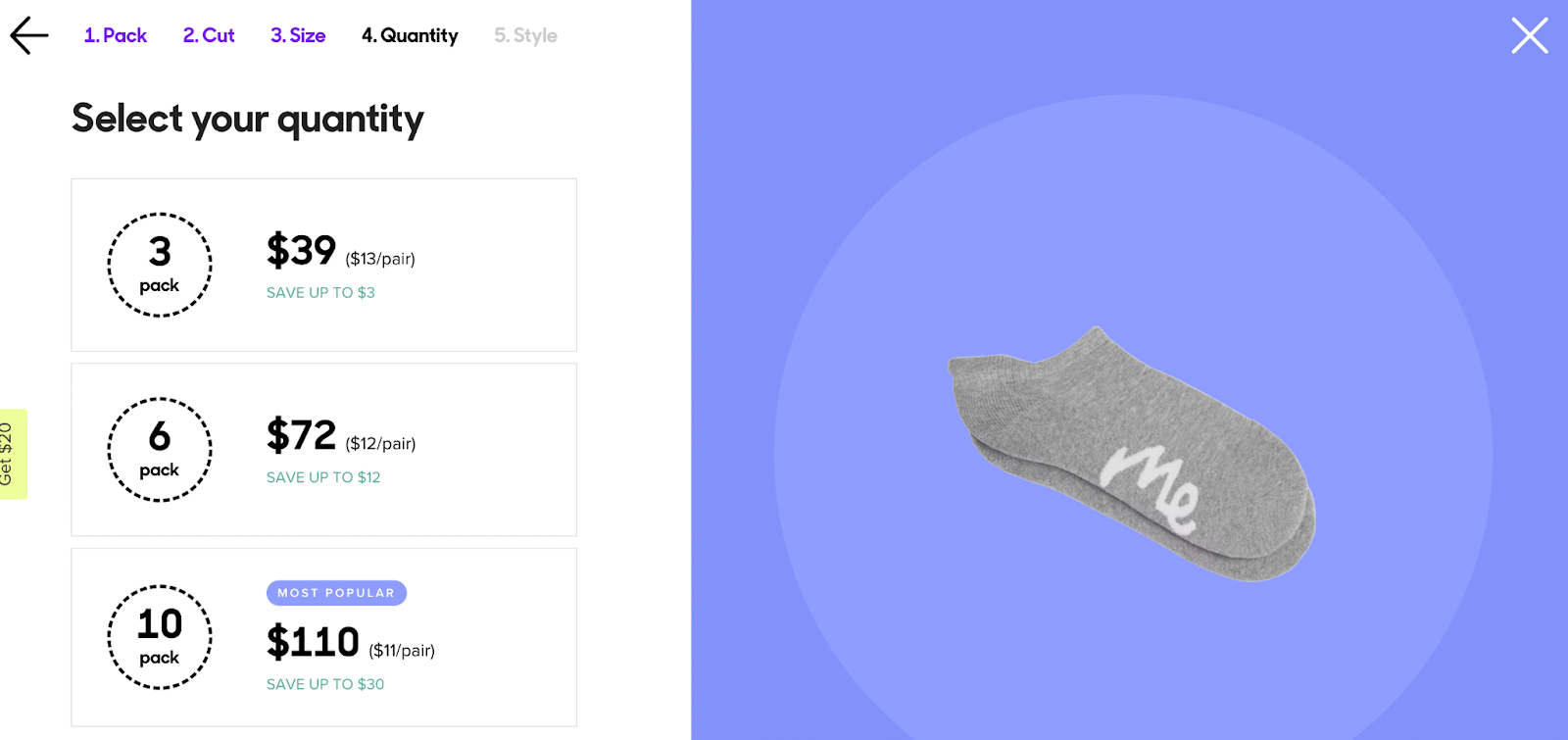
Also, as wholesale businesses continue to gain traction in the commerce market, multi-pack bundles are a useful option for retailers to purchase in bulk.
These are similar to multi-packs in that they offer a discount for customers who purchase more than one item. Usually, the difference between multi-packs and buy more, save more bundles is that customers can select different versions of the same product or mix and match products.
Bariatric Fusion lets customers build protein bundles with a bundle builder quiz. With the builder, customers can select their protein flavors and then receive a discount to use when purchasing the bundle.
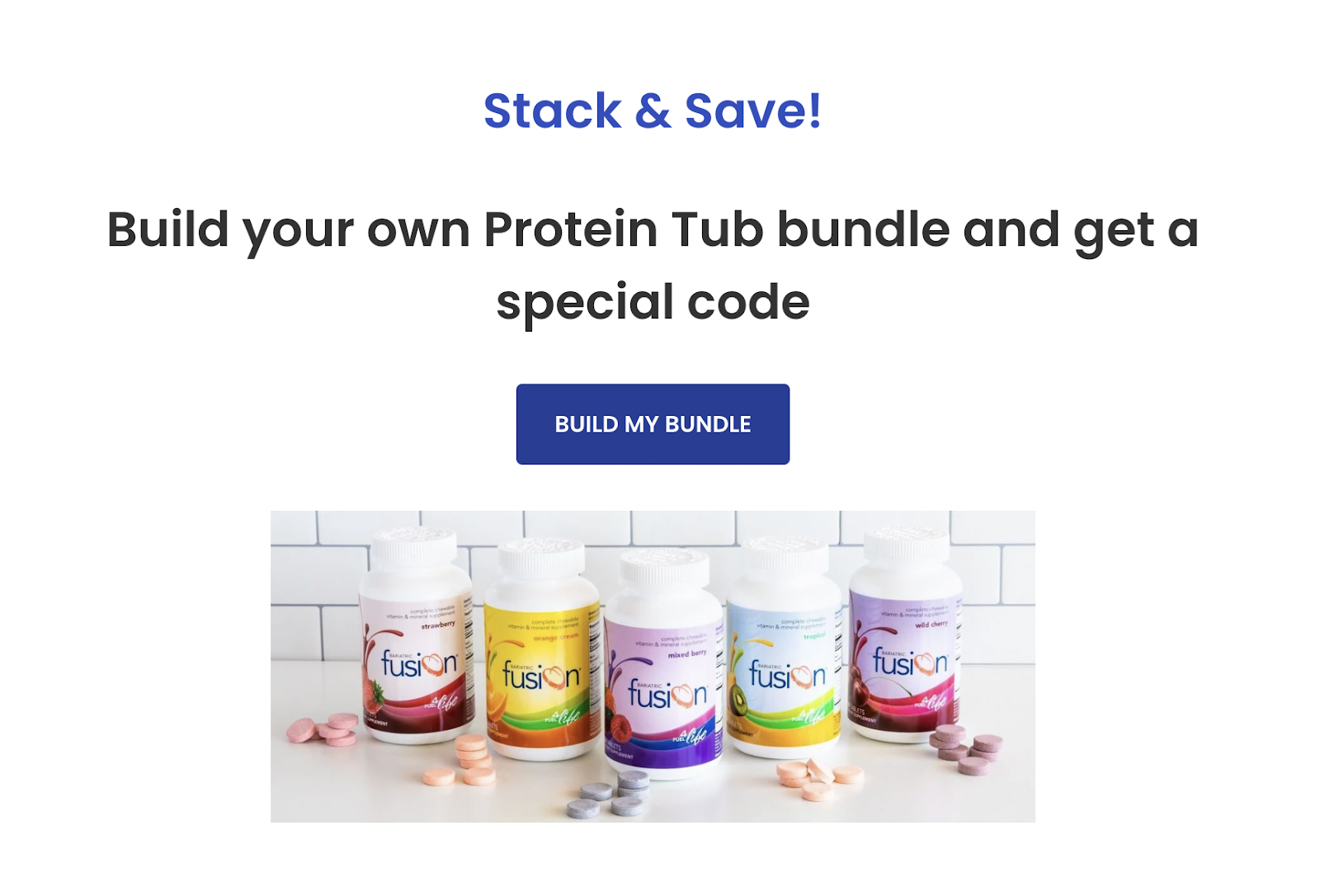
Upsell bundles are used to encourage customers to purchase higher-end products. This can involve bundles of similar products or bundles of one high-end product and several lower-end products.
Also sometimes referred to as “combo bundles,” this bundle is meant to highlight two or more products designed to be used together.
Amazon always creates these bundles, where a brand will recommend add-ons based on what you’re purchasing and what other like-minded shoppers have purchased in the past. And according to McKinsey, 35% of all Amazon purchases come from these bundle recommendations.
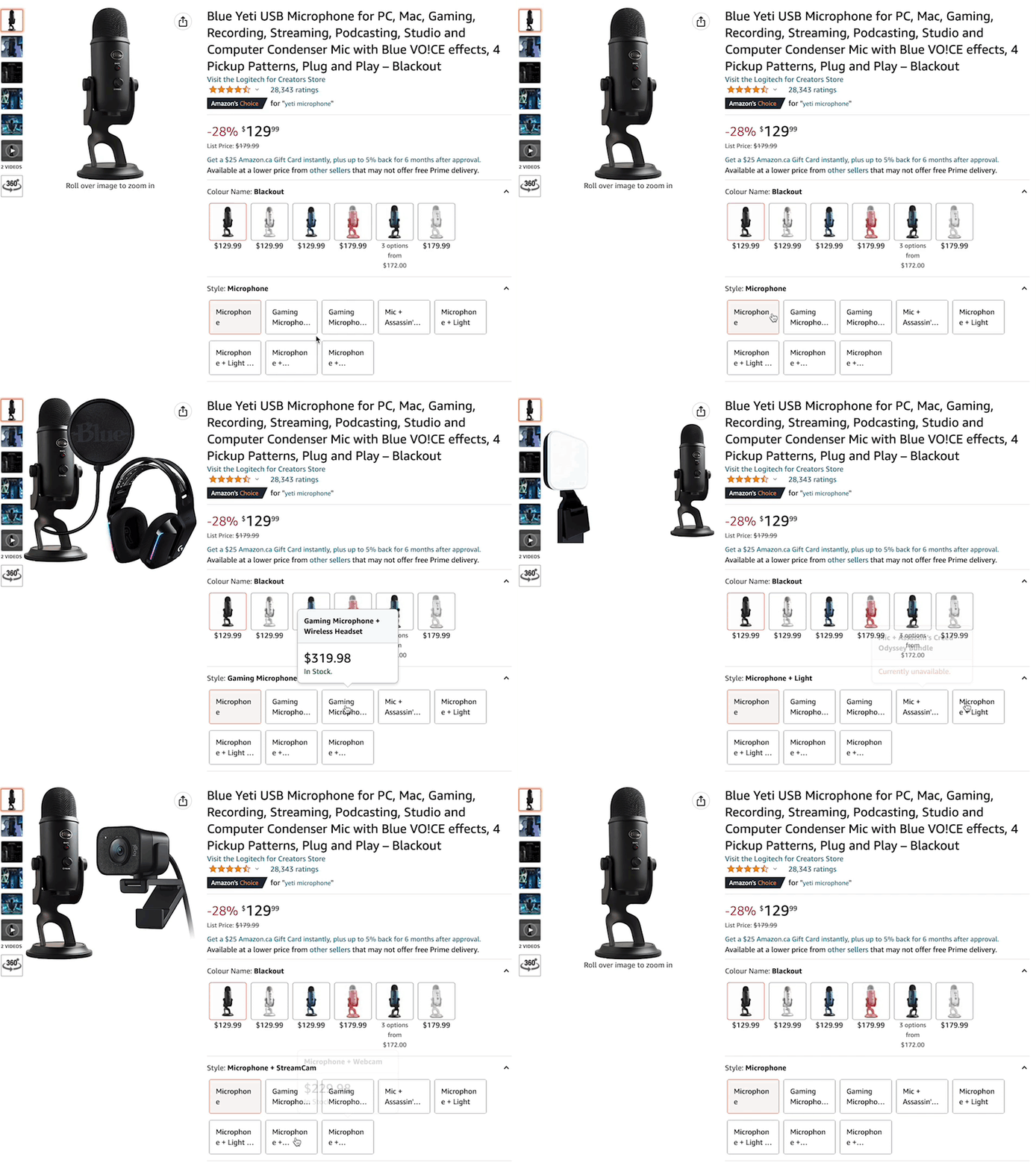
Product variant bundles encourage customers to purchase a single product in different variants. For example, a bundle of three T-shirts in different sizes or colors.
Here’s a simple example from Beeswax Wraps. When purchasing the wraps, customers can choose if they want to purchase three, seven, or ten. Next, they choose the pattern of the wraps.
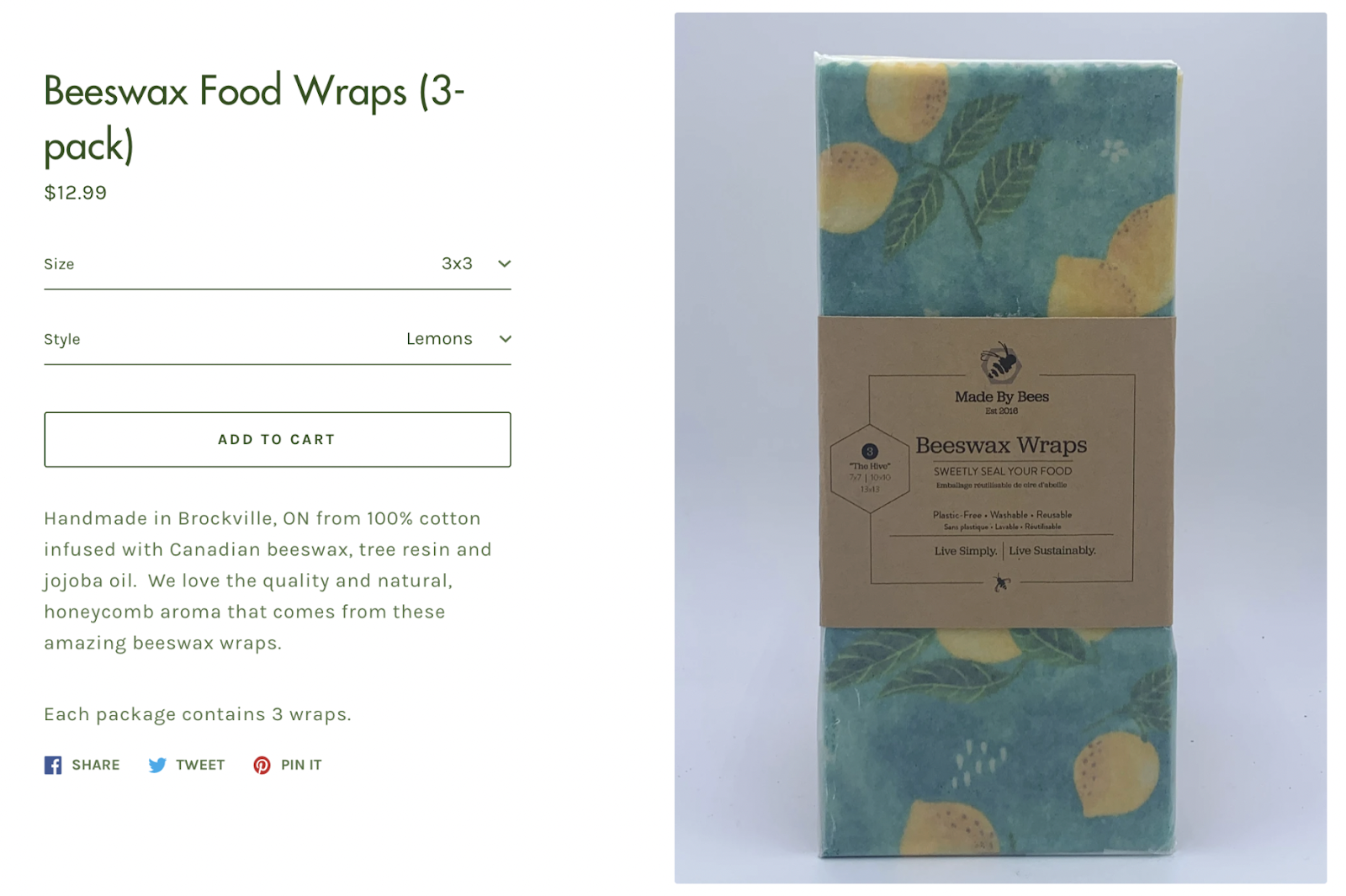
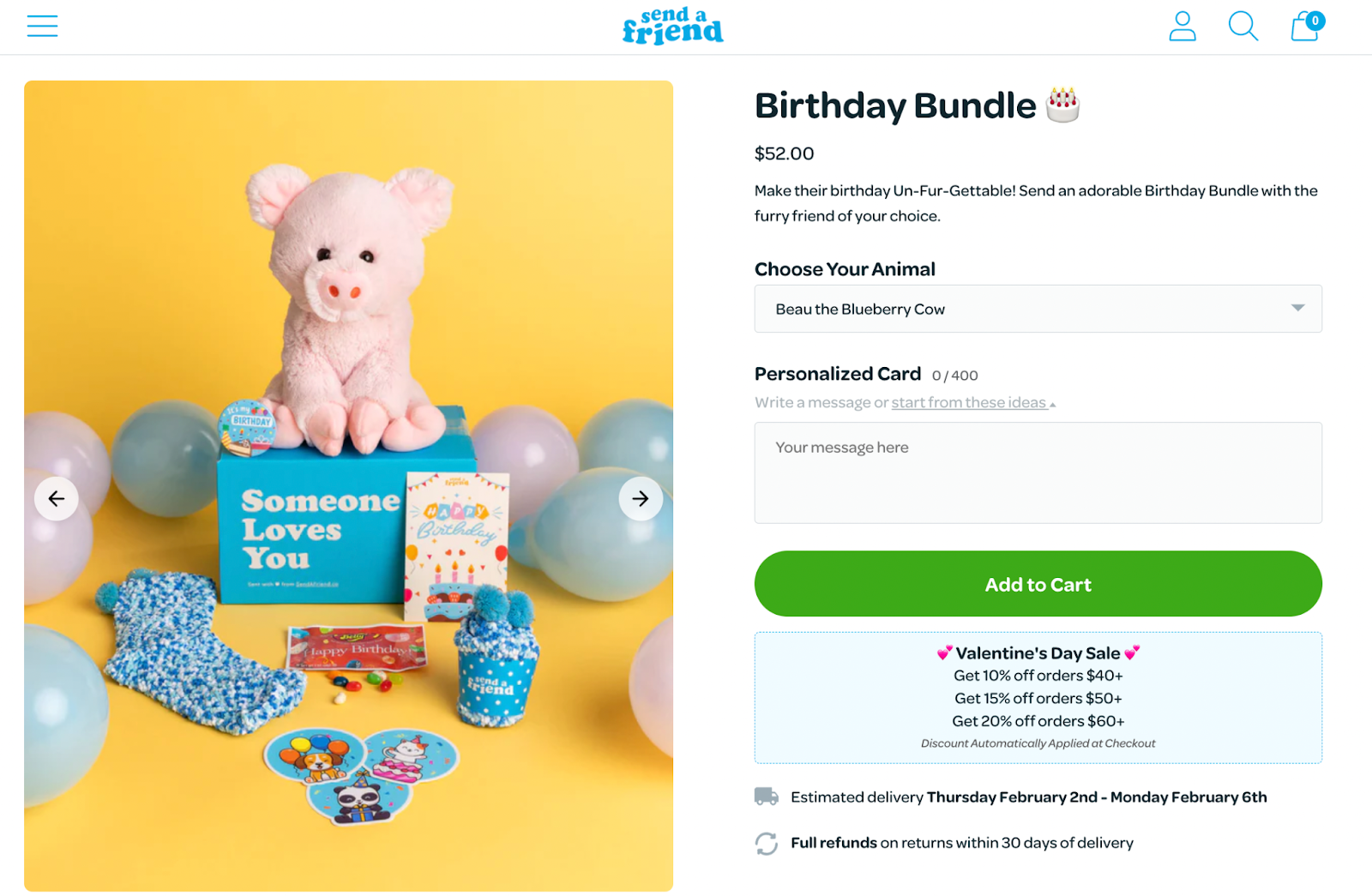
Gift set bundling is a popular way to convert holiday shoppers into buyers. This bundle typically involves a selection of related items that are attractively packaged and priced for gifting. Think about popular holidays like Valentine’s Day, Mother’s Day, Easter, and even birthdays.
Send A Friend uses a birthday bundle to package the stuffed animal, stickers, buttons, socks, a birthday card, and more, which makes it super convenient for customers to send a gift to a friend.
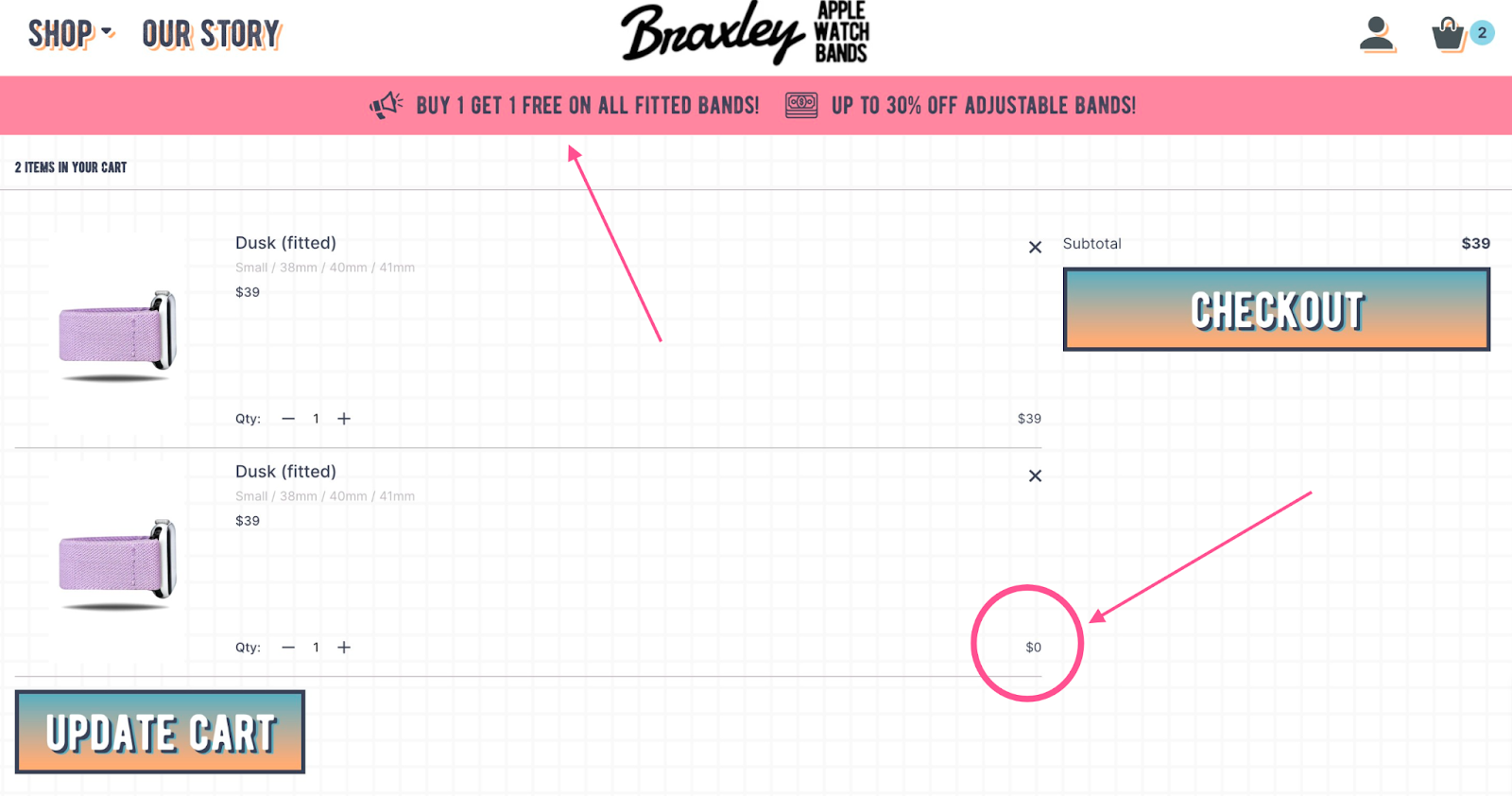
Buy one, get one (BOGO) bundles offer one item at regular cost and one of the same items completely free. Remember when we mentioned leftover stock earlier in the article? BOGO bundles are one of the most useful types for eliminating any leftover stock on certain SKUs.
Check out this example from Braxley Bands, where you can see how the second band is shown as $0.
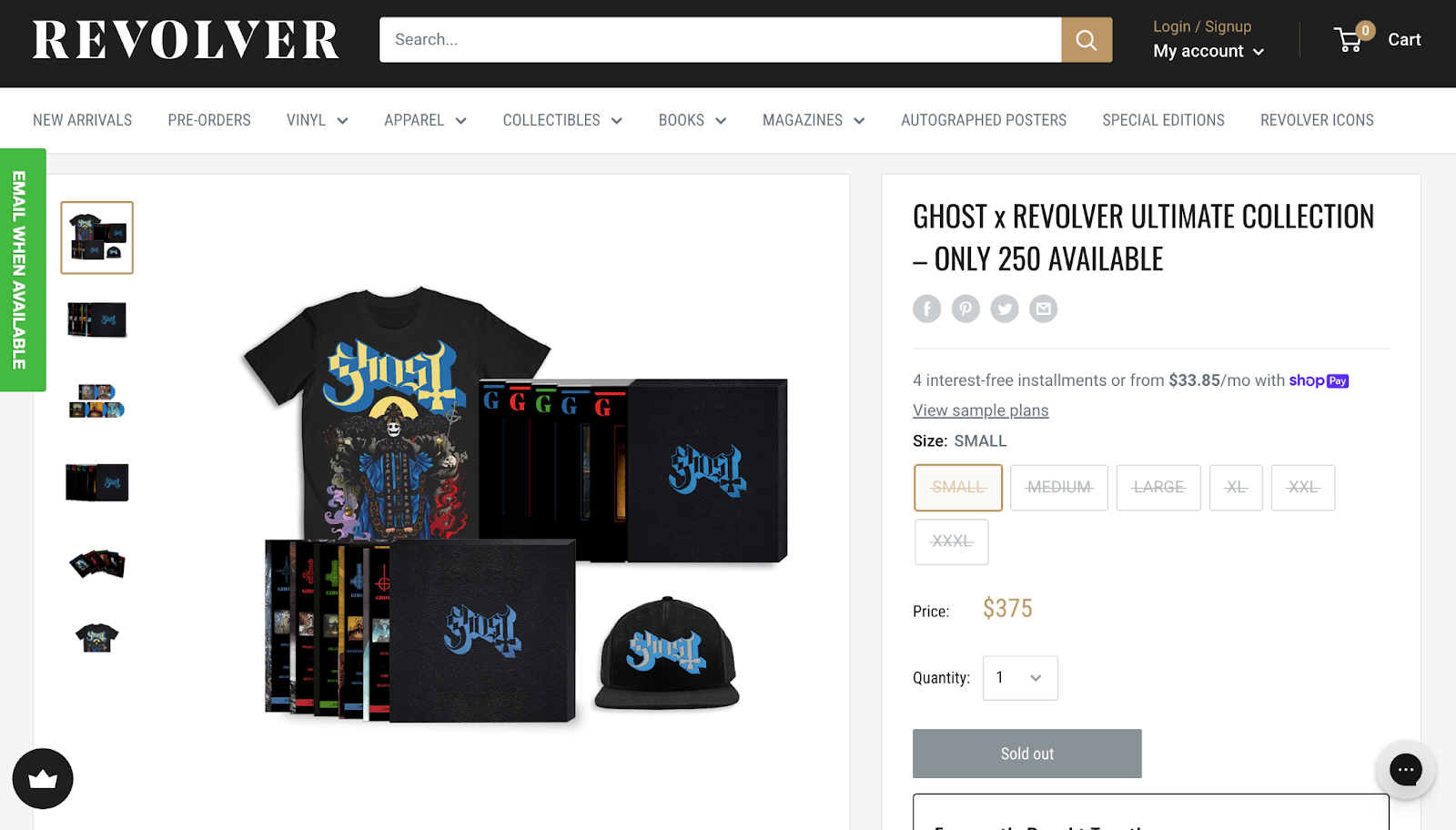
Exclusive bundling is exactly what it sounds like—it involves selling products only available as a package (not sold separately). Brands use this tactic to build FOMO and make the products feel more exclusive, especially if they’re only available for a limited time or quantity.
Revolver Mag teams up with bands to create exclusive bundles often. In partnership with the band Ghost, the bundle sold out within days. You can see right in the bundle title how they share how only 250 are available.
Now that you’ve seen the nine bundles you can create, how can you ensure your strategy is successful? As experts in product bundling, we have several tips to help.
Product bundling aims to increase revenue by incentivizing customers to purchase multiple products.
And for most brands, bundling is working well. According to Shopify, beauty brand Aisling Organics sees about 30% of its direct-to-consumer sales come from product bundle purchases.
But aside from direct revenue, product bundling also impacts your AOV and retention and lessens your product waste—all of which also impact revenue.
Now that you know what product bundling is all about, let’s talk about how to create bundles on Shopify.
Creating a bundle in Shopify is easy, and you can streamline your entire bundle operations with the right tool.
Step 1: Create a new bundle in Shopify. If you’re using Simple Bundles, then there's no need to specify the quantity or price as you can add and adjust them later on Simple Bundles. These changes will be reflected on Shopify as well.

Enable “track quantity.” And to avoid negative inventories, we recommend unchecking “Continue selling when out of stock."
Step 2: If you’re using simple bundles, go to Simple Bundles and select Build bundle in the Bundles tab. Find the product you just created and click Add.
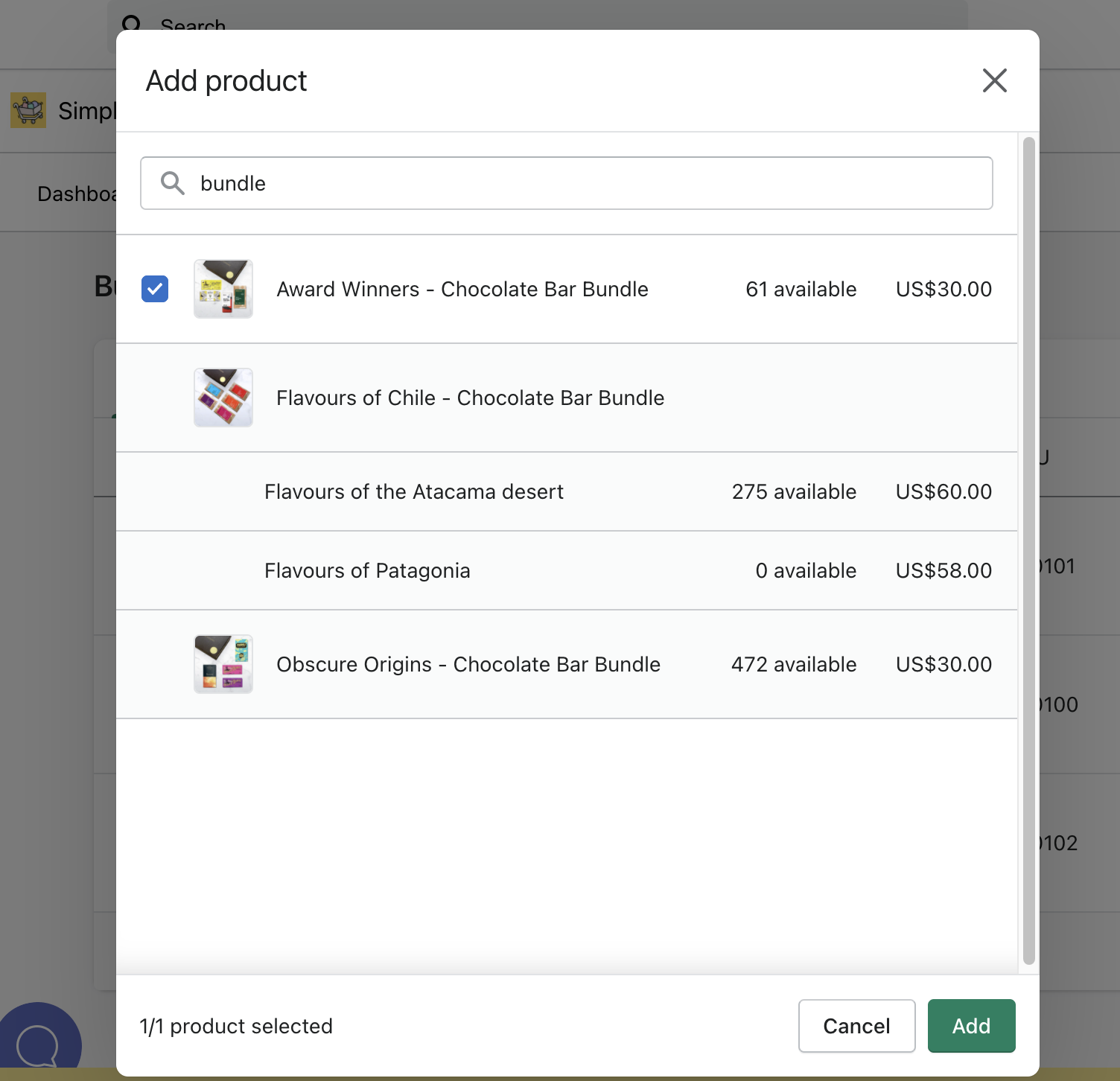
Step 3: Start adding individual SKUs to each of the options. Select Add products in the Products section and find each of the individual SKUs you wish to add to your bundle. You can adjust the quantity of each individual SKU and the bundle's price.
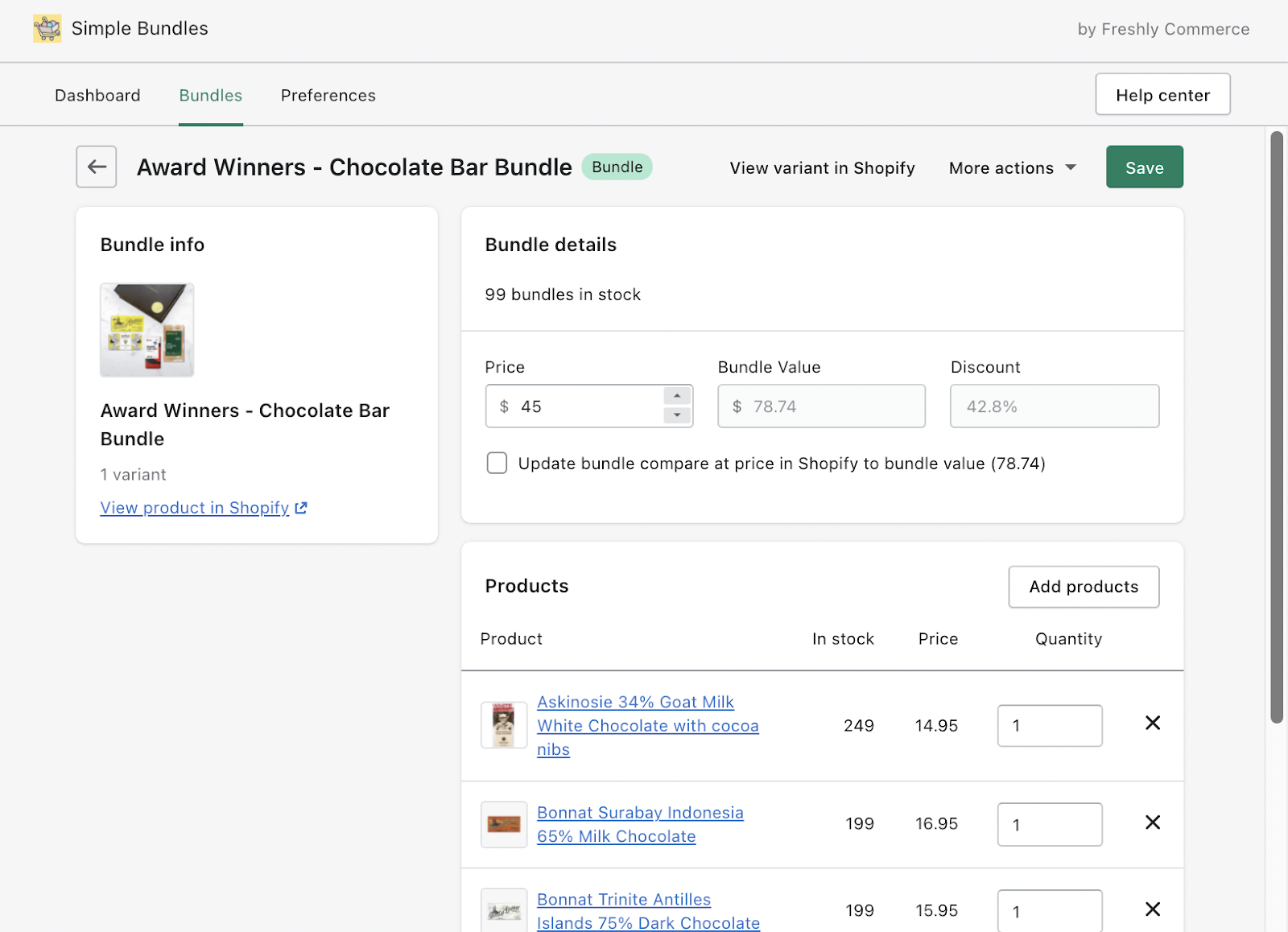
Check out this article here to learn more about creating bundles in Shopify with Simple Bundles.
Using a different platform than Shopify? Email us at support@simplebundles.io to see how Simple Bundles works with your platform.
Before you start bundling products, you need to consider one more part of the strategy: how you will price your bundles.
The cost-plus pricing method is the simplest way to calculate a bundle price. Simply add the cost of each item in the bundle and then add a profit margin, which is a percentage of the total cost you want to make as a profit.
For example, if each item in the bundle costs $10 and you want a 25% profit margin, the total bundle price would be $12.50.
Note: If you sell items individually, keep in mind the price of the product sold individually and as a bundle. Using Simple Bundles, you can start by adding individual item prices to your bundle list to calculate the bundle price. Then, if you want to offer a discount on the bundle, you can calculate a new margin since it might be worth giving a discount to get a higher AOV.
Ready to put your strategy into practice?
By creating attractive bundles that offer customers greater value, you can increase your AOV and create a competitive advantage in your market. With careful research, planning, and execution, product bundling can effectively reach new customers and drive conversions through convenience.
Simple Bundles can help you create various bundles, and automatically send order details to your fulfillment center for picking and packing SKU bundles and kits.
You can try it for free by installing directly on Shopify here.
What’s the difference between product bundling and product kitting?
Product bundling combines two or more products into a package, usually offered at a discount. Kitting, on the other hand, packages items together for convenience or a specific purpose (like a starter kit), without necessarily offering a discount. Both can boost sales and improve customer experience, and which one you choose depends on your goals.
Should I use single-SKU or multi-SKU bundles?
How should I price my bundles?
A simple way is using cost-plus pricing: add up the cost of all items in the bundle, then add your target profit margin. Many merchants also offer bundles at a small discount to encourage larger orders and raise AOV. Just make sure your bundle price still makes sense compared to the individual items.
What products should be bundled together?
The best bundles combine products that naturally complement one another or solve a specific customer problem.
Examples include:
Should product bundles be discounted?
Not always.
Some bundles perform well because of convenience, personalization, or exclusivity rather than large discounts. However, offering a small discount often helps improve conversion rates.
How do I track inventory for bundles?
The easiest way to manage bundle inventory is by tracking individual component SKUs rather than only the parent bundle product.
This helps prevent overselling and improves fulfillment accuracy. Check out Simple Bundles to see how you can do this automatically.
What types of bundles perform best for ecommerce brands?
It depends on your products and customer base, but the most popular strategies include:
How can I manage inventory and fulfillment for bundles on Shopify?
Managing bundles manually can create errors, especially if you’re working with warehouses or 3PLs. Using Simple Bundles, each bundle automatically breaks down into its components so stock levels update accurately. This ensures you don’t oversell and makes pick-and-pack easier during fulfillment.
How can I test if my bundles are effective?
Track metrics like bundle conversion rates, AOV, and revenue contribution. Compare bundle performance against individual products, check engagement on bundle landing pages, and analyze seasonal trends. Testing different variations will show you which bundles drive the most growth.
Learn how Shopify brands increase AOV without relying on constant discounts using bundles, upsells, free shipping thresholds, and smarter merchandising.
This guide covers 10 important questions every brand should ask before signing with an agency. From understanding their experience with Shopify and CRO to evaluating reporting, retention strategies, paid media expertise, and communication processes.
This guide explains how to create free gift with purchase promotions on Shopify using native discounts, bundle apps, and automation tools. Learn how to add gifts automatically, boost AOV with cart upsells, and create a smoother customer experience.

