Tina Donati is the Head of Marketing at Simple Bundles and has spent the past 7+ years helping Shopify brands streamline their tech stack and unlock growth through smarter product bundling, better UX, and cleaner ops.
Bundling strategies
How to Create Bundles on Shopify: Step-by-Step Setup + Proven Strategies
This article is a step-by-step guide for merchants who want to boost average order value and improve their online store merchandising strategy.
Tina Donati is the Head of Marketing at Simple Bundles and has spent the past 7+ years helping Shopify brands streamline their tech stack and unlock growth through smarter product bundling, better UX, and cleaner ops.
Product bundling has become one of the highest-leverage merchandising strategies for Shopify brands, and for good reason. Bundles increase AOV, raise units per transaction, enable cross-sell discovery, and help merchants move inventory more efficiently.
But behind every clean, compelling bundle on the storefront is a layer of operational complexity...
Inventory syncing, multi-location stock availability, picking and packing accuracy, and discount logic that must all work seamlessly.
If you want to learn how to create bundles on Shopify — using both Shopify’s native Bundles app and third-party solutions — this article walks you through everything you need to know. It also serves as a step-by-step guide for merchants who want to boost average order value and improve their online store merchandising strategy.
Let’s start with the basics.
How Shopify Product Bundles Work (and Why They Matter)
A Shopify bundle is a group of products sold together as a single offer — a curated set, a starter kit, a discounted pack, or a “choose your own” assortment.
To customers, a bundle product feels like a unified item with a clear value story — “Get the complete skincare routine” or “Choose any 3 coffees for $45.” Bundles can also appear as a single product template on the product page, depending on your setup.
On the back end, however, each component product must still be tracked separately to ensure accurate picking, packing, and replenishment. This is especially important when bundles include individual items, product variants, or complementary products.
Third-party apps can help with this, while extending bundling into dynamic experiences like mix-and-match bundles, build-a-box kits, BOGO bundles, volume discounts, quantity breaks, and post-purchase upsells.
Why Bundles Matter for Store Performance
Most Shopify brands introduce bundles to increase AOV, but the downstream benefits go far beyond that. Bundles improve:
Average Order Value (AOV): Customers naturally spend more when offered value-anchored sets.
Units per Transaction (UPT): Bundles simplify decision-making, increasing the number of items purchased.
Cross-sell adoption: Customers try complementary items they might not buy individually.
Customer lifetime value (LTV): Starter kits or sampler bundles speed up product discovery and retention.
Inventory efficiency: Bundles help move slow-moving SKUs and balance supply.
But as revenue scales, so does the complexity behind maintaining accurate fulfillment. That’s why choosing the right bundling structure — and the right tools — is essential.
Before you create your first bundle, it’s helpful to understand the major types and how merchants use them strategically.
Multi-SKU vs. Single-SKU Bundles: Which Do You Need?
Shopify merchants typically choose between two foundational bundle formats:
1. Multi-SKU Bundles
Each component retains its own SKU and stock level. These are best for:
Mix-and-match bundles
Build-a-box experiences
Customizable kits
PDP storytelling (“What’s included”)
Because the components remain separate, Shopify can automatically deduct inventory per item. This structure also ensures clean inventory tracking and supports storefront flexibility, especially when selling across multiple sales channels.
2. Single-SKU Bundles
One unified SKU represents the bundle — common for multipacks or identical items. These are best for:
Most merchants eventually use both, depending on their merchandising goals and how they want to present bundle offers and bundle prices.
Examples of High-Converting Shopify Bundles
While the concept is simple — package products together to increase AOV — the execution dramatically impacts conversion rate and profitability.
Below are the most effective bundle types used by Shopify brands today, along with explanations of why they work, which industries they fit, and what merchants should consider when creating them.
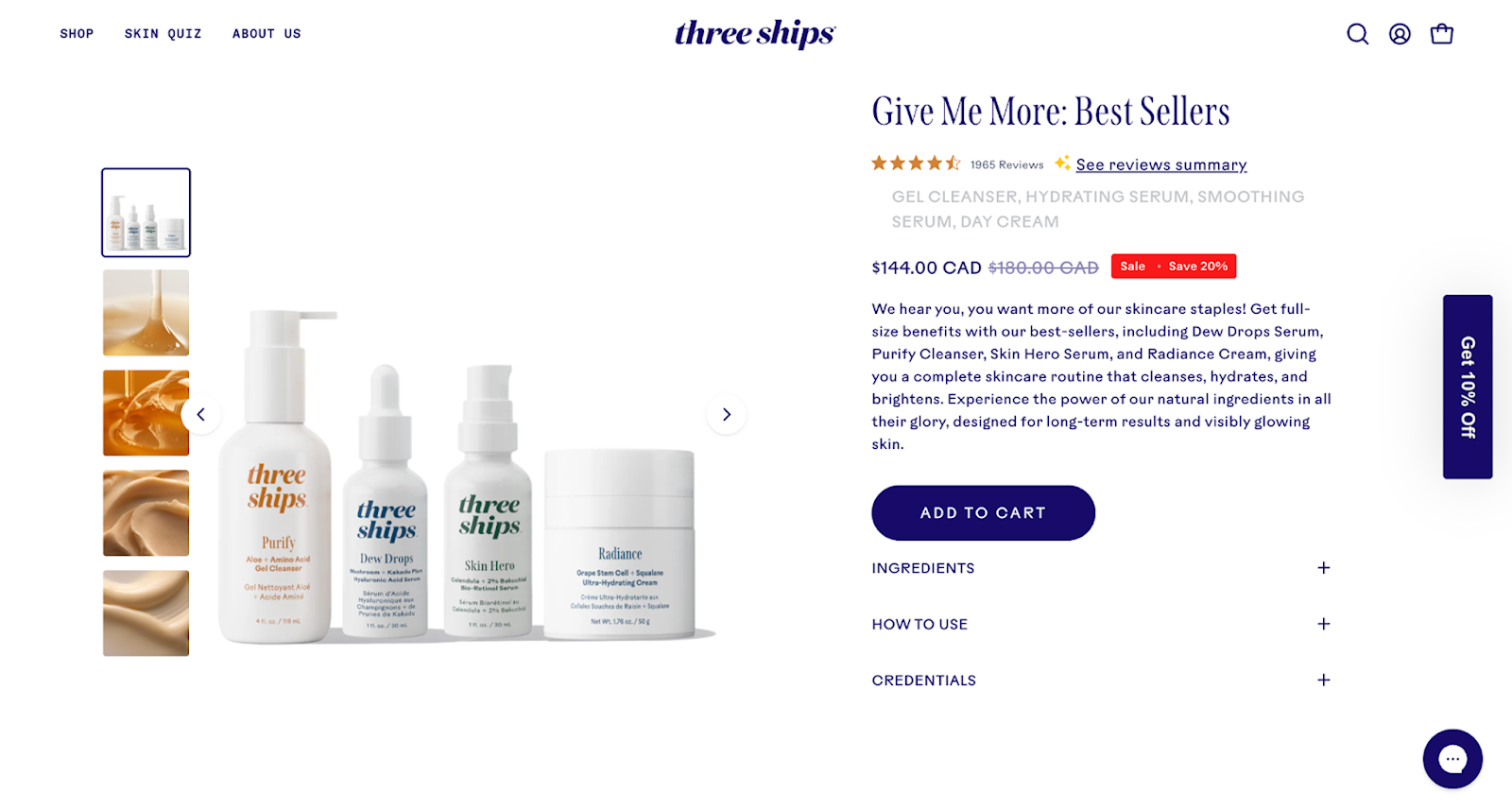
1. Starter Kits (The “Entry Point” Bundle)
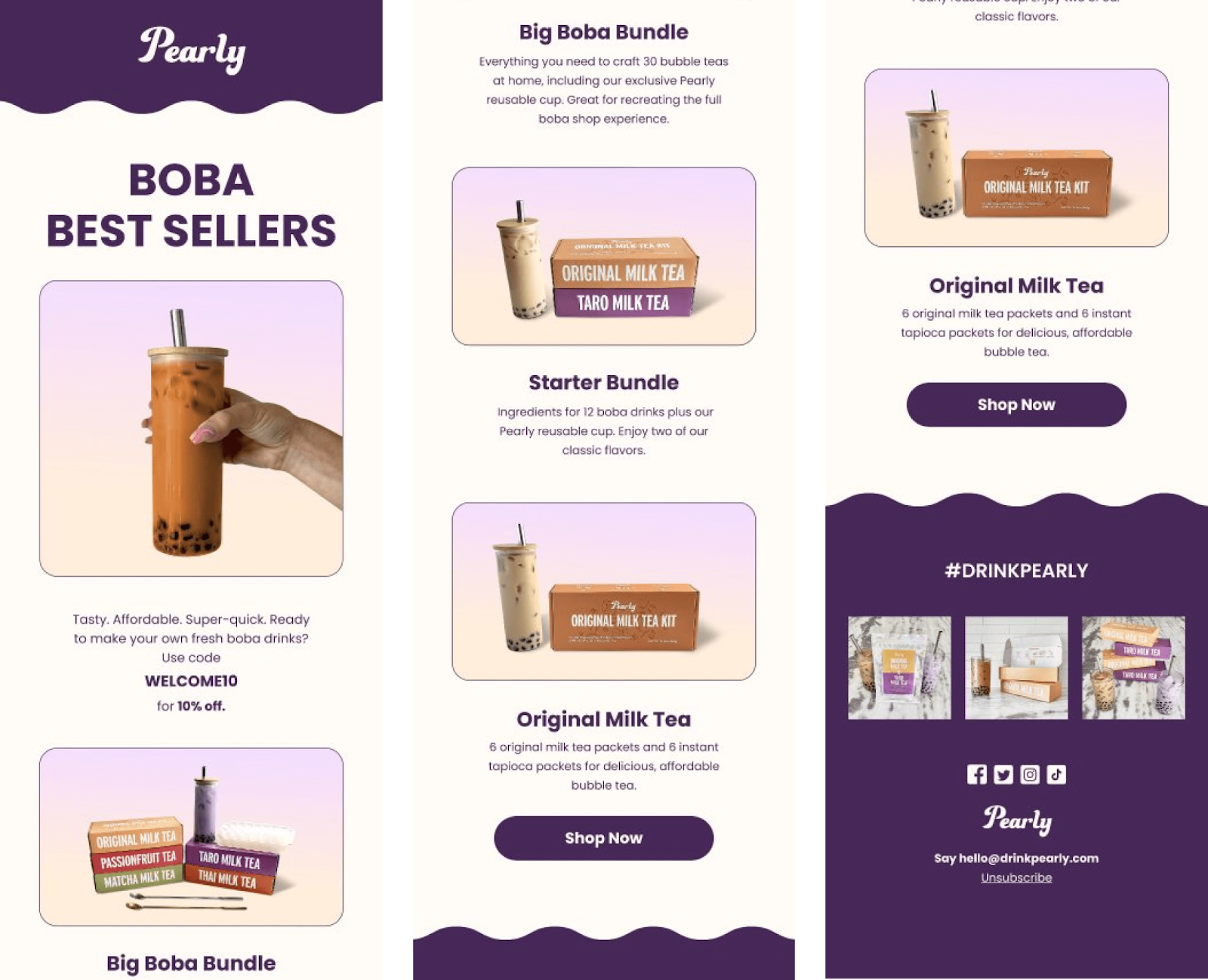
Starter kits are among the highest-converting bundle formats because they reduce friction for new shoppers. Instead of deciding between multiple SKUs, shoppers choose a single, curated package designed to introduce them to your brand.
Best for:
Skincare
Haircare
Supplements
Wellness
Home fragrance
Why they convert well:
They remove decision fatigue (“Just give me the essentials”).
They anchor value by showcasing a clear savings amount.
They help new customers establish a routine early, increasing LTV.
A skincare brand might bundle a cleanser, toner, and moisturizer into a “Complete Daily Routine Kit” priced lower than purchasing each item individually. This directs customers toward the ideal regimen rather than one-off products.
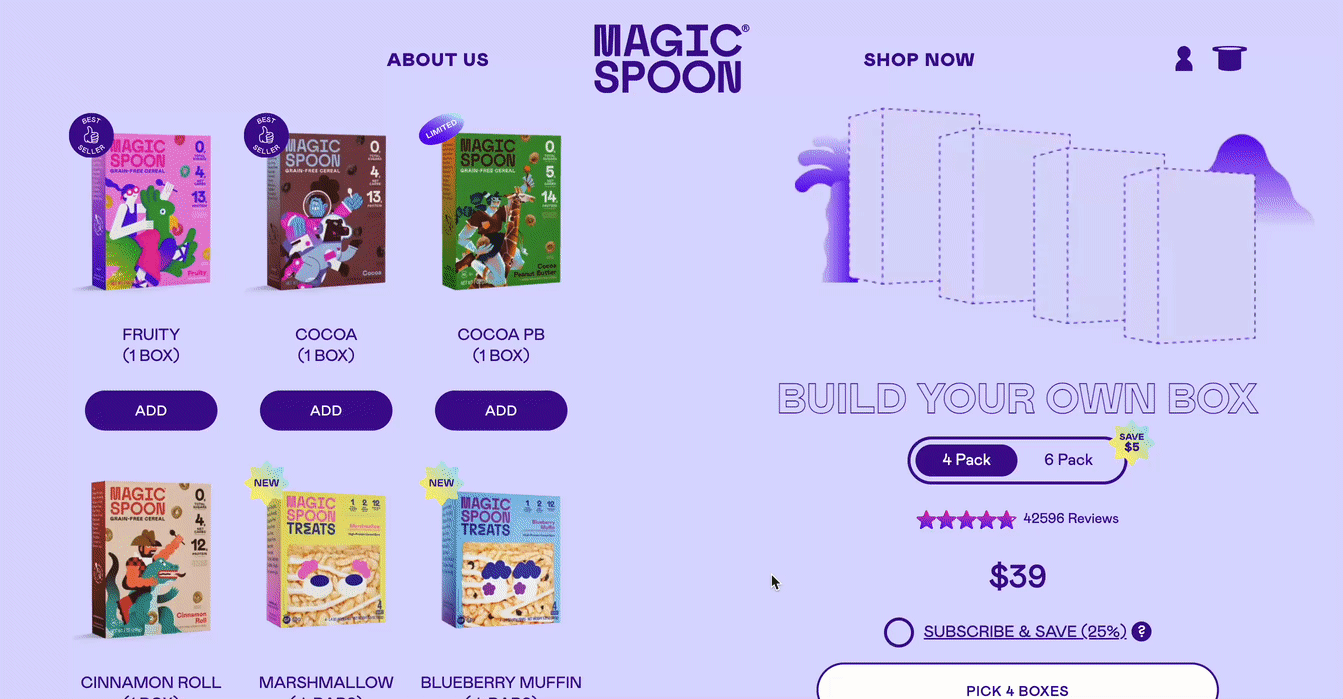
2. Build-a-Box or Mix-and-Match Bundles (Personalized & High AOV)
Build-a-box is one of the most flexible bundle options because it supports curated categories, unlimited combinations, and customized bundles. Blending choice with value, customers self-select which products go into their bundle — typically within certain rules (e.g., choose any 6 snacks for $30).
Best for:
Snacks and beverages
Candles
Pet treats
Apparel basics
Coffee & tea
Why they convert well:
Customization increases emotional investment.
Shoppers tend to add more than the minimum (upsell by design).
Works extremely well for subscriptions or replenishment cycles.
A coffee brand offers a “Pick Any 3 Roasts” bundle with a base discount, then adds extra incentives to choose a 4th or 5th bag. The customer feels in control, but the merchant still maximizes AOV and moves inventory efficiently.
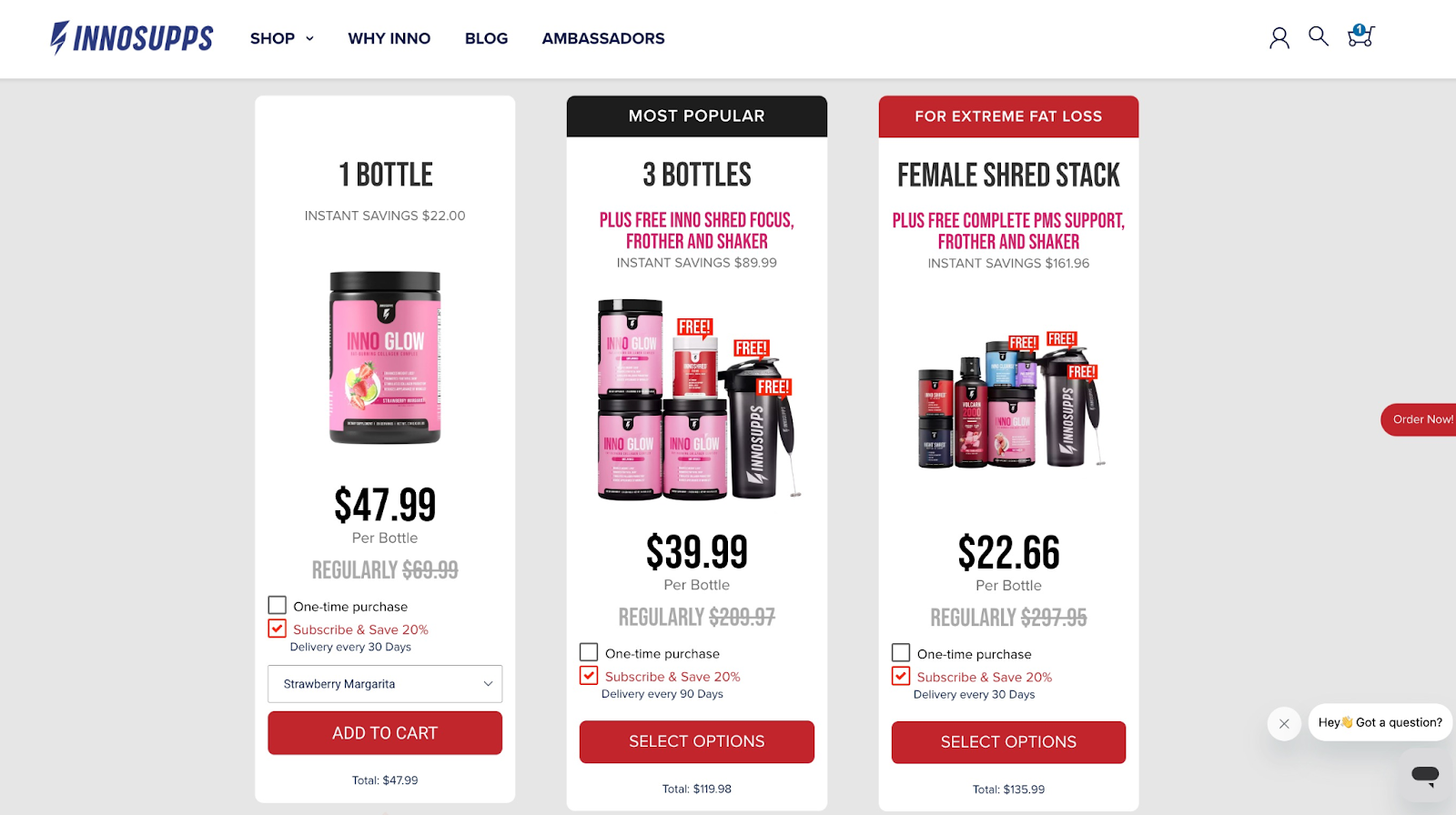
3. Subscription Bundles (Retention Powerhouse)
Bundles pair extremely well with subscriptions because they encourage recurring orders of multiple items at once.
Best for:
Supplements
Skincare
Pet supplies
Consumables
Food and beverage
Cosmetics
Why they convert well:
Larger recurring orders = better LTV.
Subscriptions with bundles reduce churn by offering variety.
Customers appreciate the cost savings and convenience.
A supplement brand sells a “Monthly Wellness Stack” containing 3 best-sellers at a 15% subscription discount. Instead of customers subscribing to a single product, they commit to an entire stack.
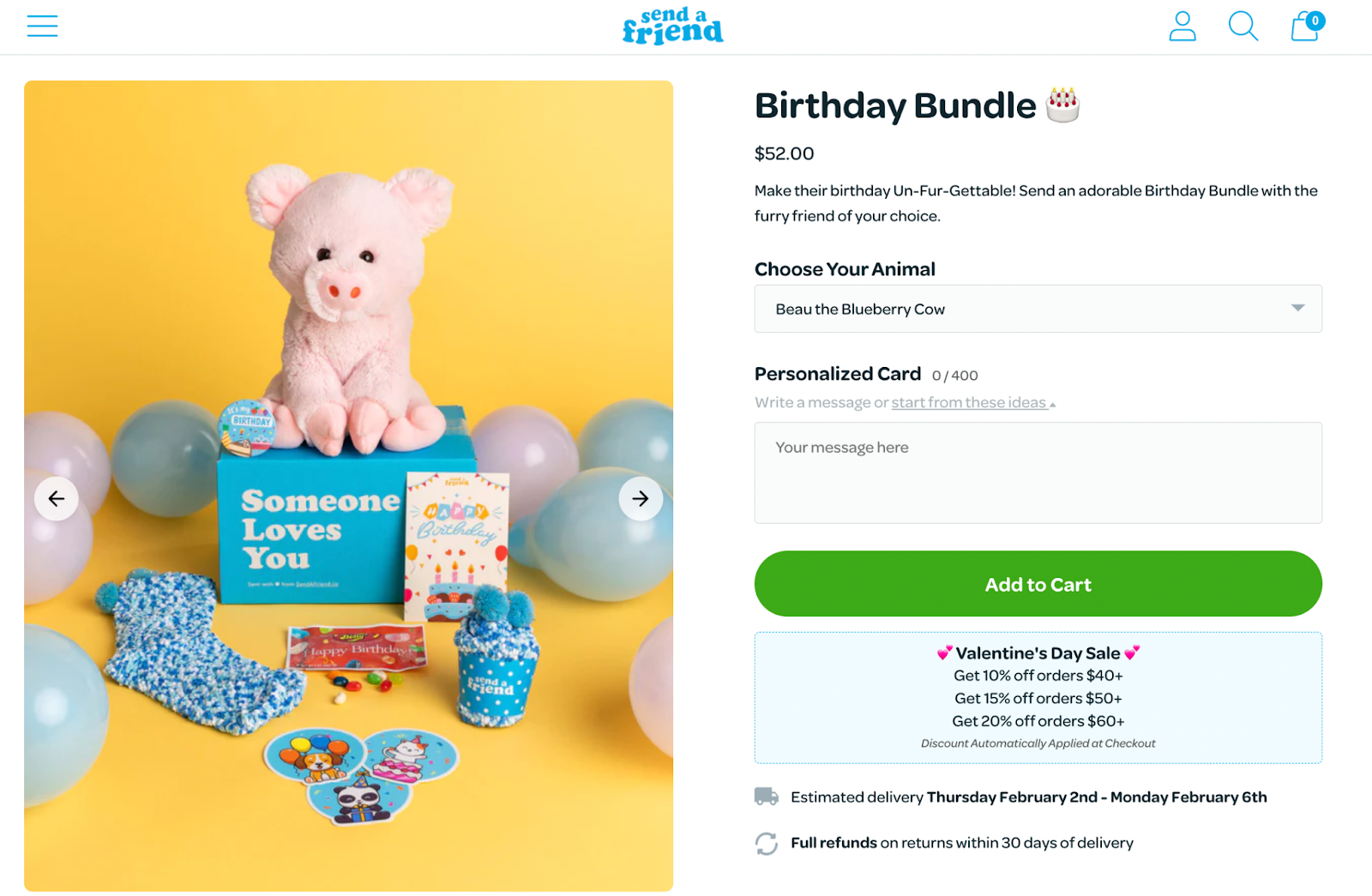
4. Gift Sets (Seasonal Revenue Boosters)
Gift sets are essential for seasonal peaks like Christmas, Mother’s Day, Valentine’s Day, and birthdays.
Best for:
Beauty
Home goods
Food
Apparel
Lifestyle brands
Why they convert well:
Customers want done-for-you gifts.
Premium packaging adds perceived value.
Great centerpiece for seasonal marketing campaigns.
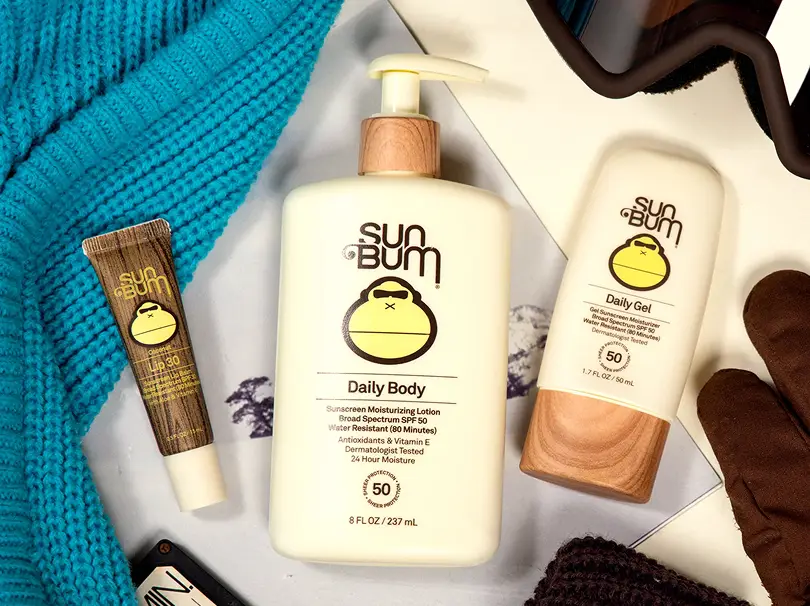
A candle brand sells a holiday trio with festive packaging and limited-edition scents. Even at a higher price point, customers see it as a premium, ready-to-gift item.
5. B2B Size Packs & Wholesale Cartons
These bundles meet the needs of business purchasers or high-volume customers, offering bulk quantities at a better price.
Best for:
Apparel (size runs)
Beverage cartons
Cleaning products
Foodservice
Home essentials
Why they convert well:
Wholesale buyers need efficiency.
Simplifies ordering for B2B clients.
Predictable volume = better forecasting.
A beverage brand sells “Case of 24 Cans” bundles as single-SKU packs, simplifying warehouse picking and repeat wholesale purchases.
6. Sampler Packs (Perfect for Product Discovery)
Sampler packs help customers explore individual products (flavors, scents, colors) before committing to full-size versions.
Best for:
Cosmetics
Food & beverage
Fragrances
Supplements
Why they convert well:
Helps customers discover favorites.
Reduces barrier to entry for hesitant buyers.
Drives repeat purchases of individual items.
A protein bar brand offers a sampler containing all 10 flavors. It becomes one of their top new-customer acquisition products.
Shopify’s Bundling Options: Native Bundles vs. Third-Party Apps
Shopify now offers merchants two primary options when creating bundles:
The native Shopify Bundles app — ideal for simple fixed bundles or multipacks.
Third-party bundling apps from apps.shopify.com — for advanced logic, customization, and multi-location operations.
Many brands start with the native app, but as their catalog grows, they typically upgrade to an app for more flexibility and cleaner backend workflows.
Shopify’s built-in Bundles app supports:
Fixed bundles and multipacks
Basic mix-and-match with limited options
Automatic inventory deductions for each component
Native performance (no script injection)
Clean compatibility with Online Store 2.0
This makes it ideal for merchants who want a lightweight, no-code solution.
But once you start experimenting with more advanced structures, several limitations become clear:
1. Limited Variant & Component Flexibility
Strict limits on the number of components
Cannot exceed Shopify’s variant/option limits
Not ideal for large catalogs or custom kits
2. No Advanced Inventory Logic
No bill of materials (BOM) modeling
No multi-location routing
Limited visibility into component-level performance
3. No Dynamic Bundling Capabilities
Can’t support “Pick 3 for $45”
No tiered pricing
No conditional logic
4. Limited Compatibility With Subscriptions & B2B
Recharge/Skio setups often require deeper logic
B2B cartons or case packs aren’t supported
POS behavior is limited
5. Minimal Frontend Customization
No bundle builder
No swatches or step-by-step UX
Requires custom theme development
This is where third-party apps unlock more advanced bundling experiences.
The Top Shopify Bundle Apps, and Where they Excel
Not all bundling apps are created equal. Here are the top options and where they fit best.
1. Simple Bundles
Best for: Operational accuracy, advanced logic, POS, 3PL workflows
Rating: ⭐ 4.9 (570+ reviews)
Pricing: Free plan; Paid plans from $24/mo
Simple Bundles stands out because it's not just a frontend widget — it’s built around clean operational architecture: accurate SKU mapping, reliable inventory syncing, and fulfillment-friendly order breakdowns.
This makes it highly scalable for growth-stage brands, multi-location setups, and teams using ERPs or 3PLs.
Key features
Real-time SKU-level inventory syncing
Automatic order breakdown into components
POS, Markets, and draft-order support
Dynamic bundles and tiered logic
Storefront app blocks & UI extensions
Infinite-options architecture
Detailed analytics
Things to know
Complex UI flows may require developer support
Intentional “lean” out-of-the-box design (built to be extended)
2. AOV.ai Bundles & Volume Discount
Best for: AI-driven recommendations and dynamic AOV optimization
Rating: ⭐ 4.9
Pricing: Free; Paid from $19/mo
AOV.ai uses behavioral data to automatically generate bundle suggestions, similar to Amazon’s recommendation engine.
Key features
AI-driven bundle and cross-sell suggestions
Fixed bundles, mix-and-match, volume discounts
High-performing front-end widgets
Things to know
Not built for backend SKU logic
Requires data to train its AI models
3. Zoorix Bundle Kit & Volume Discount
Best for: Tiered logic and discount-heavy bundles
Rating: ⭐ 5.0
Pricing: Free; Paid from $7.99/mo
Zoorix is excellent if you want strong discount structures without a heavy developer lift.
Key features
Build-a-box with mix-and-match
BOGO, tiered discounts, percentage-off bundles
Variant-level quantity breaks
Things to know
Manual setup required
Doesn’t support backend SKU breakdown
4. Koala Bundles & Volume Discounts
Best for: Beautiful, visual merchandising
Rating: ⭐ 5.0
Pricing: Free; $19.99–$49.99/mo
Koala specializes in highly polished bundling displays.
Key features
Attractive layouts
Quantity break bundles
Post-purchase upsells
Things to know
Not built for complex operational workflows
5. Unlimited Bundles & Discounts
Best for: Beginner-friendly and flexible setups
Rating: ⭐ 4.8
Pricing: Free; $13.99–$29.99/mo
Great for merchants who want straightforward bundling tools with wide coverage.
If your operations are growing or you need advanced UX, an app is almost always necessary. For 80% of growth-stage merchants, a third-party app — especially one with clean backend logic — is the more scalable choice.
How to Create Bundles on Shopify (Step-by-Step)
Below is a full checklist for setting up bundles using both the native app and third-party apps.
Option 1: Creating Bundles With Shopify’s Native Bundles App
1. Create a bundle product
Go to Products → Add product
Select Bundle
Add component SKUs and quantities
2. Configure pricing and availability
Set a single bundle price
Select available channels (Online Store, POS, Shop app)
3. Confirm inventory behavior
Ensure all components track inventory
Validate location availability
Test stockout behavior
4. Test PDP → cart → checkout
Check for:
Correct price
Expected discount behavior
Accurate shipping/tax calculations
Clean cart drawer rendering
5. Add merchandising
What’s included
Savings vs. individual items
Use-case imagery
6. Monitor analytics
Track:
AOV changes
Units sold
Attach rate
Conversion rate impact
If you need custom logic, add a bundling app and rebuild the bundle there.
Option 2: Creating Bundles With Third-Party Apps (e.g., Simple Bundles)
Creating bundles is one thing, but successfully merchandising them is what drives meaningful AOV lift. Here’s how high-performing Shopify brands promote bundles across the customer journey.
1. Homepage Merchandising
Your homepage influences whether customers explore bundles at all.
Best practices:
Dedicate a hero section to your best bundle.
Add badges like “Save 20%” or “Best Value.”
Use lifestyle imagery showing the bundle in use.
Position bundles above the fold during peak seasons.
2. PDP Enhancements
If customers land on a single product page, bundle upsells can dramatically improve AOV.
Methods:
Add a “Frequently Bought Together” block.
Highlight value comparisons (“$86 value – you pay $69”).
Bundles give you an edge in Meta and TikTok campaigns because they carry built-in value.
Best practices:
Target cold audiences with sampler bundles.
Retarget with starter kits.
Use UGC creators demonstrating full bundles.
6. Merchandising in Physical Stores (POS)
Bundles can increase in-store units per transaction, too.
Ideas:
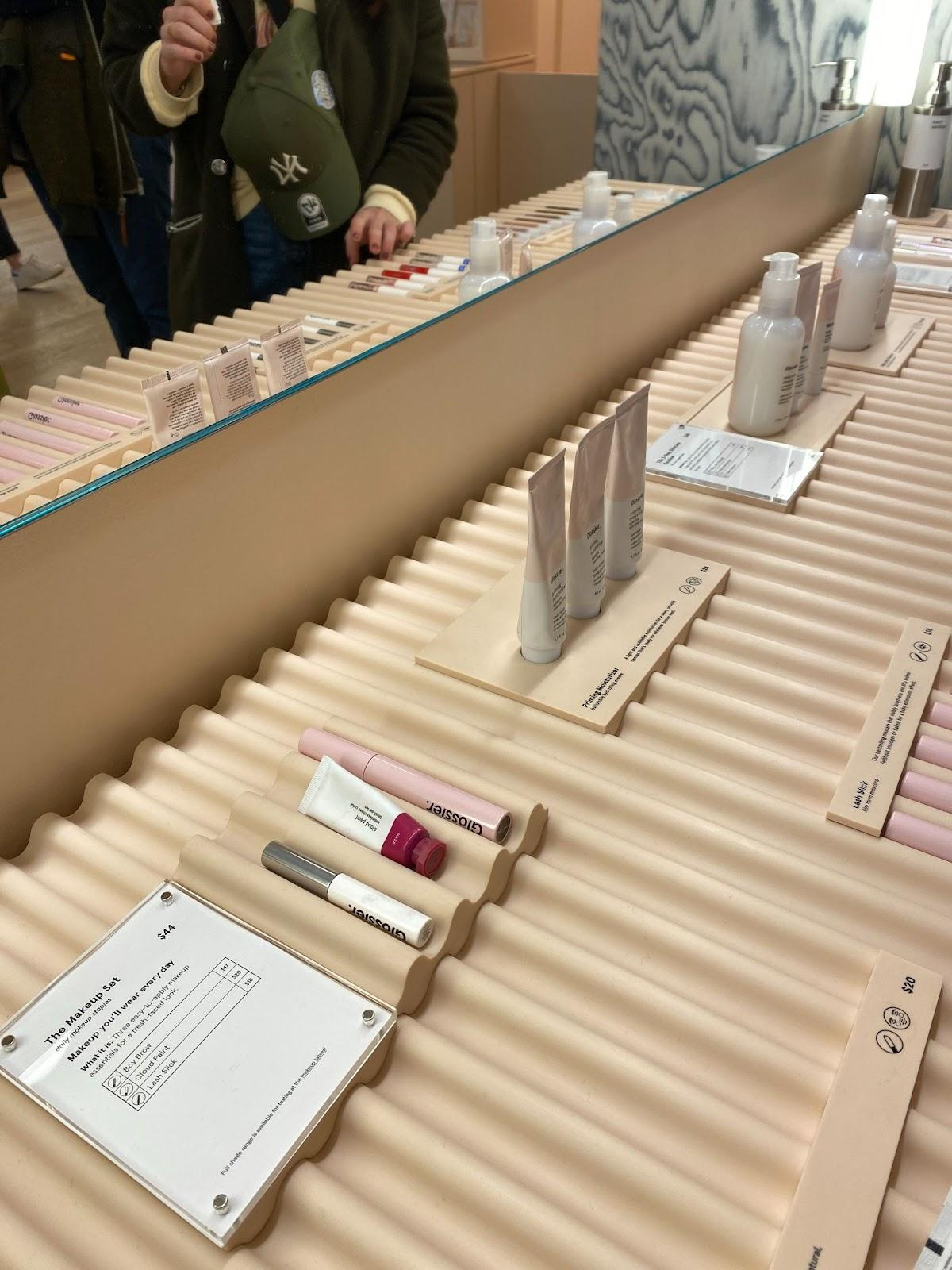
Pre-boxed gift sets near the register
“3 for $30” displays
Bundled merch racks by outfit/theme
Common Bundle Mistakes (And How to Avoid Them)
Below are the most common mistakes Shopify merchants make, plus clear solutions to avoid them.
1. Incorrect SKU Mapping (The Most Expensive Mistake)
This leads to inaccurate inventory counts, fulfillment errors, and overselling.
Avoid it by:
Using apps with clean bill-of-materials (BOM) logic
Testing bundles with real orders
Ensuring components track inventory individually
Inventory mismatches compound over time and can create thousands of dollars in operational headaches.
2. Ignoring Inventory Constraints Across Locations
Multi-location stores often forget that a bundle becomes unavailable when any component is out of stock — sometimes in a single location.
Avoid it by:
Reviewing inventory rules for each location
Setting up location-specific availability
Testing stockout behavior
One misconfigured location can make bundles appear “sold out” despite abundant inventory elsewhere.
3. Over-Discounting Bundles
Some brands discount bundles so aggressively they erode margins.
Avoid it by:
Leading with value framing before discounts
Using bundles to increase perceived value, not only price
Testing smaller discounts first (5–10%)
Buyers often focus on convenience and discovery — not just price — so you can capture more margin than you think.
4. Poor Frontend UX (Especially for Build-a-Box)
A confusing UI kills conversion, especially on mobile.
Avoid it by:
Using clear steps (Step 1, Step 2, Step 3)
Showing visual progress indicators
Using swatches, variant photos, or selectors
Keeping CTAs sticky on mobile
Build-a-box bundles rely heavily on customer engagement — any friction reduces completion rates.
5. Not Thinking Through Fulfillment
If fulfillment teams can’t easily pick bundle components, accuracy drops fast.
Avoid it by:
Breaking bundles into line items
Testing picklists with staff or your 3PL
Ensuring scanners read individual SKUs
Operational reliability enables bundles to scale. Without it, errors increase with every order.
The Smarter Way to Create Bundles on Shopify
Creating bundles on Shopify is easy. Creating bundles that scale operationally, support dynamic customer experiences, and maintain accurate inventory is harder.
If you need:
simple fixed bundles → use Shopify Bundles
mix-and-match, build-a-box, or advanced logic → use a bundling app
clean backend logic, 3PL compatibility, and accurate SKU breakdown → use Simple Bundles
As bundling strategies become more central to AOV and retention, the merchants who win are those who combine great merchandising with operational reliability.
Build a bundle in under 5 minutes
Over 25,000 Shopify merchants use Simple Bundles to sell more per order.
Off-road and overlanding customers are buying complete upgrades for their rigs. This article explains why kit-based selling dramatically increases AOV for Shopify stores by packaging compatible components into pre-built kits or bundles.
Why bundles are a better way to sell fitment-based kits: merchants can create clean, platform-specific product pages while tracking shared components like lights, brackets, and harnesses at the inventory level.