Basil is the Co-Founder and CTO of Simple Bundles, where he leads product strategy and development. With deep experience building scalable systems for merchants, he specializes in the technical and operational challenges for back-office operations.
Bundling strategies
How Shopify brands can set up a free gift with purchase
This guide explains how to create free gift with purchase promotions on Shopify using native discounts, bundle apps, and automation tools. Learn how to add gifts automatically, boost AOV with cart upsells, and create a smoother customer experience.
Basil Khan
May 13, 2026 · 12 min
Basil is the Co-Founder and CTO of Simple Bundles, where he leads product strategy and development. With deep experience building scalable systems for merchants, he specializes in the technical and operational challenges for back-office operations.
Setting up a "Free Gift with Purchase" (GWP) on Shopify is one of the most effective ways to boost your average order value and clear out excess inventory without devaluing your brand.
However, Shopify doesn’t always make the technical setup obvious.
The native "Buy X Get Y" discount exists, but it doesn't auto-add the gift to cart. Customers have to remember to add it themselves. That's friction. And friction kills conversions.
There's a better approach: treating your free gift as part of a bundle rather than a discount.
Whether you are a lean startup looking for a manual workaround or a scaling brand needing high-level automation, this guide will walk you through the configuration process step-by-step.
Why free gifts work better than discounts
Before diving into implementation, let's talk about the why.
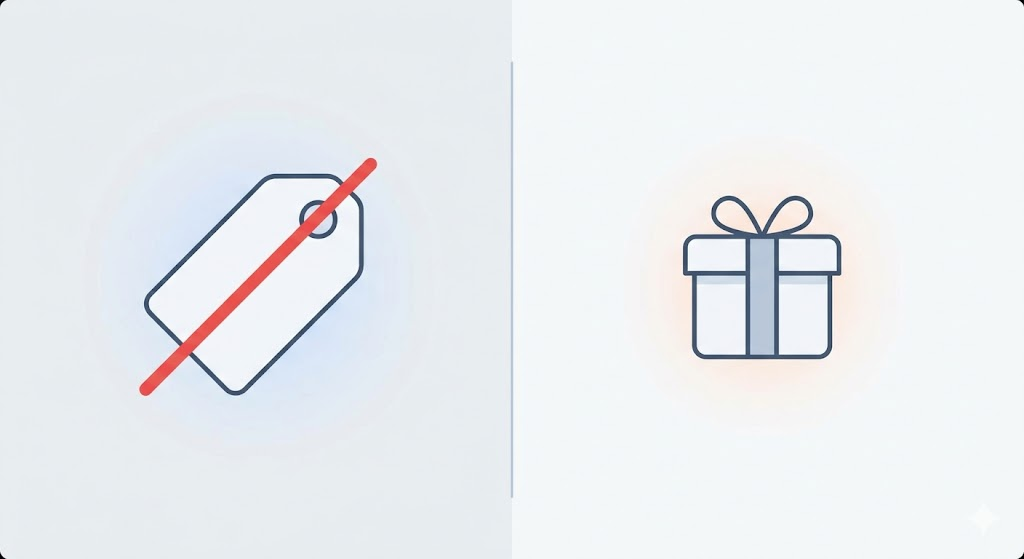
Human psychology reacts differently to a "Free Gift" than it does to a "20% Discount," even if the monetary value is identical.
For example, a $10 gift or 10% off a $100 order costs you the same. But they don't feel the same to the customer.
Discounts reduce perceived value; gifts create reciprocity. Why? Discounts position your product as overpriced. The customer thinks, "I'm paying less because it was too expensive." Gifts position the transaction as generous. The customer thinks, "I'm getting something extra."
This is the reciprocity principle in action. When someone gives you something, you feel compelled to give back. A free gift creates that psychological dynamic. A discount doesn't.
The outcomes follow from there. Brands that use free gift promotions consistently boost sales with higher conversion rates, increased average order values, and better perceived value. The math is the same. The psychology isn't.
The question is how to implement free gifts on Shopify without the friction. That's where most merchants get stuck.
Your options for free gifts on Shopify: native Shopify vs. third-party apps
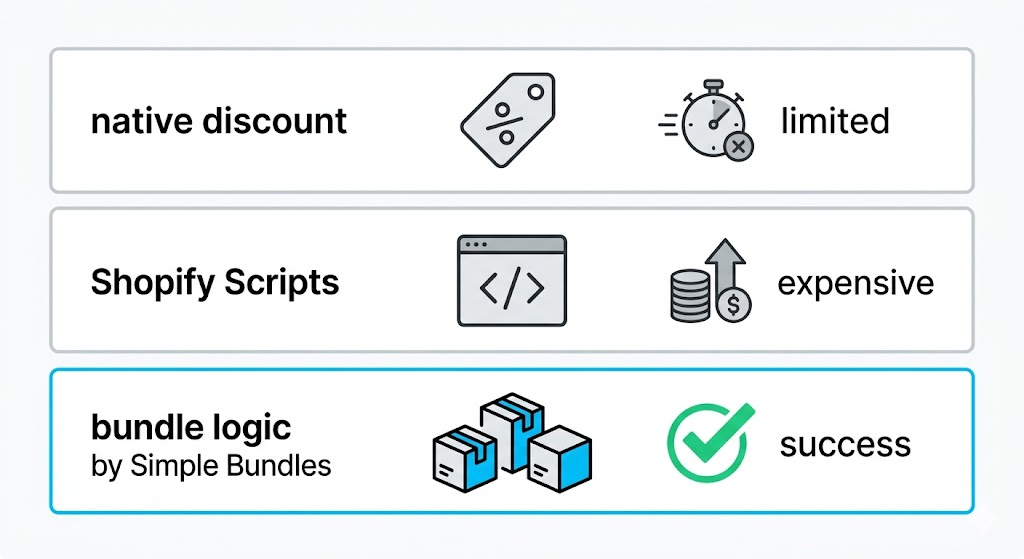
There are three common approaches. They differ dramatically in capability and accessibility.
Three ways to implement free gifts on Shopify, with different tradeoffs.
Native Shopify discounts
Shopify's "Buy X Get Y" BOGO discount lets you offer 100% off a product when conditions are met. It works, but barely.
The main limitation: the gift isn't auto-added to cart. Customers must know the gift exists, find it, and add it themselves. If they forget or miss the promotion messaging, they don't get the gift. You also can't build complex logic like tiered gifts or variant-specific rules.
For simple, low-stakes promotions, native discounts can work. For anything else, you'll hit walls quickly.
Shopify Scripts (Shopify Plus only)
Scripts let you automatically inject products into cart based on conditions. The experience is smooth, the automation is real.
The catch: Shopify Plus starts at $2,000/month, and Scripts require developer work to build and maintain. For enterprise stores, this makes sense. For everyone else, it's out of reach.
Bundle-based logic
The third option is to use Third-Party Apps. If you already run an ecommerce store on Shopify, you’re familiar with these. These are the middle ground for non-Plus users who want the "gift" to appear automatically in the cart without the customer having to hunt for the product themselves.
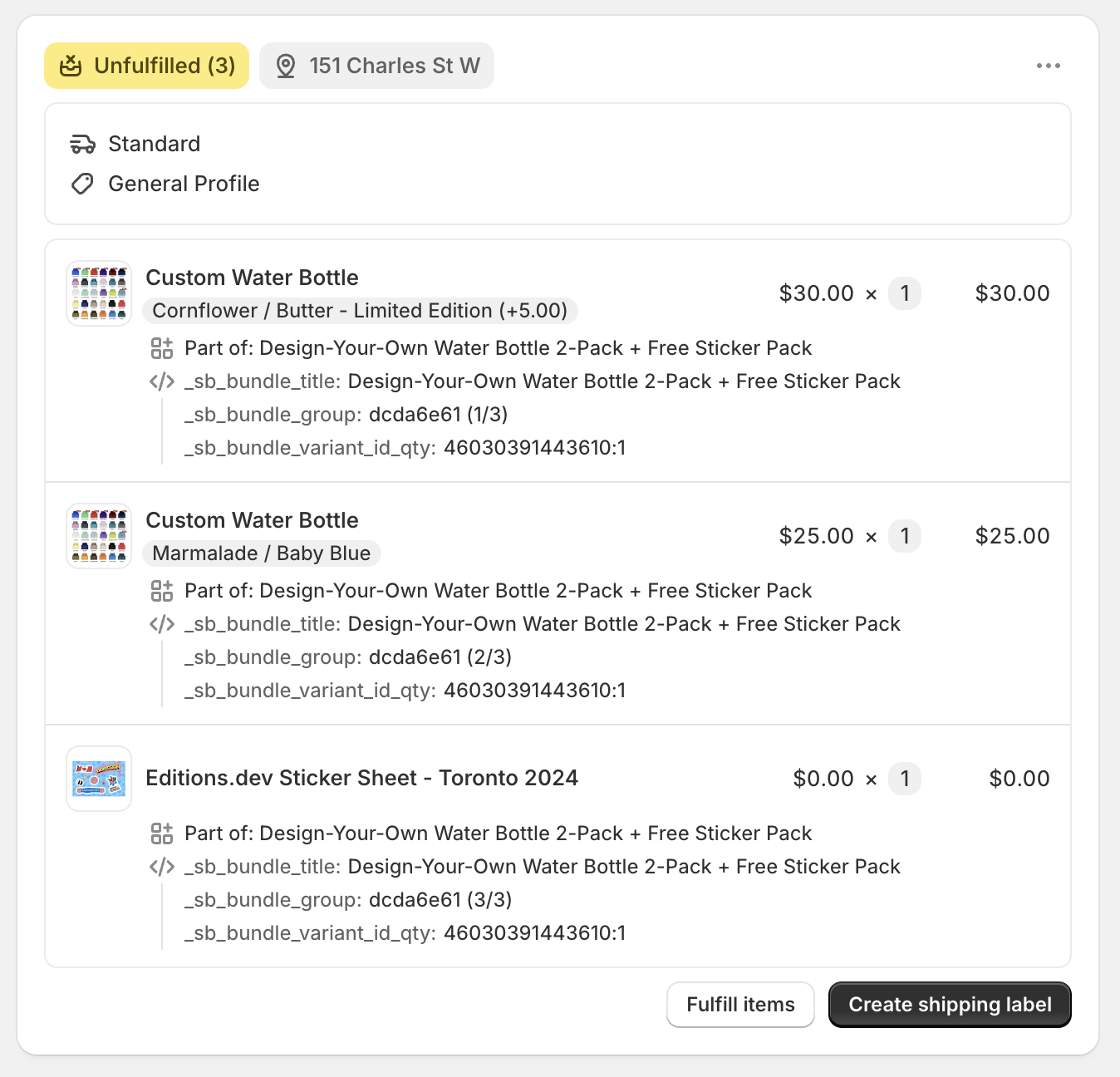
Basically, instead of "discounting a product to $0," think "including a product in a bundle at $0."
No Plus plan required. No developer dependency. That's why bundle-based free gifts are the upsell approach most growing Shopify stores should consider first.
When to use a third-party app for advanced gifting
If you aren't on Plus but find the manual "Buy X Get Y" method too clunky, third-party apps (like Revy, Bold, or Secomapp) are your best friends. They bridge the gap between manual work and high-level automation.
Adding gifts automatically to the cart
The biggest weakness of Shopify’s native "Buy X Get Y" is that the customer must add the gift to their cart themselves for the discount to trigger. Apps solve this by using AJAX pop-ups. When a customer qualifies, a window appears saying, "You’ve unlocked a free gift! Click here to add it." This ensures no customer misses out because they didn't read the fine print.
Tiered gifting (spend $50, get X; spend $100, get Y)
Native Shopify discounts struggle with "laddering." If you want to offer a bronze, silver, and gold gift tier, an app is essential. These apps can track the cart value and "swap" the gifts as the customer adds more items, incentivizing them to spend just a little more to reach the next tier.
Gifts based on specific collections
If you want to run a "Buy anything from the Summer Collection, get a free towel" promo, apps allow for much more granular "Collection-to-Product" mapping than the standard discount editor. This is perfect for seasonal clearances or cross-promotional partnerships with other brands.
How to set up free gifts with Simple Bundles
Simple Bundles is a Shopify app, available to all store sizes. Let's get specific about how this works.
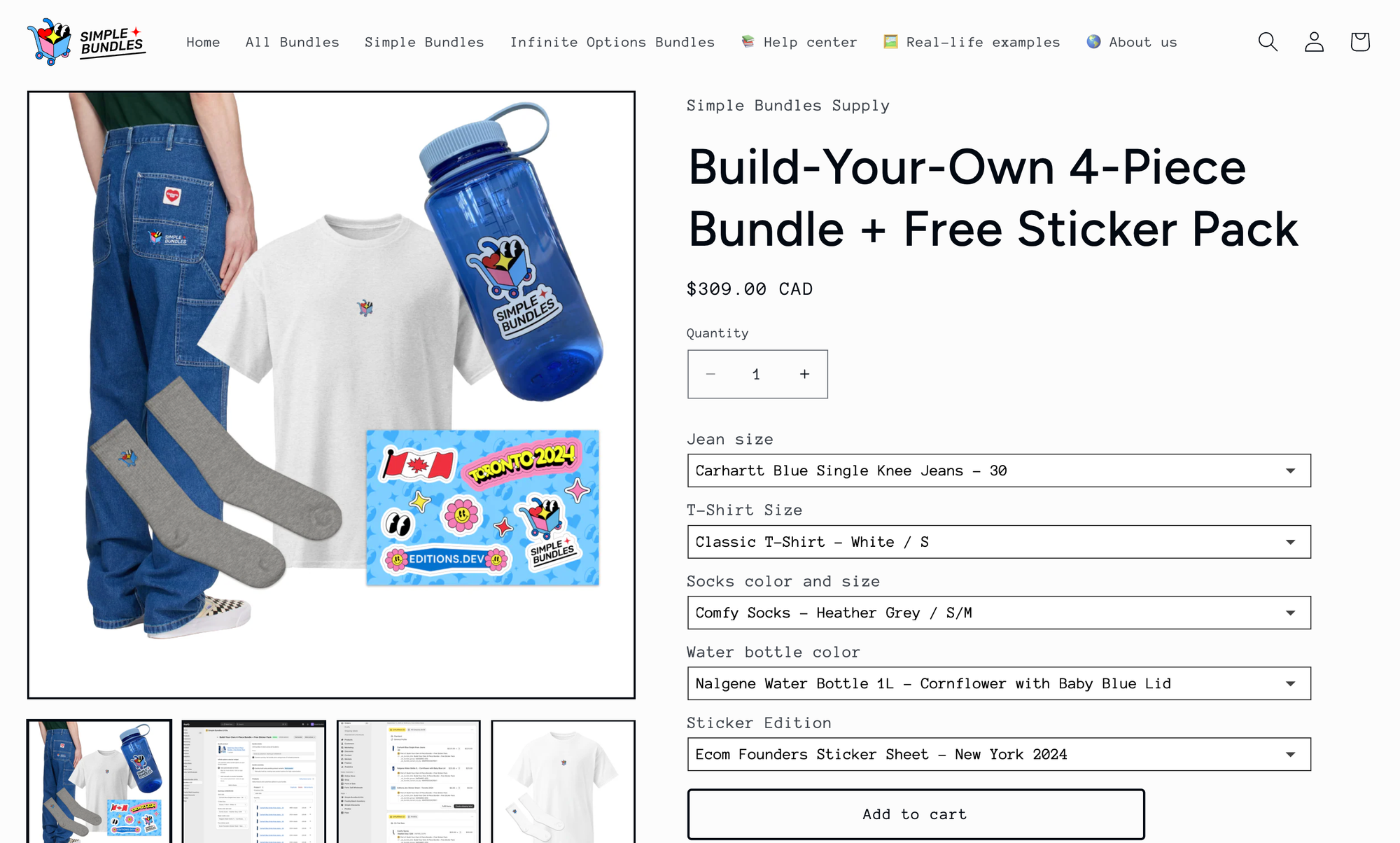
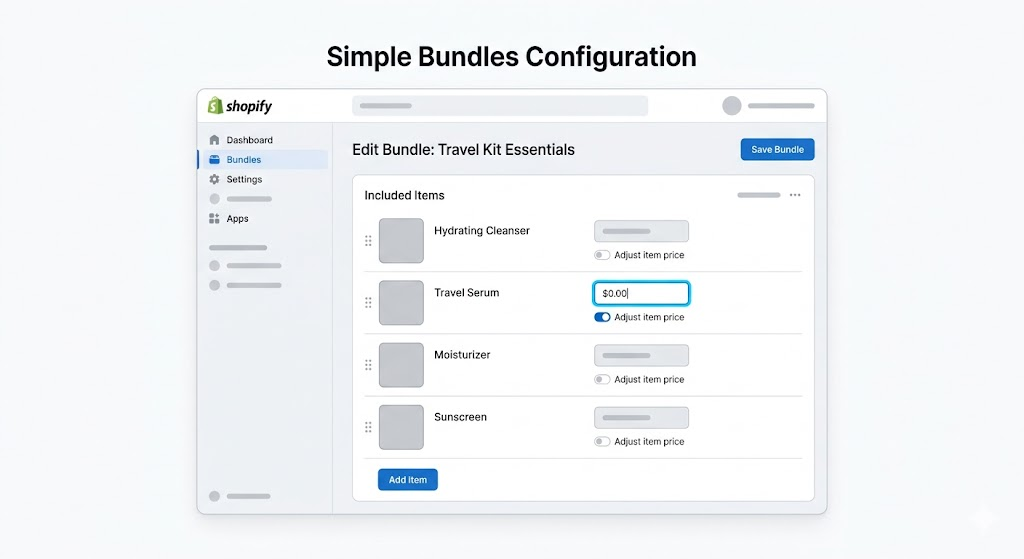
The key feature is dynamic pricing, available in Simple Bundles. This lets you set unique prices for individual items within a bundle, including $0 for free gifts.
Setup:
Create your bundle in the Simple Bundles builder
Add the gift product as one of the bundle components
Select "Adjust item price" in the Products section
Edit the individual price field for the gift item, setting it to $0
Use the "Test bundle" feature to verify pricing before publishing
Setting a gift item to $0 in the Simple Bundles dynamic pricing interface.
Setting a gift item to $0 in the Simple Bundles dynamic pricing interface.
Behind the scenes, Simple Bundles uses Shopify's Cart Transform API. The final pricing calculates in the cart, not on the product page. Customers see the gift's normal price on the product page, then see it drop to $0 when they view their cart with qualifying items.
Here's a video tutorial if you prefer:
What this enables:
A skincare brand could create a "Spend $100, get a free travel-size serum" promotion. The serum is a $25 value. With bundle logic, they add it to a "Gift with Purchase" bundle and price it at $0. When cart conditions are met, the customer sees the gift in their cart, price zeroed out.
A coffee subscription could offer a free bag of seasonal roast with any 3-bag purchase. Each main bag has its own dynamic price. The seasonal bag is set to $0. The bundle math handles it automatically, and you increase AOV with an exciting offer.
What to know before you start:
Dynamic pricing requires Simple Bundles 2.0
Both Simple Bundles builder and Infinite Options builder support this feature (for Infinite Options, dynamic pricing is disabled when products include multiple option groups)
Nested bundles aren't supported
CSV import/export is not available for dynamic pricing configurations
Prices display accurately in cart but may show original prices on product pages until cart calculation
Automating the gift with Shopify Scripts (Shopify Plus only)
For those on the Shopify Plus plan, you have access to the Script Editor. Instead of relying on the customer to add the gift to their cart, a Ruby-based script can monitor the cart's value in real-time.
When the cart hits your target threshold, the script can automatically inject the gift item into the cart and set its price to $0. This removes all friction from the customer journey.
If the customer removes items and their total drops below the threshold, the script automatically removes the gift. It is the gold standard for user experience, but it does require some technical comfort or a developer's touch.
How to set up a manual free gift using Shopify Discounts
The most common way to launch this offer is through the "Buy X Get Y" discount type. This tells Shopify’s checkout engine that if a specific condition is met, a specific item should be discounted to zero.
Step 1: Create a buy X get Y discount code
Navigate to your Shopify Admin and click on Discounts. Click Create discount and select Buy X Get Y. You will then choose between an "Automatic discount" (which applies without a code) or a "Discount code" (which requires the customer to type something like FREEGIFT at checkout). For the best conversion rates, choose Automatic discount so the customer doesn't have to remember a string of text.
Step 2: Configuring the "customer buys" requirements
This is where you set the "hurdle." You can choose a Minimum quantity of items or a Minimum purchase amount. For example, if you want to reward big spenders, set a minimum purchase amount of $100. If you are trying to move a specific product line, select "Specific products" and choose your "X" item.
Step 3: Selecting the "customer gets" product
In the "Customer gets" section, you define the gift. Select the product you are giving away. A crucial detail here is the Quantity. Usually, this is set to "1." You must also ensure that the "At a discounted value" setting is set to Free.
Pro-tip: Ensure the gift product is actually "Active" in your store and available on the Online Store channel, or the discount engine won't be able to find it during checkout.
Step 4: Setting the discount value and usage limits
Finally, scroll down to the "Availability" and "Usage limits." If you are running a limited promotion, you might want to check the box that says "Limit to one use per customer." This prevents a savvy shopper from placing ten separate orders to stockpile your gift items. Set your start and end dates clearly so the promotion turns off automatically once your campaign concludes.
Fine-tuning the customer experience
A Free Gift offer is only as good as its communication. If the customer doesn't know about it until the final checkout page, you’ve lost the chance to use that gift as a conversion tool.
Communicating the offer on product pages
Don't hide your light under a bushel. Use a "Top Bar" or an announcement banner that follows the user throughout the site. On the product pages themselves, add a small badge or text block near the "Add to Cart" button that reminds them: "Spend $15 more to unlock your free mystery gift!"
Managing inventory for gift items
There is nothing worse than a customer expecting a gift and receiving an email saying it's out of stock. Create a separate "Internal" inventory count for your gifts. If you have 500 units, consider setting your Shopify inventory to 450. This "buffer" accounts for damaged goods or inventory errors, ensuring every qualified customer gets their reward.
Handling returns and exchanges on orders with gifts
Your return policy needs an update the moment you launch a GWP. Explicitly state whether the gift must be returned if the primary item is returned. Most brands stipulate that if the return brings the order total below the original threshold, the gift must be returned in original condition or its retail value will be deducted from the refund.
Best practices for free gift promotions
Getting the technical setup right is half the battle. Here's how to maximize the impact:
Promote early, not just at checkout. If customers only learn about the free product after adding items to cart, you've missed opportunities. Use homepage banners, collection page messaging, and product page callouts. "Add $25 more to unlock a free gift" works better than a checkout surprise.
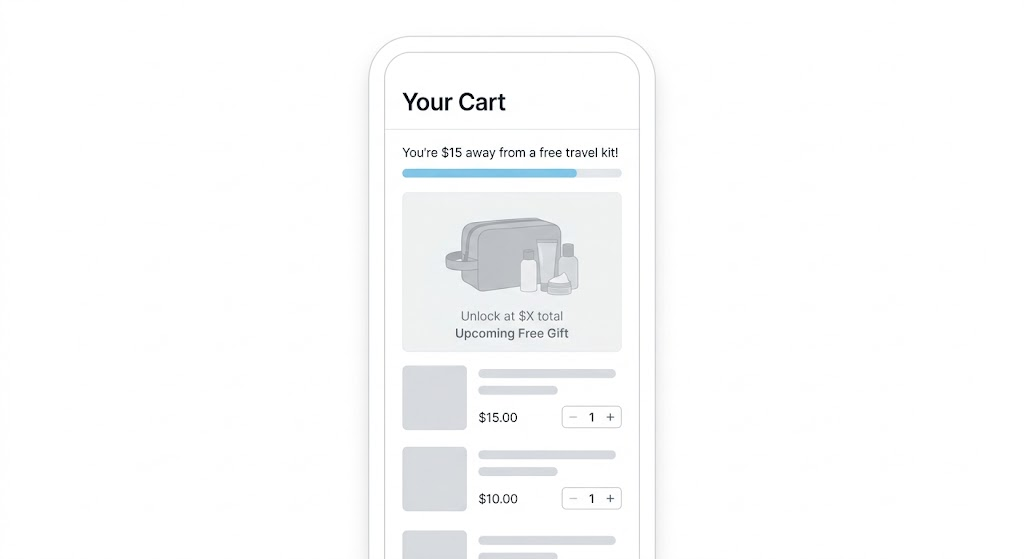
Create progress indicators. Show customers how close they are to the threshold. "You're $15 away from a free travel kit" creates a psychological pull to add more.
A cart progress indicator shows customers how close they are to unlocking their free gift.
A cart progress indicator shows customers how close they are to unlocking their free gift.
Use tiered bundles for tiered promotions. Instead of one threshold, create multiple: Spend $50 for gift A, $100 for gift B, $150 for gift C. With bundle-based logic, you can set up separate bundles for each tier, each with its own gift priced at $0. This encourages customers to stretch toward the next level.
Keep the gift relevant. A free phone case with a skincare order feels random. A free sample of your new moisturizer feels thoughtful. Relevance increases perceived value.
Test the cart experience. Since dynamic pricing calculates in cart, test the full flow: add products, hit the threshold, verify the gift appears at $0. Use Simple Bundles' "Test bundle" feature before going live.
Keep offers consistent across sales channels. If you offer a free item as part of a bundle on your online store, you can offer that same experience in your retail locations using the Simple Bundles app on Shopify POS.
Testing Your setup before launching
Before you blast your email list, put on your "customer hat." Open an Incognito/Private browser window and navigate your store.
Does the discount apply automatically?
What happens if I add the gift first, then the qualifying item?
What happens if I add two qualifying items?
If the logic feels "sticky" or confusing to you, it will be a nightmare for your customers. Iron out these kinks in a test environment first.
Making free gifts work without the headaches
Free gifts convert. The psychology is clear. But Shopify's native tools make implementation frustrating, and Plus-only Scripts are out of reach for most stores.
Bundle-based logic offers a middle path. By treating free gifts as bundle components with dynamic pricing, you get automated gift inclusion, flexible rules, and proper inventory tracking without the Plus price tag.
How do free gift promotions help increase Shopify sales?
Free gift promotions encourage customers to spend more by increasing perceived value instead of lowering prices. Many store owners use free gifts as a cart upsell strategy to boost average order value while maintaining healthy margins.
Can Shopify automatically add a free gift to the cart?
Shopify’s native Buy X Get Y discount does not automatically add gift items to the cart. Customers must manually add the product themselves. Third-party apps and bundle-based solutions can automate this process and improve the customer experience.
What’s the difference between a free gift and a discount?
A discount reduces the purchase price, while a free gift adds extra value to the order. Free gifts often perform better psychologically because customers feel rewarded rather than simply paying less.
Are free gifts better than BOGO offers?
It depends on your promotion goals. BOGO offers work well for moving inventory quickly, while free gifts are often more effective for premium positioning and increasing perceived value. Many brands combine both strategies during seasonal campaigns.
Can I use a cart drawer to promote free gifts?
Yes. Many Shopify apps allow merchants to display free gift offers directly inside the cart drawer. This is an effective way to highlight thresholds like “Spend $20 more to unlock a free gift.”
How do volume discounts work with free gift promotions?
Volume discounts can be combined with free gift campaigns to encourage larger purchases. For example, a store might offer 10% off orders with 3+ items plus a bonus gift when customers spend over a certain amount.
What’s the best way to cross-sell products using free gifts?
Free gifts work well as a cross-sell tactic when the gift complements the purchased products. For example, a skincare brand might include a free cleanser sample with moisturizer purchases to introduce customers to another product line.
Do free gift apps work for small Shopify stores?
Yes. Many Shopify apps are designed specifically for growing store owners who want advanced promotions without upgrading to Shopify Plus. These tools make it easier to automate gifting, tiered offers, and cart upsell campaigns.
How can customer support help with free gift promotions?
Customer support teams play an important role in handling questions about eligibility, missing gifts, returns, and promotional terms. Clear communication reduces confusion and improves customer satisfaction during campaigns.
Can free gift promotions improve the checkout experience?
Yes. When implemented correctly, free gifts create a smoother and more rewarding checkout journey. Features like automatic gift addition, progress bars, and cart drawer notifications help customers understand exactly how to qualify for rewards.
What types of products work best as free gifts?
The best free gifts are relevant, low-cost, and complementary to the customer’s purchase. Popular options include samples, accessories, travel-size products, or limited-edition items.
Should store owners use apps for advanced gifting campaigns?
For most store owners, yes. Third-party apps provide more flexibility than Shopify’s built-in discounts, including automatic gift addition, advanced cart upsell logic, tiered rewards, and customizable promotion rules.
Build a bundle in under 5 minutes
Over 25,000 Shopify merchants use Simple Bundles to sell more per order.
This guide covers 10 important questions every brand should ask before signing with an agency. From understanding their experience with Shopify and CRO to evaluating reporting, retention strategies, paid media expertise, and communication processes.